
🚧
|🚧
| | Episode 2: Foundational Concepts - LLM Agents | Bridge the gap between foundational LLMs and intelligent agents, exploring how to synergize reasoning and acting for truly dynamic interactions. Learn about AI systems that don't just generate text, but actively interact within their environment. |🚧
|🚧
| | Episode 3: Vibe-Hacking Tutorial "My first Hack" | A Vibe-Hacking guide for newbies. We demonstrate a simple web security hack using a default agent and show how to leverage tools and interpret CIA output with the help of the CAI Python API. You'll also learn to compare different LLM models to find the best fit for your hacking endeavors. |🚧
|🚧
| | | | | | | Annex 1: `CAI` 0.5.x release | Introduce version 0.5 of `CAI` including new multi-agent functionality, new commands such as `/history`, `/compact`, `/graph` or `/memory` and a case study showing how `CAI` found a critical security flaw in OT heap pumps spread around the world. | [](https://www.youtube.com/watch?v=OPFH0ANUMMw) | [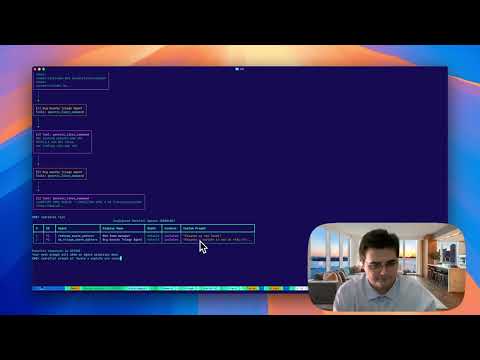](https://www.youtube.com/watch?v=Q8AI4E4gH8k) | | Annex 2: `CAI` 0.4.x release and `alias0` | Introducing version 0.4 of `CAI` with *streaming* and improved MCP support. We also introduce `alias0`, the Privacy-First Cybersecurity AI, a Model-of-Models Intelligence that implements a Privacy-by-Design architecture and obtains state-of-the-art results in cybersecurity benchmarks. | [](https://www.youtube.com/watch?v=NZjzfnvAZcc) | | | Annex 3: Cybersecurity AI Community Meeting #1 | First Cybersecurity AI (`CAI`) community meeting, over 40 participants from academia, industry, and defense gathered to discuss the open-source scaffolding behind CAI — a project designed to build agentic AI systems for cybersecurity that are open, modular, and Bug Bounty-ready. | [](https://www.youtube.com/watch?v=4JqaTiVlgsw) | | ## :nut_and_bolt: Install ```bash pip install cai-framework ``` Always create a new virtual environment to ensure proper dependency installation when updating CAI. The following subsections provide a more detailed walkthrough on selected popular Operating Systems. Refer to the [Development](#development) section for developer-related install instructions. ### OS X ```bash brew update && \ brew install git python@3.12 # Create virtual environment python3.12 -m venv cai_env # Install the package from the local directory source cai_env/bin/activate && pip install cai-framework # Generate a .env file and set up with defaults echo -e 'OPENAI_API_KEY="sk-1234"\nANTHROPIC_API_KEY=""\nOLLAMA=""\nPROMPT_TOOLKIT_NO_CPR=1\nCAI_STREAM=false' > .env # Launch CAI cai # first launch it can take up to 30 seconds ``` ### Ubuntu 24.04 ```bash sudo apt-get update && \ sudo apt-get install -y git python3-pip python3.12-venv # Create the virtual environment python3.12 -m venv cai_env # Install the package from the local directory source cai_env/bin/activate && pip install cai-framework # Generate a .env file and set up with defaults echo -e 'OPENAI_API_KEY="sk-1234"\nANTHROPIC_API_KEY=""\nOLLAMA=""\nPROMPT_TOOLKIT_NO_CPR=1\nCAI_STREAM=false' > .env # Launch CAI cai # first launch it can take up to 30 seconds ``` ### Ubuntu 20.04 ```bash sudo apt-get update && \ sudo apt-get install -y software-properties-common # Fetch Python 3.12 sudo add-apt-repository ppa:deadsnakes/ppa && sudo apt update sudo apt install python3.12 python3.12-venv python3.12-dev -y # Create the virtual environment python3.12 -m venv cai_env # Install the package from the local directory source cai_env/bin/activate && pip install cai-framework # Generate a .env file and set up with defaults echo -e 'OPENAI_API_KEY="sk-1234"\nANTHROPIC_API_KEY=""\nOLLAMA=""\nPROMPT_TOOLKIT_NO_CPR=1\nCAI_STREAM=false' > .env # Launch CAI cai # first launch it can take up to 30 seconds ``` ### Windows WSL Go to the Microsoft page: https://learn.microsoft.com/en-us/windows/wsl/install. Here you will find all the instructions to install WSL From Powershell write: wsl --install ```bash sudo apt-get update && \ sudo apt-get install -y git python3-pip python3-venv # Create the virtual environment python3 -m venv cai_env # Install the package from the local directory source cai_env/bin/activate && pip install cai-framework # Generate a .env file and set up with defaults echo -e 'OPENAI_API_KEY="sk-1234"\nANTHROPIC_API_KEY=""\nOLLAMA=""\nPROMPT_TOOLKIT_NO_CPR=1\nCAI_STREAM=false' > .env # Launch CAI cai # first launch it can take up to 30 seconds ``` ### Android We recommend having at least 8 GB of RAM: 1. First of all, install userland https://play.google.com/store/apps/details?id=tech.ula&hl=es 2. Install Kali minimal in basic options (for free). [Or any other kali option if preferred] 3. Update apt keys like in this example: https://superuser.com/questions/1644520/apt-get-update-issue-in-kali, inside UserLand's Kali terminal execute ```bash # Get new apt keys wget http://http.kali.org/kali/pool/main/k/kali-archive-keyring/kali-archive-keyring_2024.1_all.deb # Install new apt keys sudo dpkg -i kali-archive-keyring_2024.1_all.deb && rm kali-archive-keyring_2024.1_all.deb # Update APT repository sudo apt-get update # CAI requieres python 3.12, lets install it (CAI for kali in Android) sudo apt-get update && sudo apt-get install -y git python3-pip build-essential zlib1g-dev libncurses5-dev libgdbm-dev libnss3-dev libssl-dev libreadline-dev libffi-dev libsqlite3-dev wget libbz2-dev pkg-config wget https://www.python.org/ftp/python/3.12.4/Python-3.12.4.tar.xz tar xf Python-3.12.4.tar.xz cd ./configure --enable-optimizations sudo make altinstall # This command takes long to execute # Clone CAI's source code git clone https://github.com/aliasrobotics/cai && cd cai # Create virtual environment python3.12 -m venv cai_env # Install the package from the local directory source cai_env/bin/activate && pip3 install -e . # Generate a .env file and set up cp .env.example .env # edit here your keys/models # Launch CAI cai ``` ### :nut_and_bolt: Setup `.env` file CAI leverages the `.env` file to load configuration at launch. To facilitate the setup, the repo provides an exemplary [`.env.example`](.env.example) file provides a template for configuring CAI's setup and your LLM API keys to work with desired LLM models. :warning: Important: CAI does NOT provide API keys for any model by default. Don't ask us to provide keys, use your own or host your own models. :warning: Note: The OPENAI_API_KEY must not be left blank. It should contain either "sk-123" (as a placeholder) or your actual API key. See https://github.com/aliasrobotics/cai/issues/27. :warning: Note: If you are using alias0 model, make sure that CAI is >0.4.0 version and here you have an .env example to be able to use it. ```bash OPENAI_API_KEY="sk-1234" OLLAMA="" ALIAS_API_KEY="