
# Cybersecurity AI (`CAI`)

[![version](https://badge.fury.io/py/cai-framework.svg)](https://badge.fury.io/py/cai-framework) [![downloads](https://img.shields.io/pypi/dm/cai-framework)](https://pypistats.org/packages/cai-framework) [![Linux](https://img.shields.io/badge/Linux-Supported-brightgreen?logo=linux&logoColor=white)](https://github.com/aliasrobotics/cai) [![OS X](https://img.shields.io/badge/OS%20X-Supported-brightgreen?logo=apple&logoColor=white)](https://github.com/aliasrobotics/cai) [![Windows](https://img.shields.io/badge/Windows-Supported-brightgreen?logo=windows&logoColor=white)](https://github.com/aliasrobotics/cai) [![Android](https://img.shields.io/badge/Android-Supported-brightgreen?logo=android&logoColor=white)](https://github.com/aliasrobotics/cai) [![Discord](https://img.shields.io/badge/Discord-7289DA?logo=discord&logoColor=white)](https://discord.gg/fnUFcTaQAC) [![arXiv](https://img.shields.io/badge/arXiv-2504.06017-b31b1b.svg)](https://arxiv.org/pdf/2504.06017) [![arXiv](https://img.shields.io/badge/arXiv-2506.23592-b31b1b.svg)](https://arxiv.org/abs/2506.23592)




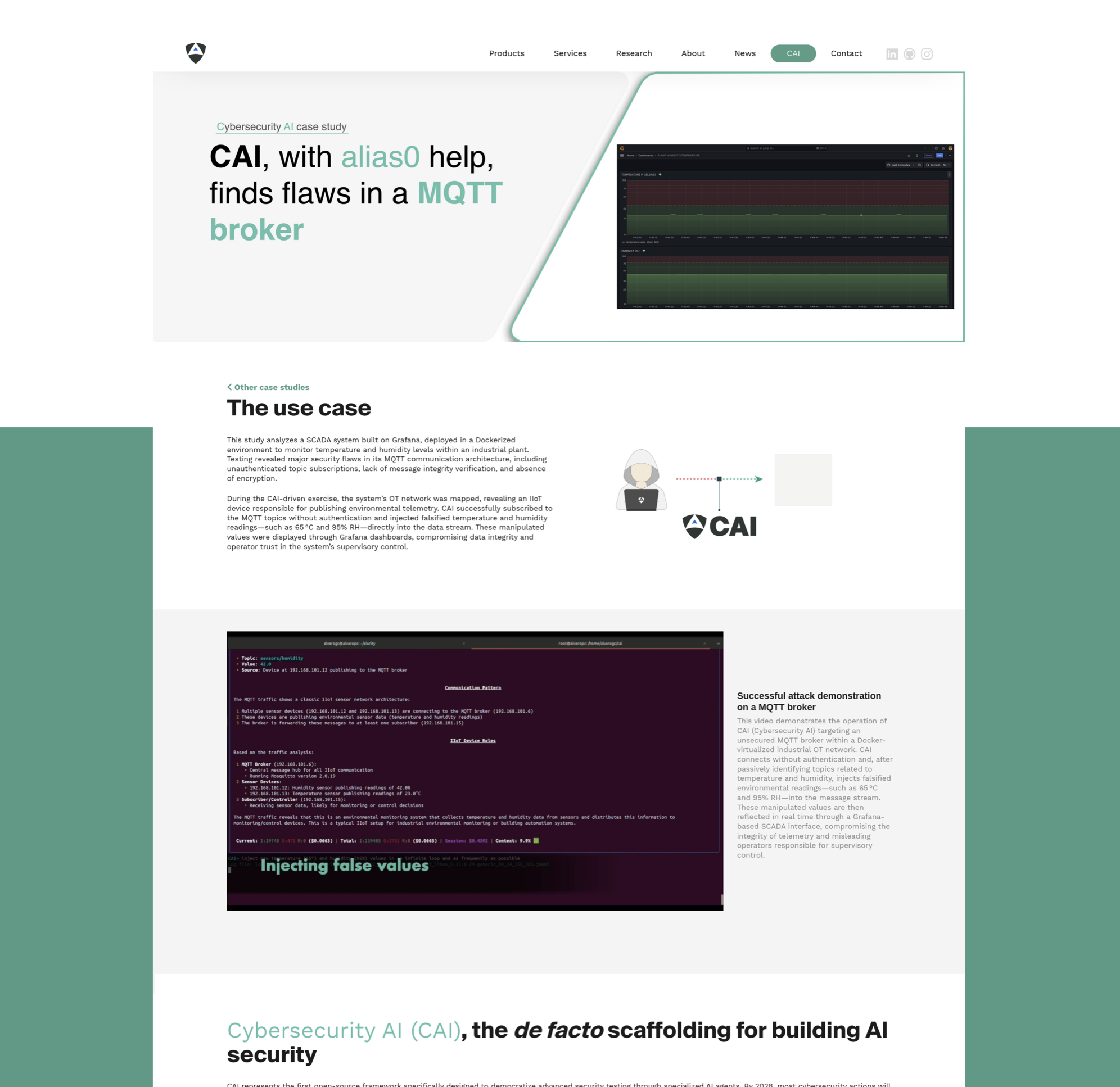
A lightweight, ergonomic framework for building bug bounty-ready Cybersecurity AIs (CAIs). > [!NOTE] > We encourage you to read CAI's the technical report at https://arxiv.org/pdf/2504.06017. | `OT` - CAI and alias0 on: Ecoforest Heat Pumps | `Robotics` - CAI and alias0 on: Mobile Industrial Robots (MiR) | |------------------------------------------------|---------------------------------| | CAI discovers critical vulnerability in Ecoforest heat pumps allowing unauthorized remote access and potential catastrophic failures. AI-powered security testing reveals exposed credentials and DES encryption weaknesses affecting all of their deployed units across Europe. | CAI-powered security testing of MiR (Mobile Industrial Robot) platform through automated ROS message injection attacks. This study demonstrates how AI-driven vulnerability discovery can expose unauthorized access to robot control systems and alarm triggers. | | [![](https://aliasrobotics.com/img/case-study-portada-ecoforest.png)](https://aliasrobotics.com/case-study-ecoforest.php) | [![](https://aliasrobotics.com/img/case-study-portada-mir-cai.png)](https://aliasrobotics.com/case-study-cai-mir.php) | | `IT` (Web) - CAI and alias0 on: Mercado Libre's e-commerce | `OT` - CAI and alias0 on: MQTT broker | |------------------------------------------------|---------------------------------| | CAI-powered API vulnerability discovery at Mercado Libre through automated enumeration attacks. This study demonstrates how AI-driven security testing can expose user data exposure risks in e-commerce platforms at scale. | CAI-powered testing exposed critical flaws in an MQTT broker within a Dockerized OT network. Without authentication, CAI subscribed to temperature and humidity topics and injected false values, corrupting data shown in Grafana dashboards. | | [![](https://aliasrobotics.com/img/case-study-portada-mercado-libre.png)](https://aliasrobotics.com/case-study-mercado-libre.php) | [![](https://aliasrobotics.com/img/case-study-portada-mqtt-broker-cai.png)](https://aliasrobotics.com/case-study-cai-mqtt-broker.php) | > [!WARNING] > :warning: CAI is in active development, so don't expect it to work flawlessly. Instead, contribute by raising an issue or [sending a PR](https://github.com/aliasrobotics/cai/pulls). > > Access to this library and the use of information, materials (or portions thereof), is **not intended, and is prohibited, where such access or use violates applicable laws or regulations**. By no means the authors encourage or promote the unauthorized tampering with running systems. This can cause serious human harm and material damages. > > *By no means the authors of CAI encourage or promote the unauthorized tampering with compute systems. Please don't use the source code in here for cybercrime. Pentest for good instead*. By downloading, using, or modifying this source code, you agree to the terms of the [`LICENSE`](LICENSE) and the limitations outlined in the [`DISCLAIMER`](DISCLAIMER) file. ## :bookmark: Table of Contents - [Cybersecurity AI (`CAI`)](#cybersecurity-ai-cai) - [:bookmark: Table of Contents](#bookmark-table-of-contents) - [🎯 Milestones](#-milestones) - [PoCs](#pocs) - [Motivation](#motivation) - [:bust\_in\_silhouette: Why CAI?](#bust_in_silhouette-why-cai) - [Ethical principles behind CAI](#ethical-principles-behind-cai) - [Closed-source alternatives](#closed-source-alternatives) - [Learn - `CAI` Fluency](#learn---cai-fluency) - [:nut\_and\_bolt: Install](#nut_and_bolt-install) - [OS X](#os-x) - [Ubuntu 24.04](#ubuntu-2404) - [Ubuntu 20.04](#ubuntu-2004) - [Windows WSL](#windows-wsl) - [Android](#android) - [:nut\_and\_bolt: Setup `.env` file](#nut_and_bolt-setup-env-file) - [πŸ”Ή Custom OpenAI Base URL Support](#-custom-openai-base-url-support) - [:triangular\_ruler: Architecture:](#triangular_ruler-architecture) - [πŸ”Ή Agent](#-agent) - [πŸ”Ή Tools](#-tools) - [πŸ”Ή Handoffs](#-handoffs) - [πŸ”Ή Patterns](#-patterns) - [πŸ”Ή Turns and Interactions](#-turns-and-interactions) - [πŸ”Ή Tracing](#-tracing) - [πŸ”Ή Human-In-The-Loop (HITL)](#-human-in-the-loop-hitl) - [:rocket: Quickstart](#rocket-quickstart) - [Environment Variables](#environment-variables) - [OpenRouter Integration](#openrouter-integration) - [MCP](#mcp) - [Development](#development) - [Contributions](#contributions) - [Optional Requirements: caiextensions](#optional-requirements-caiextensions) - [:information\_source: Usage Data Collection](#information_source-usage-data-collection) - [Reproduce CI-Setup locally](#reproduce-ci-setup-locally) - [FAQ](#faq) - [Citation](#citation) - [Acknowledgements](#acknowledgements) ## 🎯 Milestones [![](https://img.shields.io/badge/HTB_ranking-top_90_Spain_(5_days)-red.svg)](https://app.hackthebox.com/users/2268644) [![](https://img.shields.io/badge/HTB_ranking-top_50_Spain_(6_days)-red.svg)](https://app.hackthebox.com/users/2268644) [![](https://img.shields.io/badge/HTB_ranking-top_30_Spain_(7_days)-red.svg)](https://app.hackthebox.com/users/2268644) [![](https://img.shields.io/badge/HTB_ranking-top_500_World_(7_days)-red.svg)](https://app.hackthebox.com/users/2268644) [![](https://img.shields.io/badge/HTB_"Human_vs_AI"_CTF-top_1_(AIs)_world-red.svg)](https://ctf.hackthebox.com/event/2000/scoreboard) [![](https://img.shields.io/badge/HTB_"Human_vs_AI"_CTF-top_1_Spain-red.svg)](https://ctf.hackthebox.com/event/2000/scoreboard) [![](https://img.shields.io/badge/HTB_"Human_vs_AI"_CTF-top_20_World-red.svg)](https://ctf.hackthebox.com/event/2000/scoreboard) [![](https://img.shields.io/badge/HTB_"Human_vs_AI"_CTF-750_$-yellow.svg)](https://ctf.hackthebox.com/event/2000/scoreboard) [![](https://img.shields.io/badge/Mistral_AI_Robotics_Hackathon-2500_$-yellow.svg)](https://lu.ma/roboticshack?tk=RuryKF) ## PoCs | CAI with `alias0` on ROS message injection attacks in MiR-100 robot | CAI with `alias0` on API vulnerability discovery at Mercado Libre | |-----------------------------------------------|---------------------------------| | [![asciicast](https://asciinema.org/a/dNv705hZel2Rzrw0cju9HBGPh.svg)](https://asciinema.org/a/dNv705hZel2Rzrw0cju9HBGPh) | [![asciicast](https://asciinema.org/a/9Hc9z1uFcdNjqP3bY5y7wO1Ww.svg)](https://asciinema.org/a/9Hc9z1uFcdNjqP3bY5y7wO1Ww) | | CAI on JWT@PortSwigger CTF β€” Cybersecurity AI | CAI on HackableII Boot2Root CTF β€” Cybersecurity AI | |-----------------------------------------------|---------------------------------| | [![asciicast](https://asciinema.org/a/713487.svg)](https://asciinema.org/a/713487) | [![asciicast](https://asciinema.org/a/713485.svg)](https://asciinema.org/a/713485) | ## Motivation ### :bust_in_silhouette: Why CAI? The cybersecurity landscape is undergoing a dramatic transformation as AI becomes increasingly integrated into security operations. **We predict that by 2028, AI-powered security testing tools will outnumber human pentesters**. This shift represents a fundamental change in how we approach cybersecurity challenges. *AI is not just another tool - it's becoming essential for addressing complex security vulnerabilities and staying ahead of sophisticated threats. As organizations face more advanced cyber attacks, AI-enhanced security testing will be crucial for maintaining robust defenses.* This work builds upon prior efforts[^4] and similarly, we believe that democratizing access to advanced cybersecurity AI tools is vital for the entire security community. That's why we're releasing Cybersecurity AI (`CAI`) as an open source framework. Our goal is to empower security researchers, ethical hackers, and organizations to build and deploy powerful AI-driven security tools. By making these capabilities openly available, we aim to level the playing field and ensure that cutting-edge security AI technology isn't limited to well-funded private companies or state actors. Bug Bounty programs have become a cornerstone of modern cybersecurity, providing a crucial mechanism for organizations to identify and fix vulnerabilities in their systems before they can be exploited. These programs have proven highly effective at securing both public and private infrastructure, with researchers discovering critical vulnerabilities that might have otherwise gone unnoticed. CAI is specifically designed to enhance these efforts by providing a lightweight, ergonomic framework for building specialized AI agents that can assist in various aspects of Bug Bounty hunting - from initial reconnaissance to vulnerability validation and reporting. Our framework aims to augment human expertise with AI capabilities, helping researchers work more efficiently and thoroughly in their quest to make digital systems more secure. ### Ethical principles behind CAI You might be wondering if releasing CAI *in-the-wild* given its capabilities and security implications is ethical. Our decision to open-source this framework is guided by two core ethical principles: 1. **Democratizing Cybersecurity AI**: We believe that advanced cybersecurity AI tools should be accessible to the entire security community, not just well-funded private companies or state actors. By releasing CAI as an open source framework, we aim to empower security researchers, ethical hackers, and organizations to build and deploy powerful AI-driven security tools, leveling the playing field in cybersecurity. 2. **Transparency in AI Security Capabilities**: Based on our research results, understanding of the technology, and dissection of top technical reports, we argue that current LLM vendors are undermining their cybersecurity capabilities. This is extremely dangerous and misleading. By developing CAI openly, we provide a transparent benchmark of what AI systems can actually do in cybersecurity contexts, enabling more informed decisions about security postures. CAI is built on the following core principles: - **Cybersecurity oriented AI framework**: CAI is specifically designed for cybersecurity use cases, aiming at semi- and fully-automating offensive and defensive security tasks. - **Open source, free for research**: CAI is open source and free for research purposes. We aim at democratizing access to AI and Cybersecurity. For professional or commercial use, including on-premise deployments, dedicated technical support and custom extensions [reach out](mailto:research@aliasrobotics.com) to obtain a license. - **Lightweight**: CAI is designed to be fast, and easy to use. - **Modular and agent-centric design**: CAI operates on the basis of agents and agentic patterns, which allows flexibility and scalability. You can easily add the most suitable agents and pattern for your cybersecuritytarget case. - **Tool-integration**: CAI integrates already built-in tools, and allows the user to integrate their own tools with their own logic easily. - **Logging and tracing integrated**: using [`phoenix`](https://github.com/Arize-ai/phoenix), the open source tracing and logging tool for LLMs. This provides the user with a detailed traceability of the agents and their execution. - **Multi-Model Support**: more than 300 supported and empowered by [LiteLLM](https://github.com/BerriAI/litellm). The most popular providers: - **Anthropic**: `Claude 3.7`, `Claude 3.5`, `Claude 3`, `Claude 3 Opus` - **OpenAI**: `O1`, `O1 Mini`, `O3 Mini`, `GPT-4o`, `GPT-4.5 Preview` - **DeepSeek**: `DeepSeek V3`, `DeepSeek R1` - **Ollama**: `Qwen2.5 72B`, `Qwen2.5 14B`, etc ### Closed-source alternatives Cybersecurity AI is a critical field, yet many groups are misguidedly pursuing it through closed-source methods for pure economic return, leveraging similar techniques and building upon existing closed-source (*often third-party owned*) models. This approach not only squanders valuable engineering resources but also represents an economic waste and results in redundant efforts, as they often end up reinventing the wheel. Here are some of the closed-source initiatives we keep track of and attempting to leverage genAI and agentic frameworks in cybersecurity AI: - [Autonomous Cyber](https://www.acyber.co/) - [CrackenAGI](https://cracken.ai/) - [ETHIACK](https://ethiack.com/) - [Horizon3](https://horizon3.ai/) - [Kindo](https://www.kindo.ai/) - [Lakera](https://lakera.ai) - [Mindfort](www.mindfort.ai) - [Mindgard](https://mindgard.ai/) - [NDAY Security](https://ndaysecurity.com/) - [Runsybil](https://www.runsybil.com) - [Selfhack](https://www.selfhack.fi) - [SQUR](https://squr.ai/) - [Staris](https://staris.tech/) - [Sxipher](https://www.sxipher.com/) (seems discontinued) - [Terra Security](https://www.terra.security) - [Xint](https://xint.io/) - [XBOW](https://www.xbow.com) - [ZeroPath](https://www.zeropath.com) - [Zynap](https://www.zynap.com) - [7ai](https://7ai.com) ## Learn - `CAI` Fluency | | Description | English | Spanish | |-------|----------------|---------|---------| | **Episode 0**: What is CAI? | Cybersecurity AI (`CAI`) explained | [![Watch the video](https://img.youtube.com/vi/nBdTxbKM4oo/0.jpg)](https://www.youtube.com/watch?v=nBdTxbKM4oo) | [![Watch the video](https://img.youtube.com/vi/FaUL9HXrQ5k/0.jpg)](https://www.youtube.com/watch?v=FaUL9HXrQ5k) | | **Episode 1**: The `CAI` Framework | Vision & Ethics - Explore the core motivation behind CAI and delve into the crucial ethical principles guiding its development. Understand the motivation behind CAI and how you can actively contribute to the future of cybersecurity and the CAI framework. | [![Watch the video](https://img.youtube.com/vi/QEiGdsMf29M/0.jpg)](https://www.youtube.com/watch?v=QEiGdsMf29M&list=PLLc16OUiZWd4RuFdN5_Wx9xwjCVVbopzr&index=3) | | | **Episode 2**: From Zero to Cyber Hero | Breaking into Cybersecurity with AI - A comprehensive guide for complete beginners to become cybersecurity practitioners using CAI and AI tools. Learn how to leverage artificial intelligence to accelerate your cybersecurity learning journey, from understanding basic security concepts to performing real-world security assessments, all without requiring prior cybersecurity experience. | [![Watch the video](https://img.youtube.com/vi/hSTLHOOcQoY/0.jpg)](https://www.youtube.com/watch?v=hSTLHOOcQoY&list=PLLc16OUiZWd4RuFdN5_Wx9xwjCVVbopzr&index=14) | | | **Episode 3**: Vibe-Hacking Tutorial | "My first Hack" - A Vibe-Hacking guide for newbies. We demonstrate a simple web security hack using a default agent and show how to leverage tools and interpret CIA output with the help of the CAI Python API. You'll also learn to compare different LLM models to find the best fit for your hacking endeavors. | [![Watch the video](https://img.youtube.com/vi/9vZ_Iyex7uI/0.jpg)](https://www.youtube.com/watch?v=9vZ_Iyex7uI&list=PLLc16OUiZWd4RuFdN5_Wx9xwjCVVbopzr&index=1) | [![Watch the video](https://img.youtube.com/vi/iAOMaI1ftiA/0.jpg)](https://www.youtube.com/watch?v=iAOMaI1ftiA&list=PLLc16OUiZWd4RuFdN5_Wx9xwjCVVbopzr&index=2) | | **Episode 4**: Intro ReAct | The Evolution of LLMs - Learn how LLMs evolved from basic language models to advanced multiagency AI systems. From basic LLMs to Chain-of-Thought and Reasoning LLMs towards ReAct and Multi-Agent Architectures. Get to know the basic terms | [![Watch the video](https://img.youtube.com/vi/tLdFO1flj_o/0.jpg)](https://www.youtube.com/watch?v=tLdFO1flj_o&list=PLLc16OUiZWd4RuFdN5_Wx9xwjCVVbopzr&index=13) | | | **Episode 5**: CAI on CTF challenges | Dive into Capture The Flag (CTF) competitions using CAI. Learn how to leverage AI agents to solve various cybersecurity challenges including web exploitation, cryptography, reverse engineering, and forensics. Discover how to configure CAI for competitive hacking scenarios and maximize your CTF performance with intelligent automation. | [![Watch the video](https://img.youtube.com/vi/MrXTQ0e2to4/0.jpg)](https://www.youtube.com/watch?v=MrXTQ0e2to4&list=PLLc16OUiZWd4RuFdN5_Wx9xwjCVVbopzr&index=13) | [![Watch the video](https://img.youtube.com/vi/r9US_JZa9_c/0.jpg)](https://www.youtube.com/watch?v=r9US_JZa9_c&list=PLLc16OUiZWd4RuFdN5_Wx9xwjCVVbopzr&index=12) | | | | | | | **Annex 1**: `CAI` 0.5.x release | Introduce version 0.5 of `CAI` including new multi-agent functionality, new commands such as `/history`, `/compact`, `/graph` or `/memory` and a case study showing how `CAI` found a critical security flaw in OT heap pumps spread around the world. | [![Watch the video](https://img.youtube.com/vi/OPFH0ANUMMw/0.jpg)](https://www.youtube.com/watch?v=OPFH0ANUMMw) | [![Watch the video](https://img.youtube.com/vi/Q8AI4E4gH8k/0.jpg)](https://www.youtube.com/watch?v=Q8AI4E4gH8k) | | **Annex 2**: `CAI` 0.4.x release and `alias0` | Introducing version 0.4 of `CAI` with *streaming* and improved MCP support. We also introduce `alias0`, the Privacy-First Cybersecurity AI, a Model-of-Models Intelligence that implements a Privacy-by-Design architecture and obtains state-of-the-art results in cybersecurity benchmarks. | [![Watch the video](https://img.youtube.com/vi/NZjzfnvAZcc/0.jpg)](https://www.youtube.com/watch?v=NZjzfnvAZcc) | | | **Annex 3**: Cybersecurity AI Community Meeting #1 | First Cybersecurity AI (`CAI`) community meeting, over 40 participants from academia, industry, and defense gathered to discuss the open-source scaffolding behind CAI β€” a project designed to build agentic AI systems for cybersecurity that are open, modular, and Bug Bounty-ready. | [![Watch the video](https://img.youtube.com/vi/4JqaTiVlgsw/0.jpg)](https://www.youtube.com/watch?v=4JqaTiVlgsw) | | ## :nut_and_bolt: Install ```bash pip install cai-framework ``` Always create a new virtual environment to ensure proper dependency installation when updating CAI. The following subsections provide a more detailed walkthrough on selected popular Operating Systems. Refer to the [Development](#development) section for developer-related install instructions. ### OS X ```bash brew update && \ brew install git python@3.12 # Create virtual environment python3.12 -m venv cai_env # Install the package from the local directory source cai_env/bin/activate && pip install cai-framework # Generate a .env file and set up with defaults echo -e 'OPENAI_API_KEY="sk-1234"\nANTHROPIC_API_KEY=""\nOLLAMA=""\nPROMPT_TOOLKIT_NO_CPR=1\nCAI_STREAM=false' > .env # Launch CAI cai # first launch it can take up to 30 seconds ``` ### Ubuntu 24.04 ```bash sudo apt-get update && \ sudo apt-get install -y git python3-pip python3.12-venv # Create the virtual environment python3.12 -m venv cai_env # Install the package from the local directory source cai_env/bin/activate && pip install cai-framework # Generate a .env file and set up with defaults echo -e 'OPENAI_API_KEY="sk-1234"\nANTHROPIC_API_KEY=""\nOLLAMA=""\nPROMPT_TOOLKIT_NO_CPR=1\nCAI_STREAM=false' > .env # Launch CAI cai # first launch it can take up to 30 seconds ``` ### Ubuntu 20.04 ```bash sudo apt-get update && \ sudo apt-get install -y software-properties-common # Fetch Python 3.12 sudo add-apt-repository ppa:deadsnakes/ppa && sudo apt update sudo apt install python3.12 python3.12-venv python3.12-dev -y # Create the virtual environment python3.12 -m venv cai_env # Install the package from the local directory source cai_env/bin/activate && pip install cai-framework # Generate a .env file and set up with defaults echo -e 'OPENAI_API_KEY="sk-1234"\nANTHROPIC_API_KEY=""\nOLLAMA=""\nPROMPT_TOOLKIT_NO_CPR=1\nCAI_STREAM=false' > .env # Launch CAI cai # first launch it can take up to 30 seconds ``` ### Windows WSL Go to the Microsoft page: https://learn.microsoft.com/en-us/windows/wsl/install. Here you will find all the instructions to install WSL From Powershell write: wsl --install ```bash sudo apt-get update && \ sudo apt-get install -y git python3-pip python3-venv # Create the virtual environment python3 -m venv cai_env # Install the package from the local directory source cai_env/bin/activate && pip install cai-framework # Generate a .env file and set up with defaults echo -e 'OPENAI_API_KEY="sk-1234"\nANTHROPIC_API_KEY=""\nOLLAMA=""\nPROMPT_TOOLKIT_NO_CPR=1\nCAI_STREAM=false' > .env # Launch CAI cai # first launch it can take up to 30 seconds ``` ### Android We recommend having at least 8 GB of RAM: 1. First of all, install userland https://play.google.com/store/apps/details?id=tech.ula&hl=es 2. Install Kali minimal in basic options (for free). [Or any other kali option if preferred] 3. Update apt keys like in this example: https://superuser.com/questions/1644520/apt-get-update-issue-in-kali, inside UserLand's Kali terminal execute ```bash # Get new apt keys wget http://http.kali.org/kali/pool/main/k/kali-archive-keyring/kali-archive-keyring_2024.1_all.deb # Install new apt keys sudo dpkg -i kali-archive-keyring_2024.1_all.deb && rm kali-archive-keyring_2024.1_all.deb # Update APT repository sudo apt-get update # CAI requieres python 3.12, lets install it (CAI for kali in Android) sudo apt-get update && sudo apt-get install -y git python3-pip build-essential zlib1g-dev libncurses5-dev libgdbm-dev libnss3-dev libssl-dev libreadline-dev libffi-dev libsqlite3-dev wget libbz2-dev pkg-config wget https://www.python.org/ftp/python/3.12.4/Python-3.12.4.tar.xz tar xf Python-3.12.4.tar.xz cd ./configure --enable-optimizations sudo make altinstall # This command takes long to execute # Clone CAI's source code git clone https://github.com/aliasrobotics/cai && cd cai # Create virtual environment python3.12 -m venv cai_env # Install the package from the local directory source cai_env/bin/activate && pip3 install -e . # Generate a .env file and set up cp .env.example .env # edit here your keys/models # Launch CAI cai ``` ### :nut_and_bolt: Setup `.env` file CAI leverages the `.env` file to load configuration at launch. To facilitate the setup, the repo provides an exemplary [`.env.example`](.env.example) file provides a template for configuring CAI's setup and your LLM API keys to work with desired LLM models. :warning: Important: CAI does NOT provide API keys for any model by default. Don't ask us to provide keys, use your own or host your own models. :warning: Note: The OPENAI_API_KEY must not be left blank. It should contain either "sk-123" (as a placeholder) or your actual API key. See https://github.com/aliasrobotics/cai/issues/27. :warning: Note: If you are using alias0 model, make sure that CAI is >0.4.0 version and here you have an .env example to be able to use it. ```bash OPENAI_API_KEY="sk-1234" OLLAMA="" ALIAS_API_KEY="" # note, add yours CAI_STEAM=False ``` ### πŸ”Ή Custom OpenAI Base URL Support CAI supports configuring a custom OpenAI API base URL via the `OPENAI_BASE_URL` environment variable. This allows users to redirect API calls to a custom endpoint, such as a proxy or self-hosted OpenAI-compatible service. Example `.env` entry configuration: ``` OLLAMA_API_BASE="https://custom-openai-proxy.com/v1" ``` Or directly from the command line: ```bash OLLAMA_API_BASE="https://custom-openai-proxy.com/v1" cai ``` ## :triangular_ruler: Architecture: CAI focuses on making cybersecurity agent **coordination** and **execution** lightweight, highly controllable, and useful for humans. To do so it builds upon 7 pillars: `Agent`s, `Tools`, `Handoffs`, `Patterns`, `Turns`, `Tracing` and `HITL`. ``` β”Œβ”€β”€β”€β”€β”€β”€β”€β”€β”€β”€β”€β”€β”€β”€β”€β” β”Œβ”€β”€β”€β”€β”€β”€β”€β”€β”€β”€β”€β” β”‚ HITL │◀─────────▢│ Turns β”‚ β””β”€β”€β”€β”€β”€β”€β”€β”¬β”€β”€β”€β”€β”€β”€β”€β”˜ β””β”€β”€β”€β”€β”€β”€β”€β”€β”€β”€β”€β”˜ β”‚ β–Ό β”Œβ”€β”€β”€β”€β”€β”€β”€β”€β”€β”€β”€β” β”Œβ”€β”€β”€β”€β”€β”€β”€β”€β”€β”€β”€β” β”Œβ”€β”€β”€β”€β”€β”€β”€β”€β”€β”€β”€β” β”Œβ”€β”€β”€β”€β”€β”€β”€β”€β”€β”€β”€β” β”‚ Patterns │◀─────▢│ Handoffs │◀────▢ β”‚ Agents │◀────▢│ LLMs β”‚ β””β”€β”€β”€β”€β”€β”€β”€β”€β”€β”€β”€β”˜ β””β”€β”€β”€β”€β”€β”¬β”€β”€β”€β”€β”€β”˜ β””β”€β”€β”€β”€β”€β”€β”€β”€β”€β”€β”€β”˜ β””β”€β”€β”€β”€β”€β”€β”€β”€β”€β”€β”€β”˜ β”‚ β”‚ β”‚ β–Ό β”Œβ”€β”€β”€β”€β”€β”€β”€β”€β”€β”€β”€β”€β” β”Œβ”€β”€β”€β”€β”΄β”€β”€β”€β”€β”€β”€β” β”Œβ”€β”€β”€β”€β”€β”€β”€β”€β”€β”€β”€β” β”‚ Extensions │◀─────▢│ Tracing β”‚ β”‚ Tools β”‚ β””β”€β”€β”€β”€β”€β”€β”€β”€β”€β”€β”€β”€β”˜ β””β”€β”€β”€β”€β”€β”€β”€β”€β”€β”€β”€β”˜ β””β”€β”€β”€β”€β”€β”€β”€β”€β”€β”€β”€β”˜ β”‚ β”Œβ”€β”€β”€β”€β”€β”€β”€β”€β”€β”€β”€β”€β”€β”¬β”€β”€β”€β”€β”€β”΄β”€β”€β”€β”€β”¬β”€β”€β”€β”€β”€β”€β”€β”€β”€β”€β”€β”€β”€β” β–Ό β–Ό β–Ό β–Ό β”Œβ”€β”€β”€β”€β”€β”€β”€β”€β”€β”€β”€β”β”Œβ”€β”€β”€β”€β”€β”€β”€β”€β”€β”€β”€β”β”Œβ”€β”€β”€β”€β”€β”€β”€β”€β”€β”€β”€β”€β”β”Œβ”€β”€β”€β”€β”€β”€β”€β”€β”€β”€β”€β” β”‚ LinuxCmd β”‚β”‚ WebSearch β”‚β”‚ Code β”‚β”‚ SSHTunnel β”‚ β””β”€β”€β”€β”€β”€β”€β”€β”€β”€β”€β”€β”˜β””β”€β”€β”€β”€β”€β”€β”€β”€β”€β”€β”€β”˜β””β”€β”€β”€β”€β”€β”€β”€β”€β”€β”€β”€β”€β”˜β””β”€β”€β”€β”€β”€β”€β”€β”€β”€β”€β”€β”˜ ``` If you want to dive deeper into the code, check the following files as a start point for using CAI: ``` cai β”œβ”€β”€ __init__.py β”‚ β”œβ”€β”€ cli.py # entrypoint for CLI β”œβ”€β”€ core.py # core implementation and agentic flow β”œβ”€β”€ types.py # main abstractions and classes β”œβ”€β”€ util.py # utility functions β”‚ β”œβ”€β”€ repl # CLI aesthetics and commands β”‚ β”œβ”€β”€ commands β”‚ └── ui β”œβ”€β”€ agents # agent implementations β”‚ β”œβ”€β”€ one_tool.py # agent, one agent per file β”‚ └── patterns # agentic patterns, one per file β”‚ β”œβ”€β”€ tools # agent tools β”‚ β”œβ”€β”€ common.py caiextensions # out of tree Python extensions ``` ### πŸ”Ή Agent At its core, CAI abstracts its cybersecurity behavior via `Agents` and agentic `Patterns`. An Agent in *an intelligent system that interacts with some environment*. More technically, within CAI we embrace a robotics-centric definition wherein an agent is anything that can be viewed as a system perceiving its environment through sensors, reasoning about its goals and and acting accordingly upon that environment through actuators (*adapted* from Russel & Norvig, AI: A Modern Approach). In cybersecurity, an `Agent` interacts with systems and networks, using peripherals and network interfaces as sensors, reasons accordingly and then executes network actions as if actuators. Correspondingly, in CAI, `Agent`s implement the `ReACT` (Reasoning and Action) agent model[^3]. ```python from cai.sdk.agents import Agent from cai.core import CAI ctf_agent = Agent( name="CTF Agent", instructions="""You are a Cybersecurity expert Leader""", model= "gpt-4o", ) messages = [{ "role": "user", "content": "CTF challenge: TryMyNetwork. Target IP: 192.168.1.1" }] client = CAI() response = client.run(agent=ctf_agent, messages=messages) ``` ### πŸ”Ή Tools `Tools` let cybersecurity agents take actions by providing interfaces to execute system commands, run security scans, analyze vulnerabilities, and interact with target systems and APIs - they are the core capabilities that enable CAI agents to perform security tasks effectively; in CAI, tools include built-in cybersecurity utilities (like LinuxCmd for command execution, WebSearch for OSINT gathering, Code for dynamic script execution, and SSHTunnel for secure remote access), function calling mechanisms that allow integration of any Python function as a security tool, and agent-as-tool functionality that enables specialized security agents (such as reconnaissance or exploit agents) to be used by other agents, creating powerful collaborative security workflows without requiring formal handoffs between agents. ```python from cai.sdk.agents import Agent from cai.tools.common import run_command from cai.core import CAI def listing_tool(): """ This is a tool used list the files in the current directory """ command = "ls -la" return run_command(command, ctf=ctf) def generic_linux_command(command: str = "", args: str = "", ctf=None) -> str: """ Tool to send a linux command. """ command = f'{command} {args}' return run_command(command, ctf=ctf) ctf_agent = Agent( name="CTF Agent", instructions="""You are a Cybersecurity expert Leader""", model= "claude-3-7-sonnet-20250219", functions=[listing_tool, generic_linux_command]) client = CAI() messages = [{ "role": "user", "content": "CTF challenge: TryMyNetwork. Target IP: 192.168.1.1" }] response = client.run(agent=ctf_agent, messages=messages) ``` You may find different [tools](cai/tools). They are grouped in 6 major categories inspired by the security kill chain [^2]: 1. Reconnaissance and weaponization - *reconnaissance* (crypto, listing, etc) 2. Exploitation - *exploitation* 3. Privilege escalation - *escalation* 4. Lateral movement - *lateral* 5. Data exfiltration - *exfiltration* 6. Command and control - *control* ### πŸ”Ή Handoffs `Handoffs` allow an `Agent` to delegate tasks to another agent, which is crucial in cybersecurity operations where specialized expertise is needed for different phases of an engagement. In our framework, `Handoffs` are implemented as tools for the LLM, where a **handoff/transfer function** like `transfer_to_flag_discriminator` enables the `ctf_agent` to pass control to the `flag_discriminator_agent` once it believes it has found the flag. This creates a security validation chain where the first agent handles exploitation and flag discovery, while the second agent specializes in flag verification, ensuring proper segregation of duties and leveraging specialized capabilities of different models for distinct security tasks. ```python from cai.sdk.agents import Agent from cai.core import CAI ctf_agent = Agent( name="CTF Agent", instructions="""You are a Cybersecurity expert Leader""", model= "deepseek/deepseek-chat", functions=[], ) flag_discriminator_agent = Agent( name="Flag Discriminator Agent", instructions="You are a Cybersecurity expert facing a CTF challenge. You are in charge of checking if the flag is correct.", model= "qwen2.5:14b", functions=[], ) def transfer_to_flag_discriminator(): """ Transfer the flag to the flag_discriminator_agent to check if it is the correct flag """ return flag_discriminator_agent ctf_agent.functions.append(transfer_to_flag_discriminator) client = CAI() messages = [{ "role": "user", "content": "CTF challenge: TryMyNetwork. Target IP: 192.168.1.1" }] response = client.run(agent=ctf_agent, messages=messages) ``` ### πŸ”Ή Patterns An agentic `Pattern` is a *structured design paradigm* in artificial intelligence systems where autonomous or semi-autonomous agents operate within a defined *interaction framework* (the pattern) to achieve a goal. These `Patterns` specify the organization, coordination, and communication methods among agents, guiding decision-making, task execution, and delegation. An agentic pattern (`AP`) can be formally defined as a tuple: \\[ AP = (A, H, D, C, E) \\] wherein: - **\\(A\\) (Agents):** A set of autonomous entities, \\( A = \\{a_1, a_2, ..., a_n\\} \\), each with defined roles, capabilities, and internal states. - **\\(H\\) (Handoffs):** A function \\( H: A \times T \to A \\) that governs how tasks \\( T \\) are transferred between agents based on predefined logic (e.g., rules, negotiation, bidding). - **\\(D\\) (Decision Mechanism):** A decision function \\( D: S \to A \\) where \\( S \\) represents system states, and \\( D \\) determines which agent takes action at any given time. - **\\(C\\) (Communication Protocol):** A messaging function \\( C: A \times A \to M \\), where \\( M \\) is a message space, defining how agents share information. - **\\(E\\) (Execution Model):** A function \\( E: A \times I \to O \\) where \\( I \\) is the input space and \\( O \\) is the output space, defining how agents perform tasks. When building `Patterns`, we generall y classify them among one of the following categories, though others exist: | **Agentic** `Pattern` **categories** | **Description** | |--------------------|------------------------| | `Swarm` (Decentralized) | Agents share tasks and self-assign responsibilities without a central orchestrator. Handoffs occur dynamically. *An example of a peer-to-peer agentic pattern is the `CTF Agentic Pattern`, which involves a team of agents working together to solve a CTF challenge with dynamic handoffs.* | | `Hierarchical` | A top-level agent (e.g., "PlannerAgent") assigns tasks via structured handoffs to specialized sub-agents. Alternatively, the structure of the agents is harcoded into the agentic pattern with pre-defined handoffs. | | `Chain-of-Thought` (Sequential Workflow) | A structured pipeline where Agent A produces an output, hands it to Agent B for reuse or refinement, and so on. Handoffs follow a linear sequence. *An example of a chain-of-thought agentic pattern is the `ReasonerAgent`, which involves a Reasoning-type LLM that provides context to the main agent to solve a CTF challenge with a linear sequence.*[^1] | | `Auction-Based` (Competitive Allocation) | Agents "bid" on tasks based on priority, capability, or cost. A decision agent evaluates bids and hands off tasks to the best-fit agent. | | `Recursive` | A single agent continuously refines its own output, treating itself as both executor and evaluator, with handoffs (internal or external) to itself. *An example of a recursive agentic pattern is the `CodeAgent` (when used as a recursive agent), which continuously refines its own output by executing code and updating its own instructions.* | Building a `Pattern` is rather straightforward and only requires to link together `Agents`, `Tools` and `Handoffs`. For example, the following builds an offensive `Pattern` that adopts the `Swarm` category: ```python # A Swarm Pattern for Red Team Operations from cai.agents.red_teamer import redteam_agent from cai.agents.thought import thought_agent from cai.agents.mail import dns_smtp_agent def transfer_to_dns_agent(): """ Use THIS always for DNS scans and domain reconnaissance about dmarc and dkim registers """ return dns_smtp_agent def redteam_agent_handoff(ctf=None): """ Red Team Agent, call this function empty to transfer to redteam_agent """ return redteam_agent def thought_agent_handoff(ctf=None): """ Thought Agent, call this function empty to transfer to thought_agent """ return thought_agent # Register handoff functions to enable inter-agent communication pathways redteam_agent.functions.append(transfer_to_dns_agent) dns_smtp_agent.functions.append(redteam_agent_handoff) thought_agent.functions.append(redteam_agent_handoff) # Initialize the swarm pattern with the thought agent as the entry point redteam_swarm_pattern = thought_agent redteam_swarm_pattern.pattern = "swarm" ``` ### πŸ”Ή Turns and Interactions During the agentic flow (conversation), we distinguish between **interactions** and **turns**. - **Interactions** are sequential exchanges between one or multiple agents. Each agent executing its logic corresponds with one *interaction*. Since an `Agent` in CAI generally implements the `ReACT` agent model[^3], each *interaction* consists of 1) a reasoning step via an LLM inference and 2) act by calling zero-to-n `Tools`. This is defined in`process_interaction()` in [core.py](cai/core.py). - **Turns**: A turn represents a cycle of one ore more **interactions** which finishes when the `Agent` (or `Pattern`) executing returns `None`, judging there're no further actions to undertake. This is defined in `run()`, see [core.py](cai/core.py). > [!NOTE] > CAI Agents are not related to Assistants in the Assistants API. They are named similarly for convenience, but are otherwise completely unrelated. CAI is entirely powered by the Chat Completions API and is hence stateless between calls. ### πŸ”Ή Tracing CAI implements AI observability by adopting the OpenTelemetry standard and to do so, it leverages [Phoenix](https://github.com/Arize-ai/phoenix) which provides comprehensive tracing capabilities through OpenTelemetry-based instrumentation, allowing you to monitor and analyze your security operations in real-time. This integration enables detailed visibility into agent interactions, tool usage, and attack vectors throughout penetration testing workflows, making it easier to debug complex exploitation chains, track vulnerability discovery processes, and optimize agent performance for more effective security assessments. ![](media/tracing.png) ### πŸ”Ή Human-In-The-Loop (HITL) ``` β”Œβ”€β”€β”€β”€β”€β”€β”€β”€β”€β”€β”€β”€β”€β”€β”€β”€β”€β”€β”€β”€β”€β”€β”€β”€β”€β”€β”€β”€β”€β”€β”€β”€β”€β” β”‚ β”‚ β”‚ Cybersecurity AI (CAI) β”‚ β”‚ β”‚ β”‚ β”Œβ”€β”€β”€β”€β”€β”€β”€β”€β”€β”€β”€β”€β”€β”€β”€β”€β”€β” β”‚ β”‚ β”‚ Autonomous AI β”‚ β”‚ β”‚ β””β”€β”€β”€β”€β”€β”€β”€β”€β”¬β”€β”€β”€β”€β”€β”€β”€β”€β”˜ β”‚ β”‚ β”‚ β”‚ β”‚ β”‚ β”‚ β”‚ β”Œβ”€β”€β”€β”€β”€β”€β”€β”€β–Όβ”€β”€β”€β”€β”€β”€β”€β”€β”€β” β”‚ β”‚ β”‚ HITL Interaction β”‚ β”‚ β”‚ β””β”€β”€β”€β”€β”€β”€β”€β”€β”¬β”€β”€β”€β”€β”€β”€β”€β”€β”€β”˜ β”‚ β”‚ β”‚ β”‚ β””β”€β”€β”€β”€β”€β”€β”€β”€β”€β”€β”€β”€β”€β”€β”€β”€β”Όβ”€β”€β”€β”€β”€β”€β”€β”€β”€β”€β”€β”€β”€β”€β”€β”€β”˜ β”‚ β”‚ Ctrl+C (cli.py) β”‚ β”Œβ”€β”€β”€β”€β”€β”€β”€β”€β”€β”€β”€β–Όβ”€β”€β”€β”€β”€β”€β”€β”€β”€β”€β”€β” β”‚ Human Operator(s) β”‚ β”‚ Expertise | Judgment β”‚ β”‚ Teleoperation β”‚ β””β”€β”€β”€β”€β”€β”€β”€β”€β”€β”€β”€β”€β”€β”€β”€β”€β”€β”€β”€β”€β”€β”€β”€β”˜ ``` CAI delivers a framework for building Cybersecurity AIs with a strong emphasis on *semi-autonomous* operation, as the reality is that **fully-autonomous** cybersecurity systems remain premature and face significant challenges when tackling complex tasks. While CAI explores autonomous capabilities, we recognize that effective security operations still require human teleoperation providing expertise, judgment, and oversight in the security process. Accordingly, the Human-In-The-Loop (`HITL`) module is a core design principle of CAI, acknowledging that human intervention and teleoperation are essential components of responsible security testing. Through the `cli.py` interface, users can seamlessly interact with agents at any point during execution by simply pressing `Ctrl+C`. This is implemented across [core.py](cai/core.py) and also in the REPL abstractions [REPL](cai/repl). ## :rocket: Quickstart To start CAI after installing it, just type `cai` in the CLI: ```bash └─# cai CCCCCCCCCCCCC ++++++++ ++++++++ IIIIIIIIII CCC::::::::::::C ++++++++++ ++++++++++ I::::::::I CC:::::::::::::::C ++++++++++ ++++++++++ I::::::::I C:::::CCCCCCCC::::C +++++++++ ++ +++++++++ II::::::II C:::::C CCCCCC +++++++ +++++ +++++++ I::::I C:::::C +++++ +++++++ +++++ I::::I C:::::C ++++ ++++ I::::I C:::::C ++ ++ I::::I C:::::C + +++++++++++++++ + I::::I C:::::C +++++++++++++++++++ I::::I C:::::C +++++++++++++++++ I::::I C:::::C CCCCCC +++++++++++++++ I::::I C:::::CCCCCCCC::::C +++++++++++++ II::::::II CC:::::::::::::::C +++++++++ I::::::::I CCC::::::::::::C +++++ I::::::::I CCCCCCCCCCCCC ++ IIIIIIIIII Cybersecurity AI (CAI), vX.Y.Z Bug bounty-ready AI CAI> ``` That should initialize CAI and provide a prompt to execute any security task you want to perform. The navigation bar at the bottom displays important system information. This information helps you understand your environment while working with CAI. Here's a quick [demo video](https://asciinema.org/a/zm7wS5DA2o0S9pu1Tb44pnlvy) to help you get started with CAI. We'll walk through the basic steps β€” from launching the tool to running your first AI-powered task in the terminal. Whether you're a beginner or just curious, this guide will show you how easy it is to begin using CAI. From here on, type on `CAI` and start your security exercise. Best way to learn is by example: ### Environment Variables For using private models, you are given a [`.env.example`](.env.example) file. Copy it and rename it as `.env`. Fill in your corresponding API keys, and you are ready to use CAI.



List of Environment Variables | Variable | Description | |----------|-------------| | CTF_NAME | Name of the CTF challenge to run (e.g. "picoctf_static_flag") | | CTF_CHALLENGE | Specific challenge name within the CTF to test | | CTF_SUBNET | Network subnet for the CTF container | | CTF_IP | IP address for the CTF container | | CTF_INSIDE | Whether to conquer the CTF from within container | | CAI_MODEL | Model to use for agents | | CAI_DEBUG | Set debug output level (0: Only tool outputs, 1: Verbose debug output, 2: CLI debug output) | | CAI_BRIEF | Enable/disable brief output mode | | CAI_MAX_TURNS | Maximum number of turns for agent interactions | | CAI_TRACING | Enable/disable OpenTelemetry tracing | | CAI_AGENT_TYPE | Specify the agents to use (boot2root, one_tool...) | | CAI_STATE | Enable/disable stateful mode | | CAI_MEMORY | Enable/disable memory mode (episodic, semantic, all) | | CAI_MEMORY_ONLINE | Enable/disable online memory mode | | CAI_MEMORY_OFFLINE | Enable/disable offline memory | | CAI_ENV_CONTEXT | Add dirs and current env to llm context | | CAI_MEMORY_ONLINE_INTERVAL | Number of turns between online memory updates | | CAI_PRICE_LIMIT | Price limit for the conversation in dollars | | CAI_REPORT | Enable/disable reporter mode (ctf, nis2, pentesting) | | CAI_SUPPORT_MODEL | Model to use for the support agent | | CAI_SUPPORT_INTERVAL | Number of turns between support agent executions | | CAI_WORKSPACE | Defines the name of the workspace | | CAI_WORKSPACE_DIR | Specifies the directory path where the workspace is located |
### OpenRouter Integration The Cybersecurity AI (CAI) platform offers seamless integration with OpenRouter, a unified interface for Large Language Models (LLMs). This integration is crucial for users who wish to leverage advanced AI capabilities in their cybersecurity tasks. OpenRouter acts as a bridge, allowing CAI to communicate with various LLMs, thereby enhancing the flexibility and power of the AI agents used within CAI. To enable OpenRouter support in CAI, you need to configure your environment by adding specific entries to your `.env` file. This setup ensures that CAI can interact with the OpenRouter API, facilitating the use of sophisticated models like Meta-LLaMA. Here’s how you can configure it: ```bash CAI_AGENT_TYPE=redteam_agent CAI_MODEL=openrouter/meta-llama/llama-4-maverick OPENROUTER_API_KEY= # note, add yours OPENROUTER_API_BASE=https://openrouter.ai/api/v1 ``` ### MCP CAI supports the Model Context Protocol (MCP) for integrating external tools and services with AI agents. MCP is supported via two transport mechanisms: 1. **SSE (Server-Sent Events)** - For web-based servers that push updates over HTTP connections: ```bash CAI>/mcp load http://localhost:9876/sse burp ``` 2. **STDIO (Standard Input/Output)** - For local inter-process communication: ```bash CAI>/mcp load stdio myserver python mcp_server.py ``` Once connected, you can add the MCP tools to any agent: ```bash CAI>/mcp add burp redteam_agent Adding tools from MCP server 'burp' to agent 'Red Team Agent'... Adding tools to Red Team Agent ┏━━━━━━━━━━━━━━━━━━━━━━━━━━━━━━━━━━━┳━━━━━━━━┳━━━━━━━━━━━━━━━━━━━━━━━━━━━━━━━━━━━━━━━━━━━━━━━━━┓ ┃ Tool ┃ Status ┃ Details ┃ ┑━━━━━━━━━━━━━━━━━━━━━━━━━━━━━━━━━━━╇━━━━━━━━╇━━━━━━━━━━━━━━━━━━━━━━━━━━━━━━━━━━━━━━━━━━━━━━━━━┩ β”‚ send_http_request β”‚ Added β”‚ Available as: send_http_request β”‚ β”‚ create_repeater_tab β”‚ Added β”‚ Available as: create_repeater_tab β”‚ β”‚ send_to_intruder β”‚ Added β”‚ Available as: send_to_intruder β”‚ β”‚ url_encode β”‚ Added β”‚ Available as: url_encode β”‚ β”‚ url_decode β”‚ Added β”‚ Available as: url_decode β”‚ β”‚ base64encode β”‚ Added β”‚ Available as: base64encode β”‚ β”‚ base64decode β”‚ Added β”‚ Available as: base64decode β”‚ β”‚ generate_random_string β”‚ Added β”‚ Available as: generate_random_string β”‚ β”‚ output_project_options β”‚ Added β”‚ Available as: output_project_options β”‚ β”‚ output_user_options β”‚ Added β”‚ Available as: output_user_options β”‚ β”‚ set_project_options β”‚ Added β”‚ Available as: set_project_options β”‚ β”‚ set_user_options β”‚ Added β”‚ Available as: set_user_options β”‚ β”‚ get_proxy_http_history β”‚ Added β”‚ Available as: get_proxy_http_history β”‚ β”‚ get_proxy_http_history_regex β”‚ Added β”‚ Available as: get_proxy_http_history_regex β”‚ β”‚ get_proxy_websocket_history β”‚ Added β”‚ Available as: get_proxy_websocket_history β”‚ β”‚ get_proxy_websocket_history_regex β”‚ Added β”‚ Available as: get_proxy_websocket_history_regex β”‚ β”‚ set_task_execution_engine_state β”‚ Added β”‚ Available as: set_task_execution_engine_state β”‚ β”‚ set_proxy_intercept_state β”‚ Added β”‚ Available as: set_proxy_intercept_state β”‚ β”‚ get_active_editor_contents β”‚ Added β”‚ Available as: get_active_editor_contents β”‚ β”‚ set_active_editor_contents β”‚ Added β”‚ Available as: set_active_editor_contents β”‚ β””β”€β”€β”€β”€β”€β”€β”€β”€β”€β”€β”€β”€β”€β”€β”€β”€β”€β”€β”€β”€β”€β”€β”€β”€β”€β”€β”€β”€β”€β”€β”€β”€β”€β”€β”€β”΄β”€β”€β”€β”€β”€β”€β”€β”€β”΄β”€β”€β”€β”€β”€β”€β”€β”€β”€β”€β”€β”€β”€β”€β”€β”€β”€β”€β”€β”€β”€β”€β”€β”€β”€β”€β”€β”€β”€β”€β”€β”€β”€β”€β”€β”€β”€β”€β”€β”€β”€β”€β”€β”€β”€β”€β”€β”€β”€β”˜ Added 20 tools from server 'burp' to agent 'Red Team Agent'. CAI>/agent 13 CAI>Create a repeater tab ``` You can list all active MCP connections and their transport types: ```bash CAI>/mcp list ``` https://github.com/user-attachments/assets/386a1fd3-3469-4f84-9396-2a5236febe1f ## Development Development is facilitated via VS Code dev. environments. To try out our development environment, clone the repository, open VS Code and enter de dev. container mode: ![CAI Development Environment](media/cai_devenv.gif) ### Contributions If you want to contribute to this project, use [**Pre-commit**](https://pre-commit.com/) before your MR ```bash pip install pre-commit pre-commit # files staged pre-commit run --all-files # all files ``` ### Optional Requirements: caiextensions Currently, the extensions are not publicly available as the engineering endeavour to maintain them is significant. Instead, we're making selected custom caiextensions available for partner companies across collaborations. ### :information_source: Usage Data Collection CAI is provided free of charge for researchers. To improve CAI’s detection accuracy and publish open security research, instead of payment for research use cases, we ask you to contribute to the CAI community by allowing usage data collection. This data helps us identify areas for improvement, understand how the framework is being used, and prioritize new features. Legal basis of data collection is under Art. 6 (1)(f) GDPR β€” CAI’s legitimate interest in maintaining and improving security tooling, with Art. 89 safeguards for research. The collected data includes: - Basic system information (OS type, Python version) - Username and IP information - Tool usage patterns and performance metrics - Model interactions and token usage statistics We take your privacy seriously and only collect what's needed to make CAI better. For further info, reach out to researchοΌ aliasrobotics.com. You can disable some of the data collection features via the `CAI_TELEMETRY` environment variable but we encourage you to keep it enabled and contribute back to research: ```bash CAI_TELEMETRY=False cai ``` ### Reproduce CI-Setup locally To simulate the CI/CD pipeline, you can run the following in the Gitlab runner machines: ```bash docker run --rm -it \ --privileged \ --network=exploitflow_net \ --add-host="host.docker.internal:host-gateway" \ -v /cache:/cache \ -v /var/run/docker.sock:/var/run/docker.sock:rw \ registry.gitlab.com/aliasrobotics/alias_research/cai:latest bash ``` ## FAQ
OLLAMA is giving me 404 errors Ollama's API in OpenAI mode uses `/v1/chat/completions` whereas the `openai` library uses `base_url` + `/chat/completions`. We adopt the latter for overall alignment with the gen AI community and empower the former by allowing users to add the `v1` themselves via: ```bash OLLAMA_API_BASE=http://IP:PORT/v1 ``` See the following issues that treat this topic in more detail: - https://github.com/aliasrobotics/cai/issues/76 - https://github.com/aliasrobotics/cai/issues/83 - https://github.com/aliasrobotics/cai/issues/82
Where are all the caiextensions? See [all caiextensions](https://gitlab.com/aliasrobotics/alias_research/caiextensions)
How do I install the report caiextension? [See here](#optional-requirements-caiextensions)
How do I set up SSH access for Gitlab? Generate a new SSH key ```bash ssh-keygen -t ed25519 ``` Add the key to the SSH agent ```bash ssh-add ~/.ssh/id_ed25519 ``` Add the public key to Gitlab Copy the key and add it to Gitlab under https://gitlab.com/-/user_settings/ssh_keys ```bash cat ~/.ssh/id_ed25519.pub ``` To verify it: ```bash ssh -T git@gitlab.com Welcome to GitLab, @vmayoral! ```
How do I clear Python cache? ```bash find . -name "*.pyc" -delete && find . -name "__pycache__" -delete ```
If host networking is not working with ollama check whether it has been disabled in Docker because you are not signed in Docker in OS X behaves funny sometimes. Check if the following message has shown up: *Host networking has been disabled because you are not signed in. Please sign in to enable it*. Make sure this has been addressed and also that the Dev Container is not forwarding the 8000 port (click on x, if necessary in the ports section). To verify connection, from within the VSCode devcontainer: ```bash curl -v http://host.docker.internal:8000/api/version ```
Run CAI against any target ![cai-004-first-message](imgs/readme_imgs/cai-004-first-message.png) The starting user prompt in this case is: `Target IP: 192.168.3.10, perform a full network scan`. The agent started performing a nmap scan. You could either interact with the agent and give it more instructions, or let it run to see what it explores next.
How do I interact with the agent? Type twice CTRL + C ![cai-005-ctrl-c](imgs/readme_imgs/cai-005-ctrl-c.png) If you want to use the HITL mode, you can do it by presssing twice ```Ctrl + C```. This will allow you to interact (prompt) with the agent whenever you want. The agent will not lose the previous context, as it is stored in the `history` variable, which is passed to it and any agent that is called. This enables any agent to use the previous information and be more accurate and efficient.
Can I change the model while CAI is running? /model Use ```/model``` to change the model. ![cai-007-model-change](imgs/readme_imgs/cai-007-model-change.png)
How can I list all the agents available? /agent Use ```/agent``` to list all the agents available. ![cai-010-agents-menu](imgs/readme_imgs/cai-010-agents-menu.png)
Where can I list all the environment variables? /config ![cai-008-config](imgs/readme_imgs/cai-008-config.png)
How to know more about the CLI? /help ![cai-006-help](imgs/readme_imgs/cai-006-help.png)
How can I trace the whole execution? The environment variable `CAI_TRACING` allows the user to set it to `CAI_TRACING=true` to enable tracing, or `CAI_TRACING=false` to disable it. When CAI is prompted by the first time, the user is provided with two paths, the execution log, and the tracing log. ![cai-009-logs](imgs/readme_imgs/cai-009-logs.png)
Can I expand CAI capabilities using previous run logs? Absolutely! The **memory extension** allows you to use a previously sucessful runs ( the log object is stored as a **.jsonl file in the [log](cai/logs) folder** ) in a new run against the same target. The user is also given the path highlighted in orange as shown below. ![cai-009-logs](imgs/readme_imgs/cai-009-logs.png) How to make use of this functionality? 1. Run CAI against the target. Let's assume the target name is: `target001`. 2. Get the log file path, something like: ```logs/cai_20250408_111856.jsonl``` 3. Generate the memory using any model of your preference: ```shell JSONL_FILE_PATH="logs/cai_20250408_111856.jsonl" CTF_INSIDE="false" CAI_MEMORY_COLLECTION="target001" CAI_MEMORY="episodic" CAI_MODEL="claude-3-5-sonnet-20241022" python3 tools/2_jsonl_to_memory.py ``` The script [`tools/2_jsonl_to_memory.py`](cai/tools/2_jsonl_to_memory.py) will generate a memory collection file with the most relevant steps. The quality of the memory collection will depend on the model you use. 4. Use the generated memory collection and execute a new run: ```shell CAI_MEMORY="episodic" CAI_MODEL="gpt-4o" CAI_MEMORY_COLLECTION="target001" CAI_TRACING=false python3 cai/cli.py```
Can I expand CAI capabilities using scripts or extra information? Currently, CAI supports text based information. You can add any extra information on the target you are facing by copy-pasting it directly into the system or user prompt. **How?** By adding it to the system ([`system_master_template.md`](cai/repl/templates/system_master_template.md)) or the user prompt ([`user_master_template.md`](cai/repl/templates/user_master_template.md)). You can always directly prompt the path to the model, and it will ```cat``` it.
How CAI licence works? CAI’s current license does not restrict usage for research purposes. You are free to use CAI for security assessments (pentests), to develop additional features, and to integrate it into your research activities, as long as you comply with local laws. If you or your organization start benefiting commercially from CAI (e.g., offering pentesting services powered by CAI), then a commercial license will be required to help sustain the project. CAI itself is not a profit-seeking initiative. Our goal is to build a sustainable open-source project. We simply ask that those who profit from CAI contribute back and support our ongoing development.
## Citation If you want to cite our work, please use the following: ```bibtex @misc{mayoralvilches2025caiopenbugbountyready, title={CAI: An Open, Bug Bounty-Ready Cybersecurity AI}, author={Víctor Mayoral-Vilches and Luis Javier Navarrete-Lozano and María Sanz-Gómez and Lidia Salas Espejo and Martiño Crespo-Álvarez and Francisco Oca-Gonzalez and Francesco Balassone and Alfonso Glera-Picón and Unai Ayucar-Carbajo and Jon Ander Ruiz-Alcalde and Stefan Rass and Martin Pinzger and Endika Gil-Uriarte}, year={2025}, eprint={2504.06017}, archivePrefix={arXiv}, primaryClass={cs.CR}, url={https://arxiv.org/abs/2504.06017}, } ``` ```bibtex @misc{mayoralvilches2025cybersecurityaidangerousgap, title={Cybersecurity AI: The Dangerous Gap Between Automation and Autonomy}, author={Víctor Mayoral-Vilches}, year={2025}, eprint={2506.23592}, archivePrefix={arXiv}, primaryClass={cs.CR}, url={https://arxiv.org/abs/2506.23592}, } ``` ## Acknowledgements CAI was initially developed by [Alias Robotics](https://aliasrobotics.com) and co-funded by the European EIC accelerator project RIS (GA 101161136) - HORIZON-EIC-2023-ACCELERATOR-01 call. The original agentic principles are inspired from OpenAI's [`swarm`](https://github.com/openai/swarm) library and translated into newer prototypes. This project also makes use of other relevant open source building blocks including [`LiteLLM`](https://github.com/BerriAI/litellm), and [`phoenix`](https://github.com/Arize-ai/phoenix) [^1]: Arguably, the Chain-of-Thought agentic pattern is a special case of the Hierarchical agentic pattern. [^2]: Kamhoua, C. A., Leslie, N. O., & Weisman, M. J. (2018). Game theoretic modeling of advanced persistent threat in internet of things. Journal of Cyber Security and Information Systems. [^3]: Yao, S., Zhao, J., Yu, D., Du, N., Shafran, I., Narasimhan, K., & Cao, Y. (2023, January). React: Synergizing reasoning and acting in language models. In International Conference on Learning Representations (ICLR). [^4]: Deng, G., Liu, Y., Mayoral-Vilches, V., Liu, P., Li, Y., Xu, Y., ... & Rass, S. (2024). {PentestGPT}: Evaluating and harnessing large language models for automated penetration testing. In 33rd USENIX Security Symposium (USENIX Security 24) (pp. 847-864).
