## Summary

- Replace Caddy reverse proxy with [Portless](https://portless.sh) for
local HTTPS, eliminating manual cert generation and `/etc/hosts` editing
- Two URL strategies coexist: `composer run dev` uses worktree-aware
URLs (`https://<branch>.dev.whisper.money.localhost`), `whispermoney
start` uses a fixed alias (`https://whisper.money.localhost`)
- Remove Caddyfile, `docker/caddy/` directory, caddy service from
`compose.yaml`, and cert-related `.gitignore` entries
- Simplify `vite.config.ts` by removing caddy cert detection block (Vite
stays on plain HTTP since browsers treat localhost as secure context)
- Overhaul `public/setup.sh` to use `portless trust`, `portless proxy
start`, and `portless alias` instead of SSL cert generation and hosts
file editing
## Summary

- Installs `web-haptics` via bun
- Triggers `selection` haptic feedback on all navigation items (mobile
bottom bar and desktop sidebar)
- Triggers `light` haptic feedback on all back buttons
(`connect-account-inline.tsx`, `categorize.tsx`)
## Why

### Problem
Running `bun release -i patch` (or any interactive `release-it`
invocation) always failed with:

```
ERROR stringWidth is not a function
```

### Root Cause
`@inquirer/core` (used by `inquirer@12`, which `release-it@19` depends
on) bundles its own `wrap-ansi@6.2.0` (CJS). That package calls
`require('string-width')`, but the top-level `string-width` in this
project is v8 — pure ESM. When required via CJS, Node returns a module
namespace object instead of a function, causing the crash when
`release-it` tried to render its interactive confirmation prompt.

## What

- Added `scripts/patch-inquirer-string-width.js`: installs
CJS-compatible versions of `string-width@4`, `strip-ansi@6`,
`ansi-regex@5`, and `is-fullwidth-code-point@3` into
`node_modules/@inquirer/core/node_modules/` so `wrap-ansi@6` resolves
them correctly.
- Added a `postinstall` script to `package.json` so the patch is
re-applied automatically after every `bun install`.

## Verification

### Tests
No automated tests — this is a dev tooling fix. Verified manually by
running `node node_modules/release-it/bin/release-it.js --dry-run` and
confirming the interactive prompt renders without the `stringWidth`
error.

### Manual
1. `bun install` — postinstall script runs and outputs `Patch applied.`
2. `bun release -i patch` — interactive prompt now renders correctly.
## Why

### Problem
Cards across the app lacked visual interactivity. Adding a
cursor-tracking glowing border effect improves the UI polish and makes
the dashboard and other card-heavy pages feel more dynamic.

## What

### Changes
- Install `motion` package (required for the `animate()` call in the
effect)
- Add `GlowingEffect` component at
`resources/js/components/ui/glowing-effect.tsx` — tracks pointer
position and renders an animated conic gradient border that follows the
cursor
- Update the base `Card` primitive to include `<GlowingEffect>` as the
first child with `spread=40`, `proximity=64`, `inactiveZone=0.01`,
`glow=true` — all consumers inherit the effect automatically
- Remove `overflow-hidden` from the net-worth chart's `<Card>` (it was
clipping the effect) and move it to `<CardContent>` where it's actually
needed to contain the chart

## Verification

### Tests
No new logic was introduced — this is a purely visual enhancement to an
existing UI primitive. Existing tests remain unaffected.

### Manual
Move the cursor near and over any card (dashboard stats, account
balances, net worth chart, cashflow, budgets) to see the gradient border
glow follow the cursor.
## Summary
- Replaced the default initials-based avatar fallback with
[Facehash](https://facehash.dev/) — deterministic, unique avatar faces
generated from the user's name
- Same name always produces the same face, no API calls needed
- Fully rounded with `rounded-full` styling
## Preview
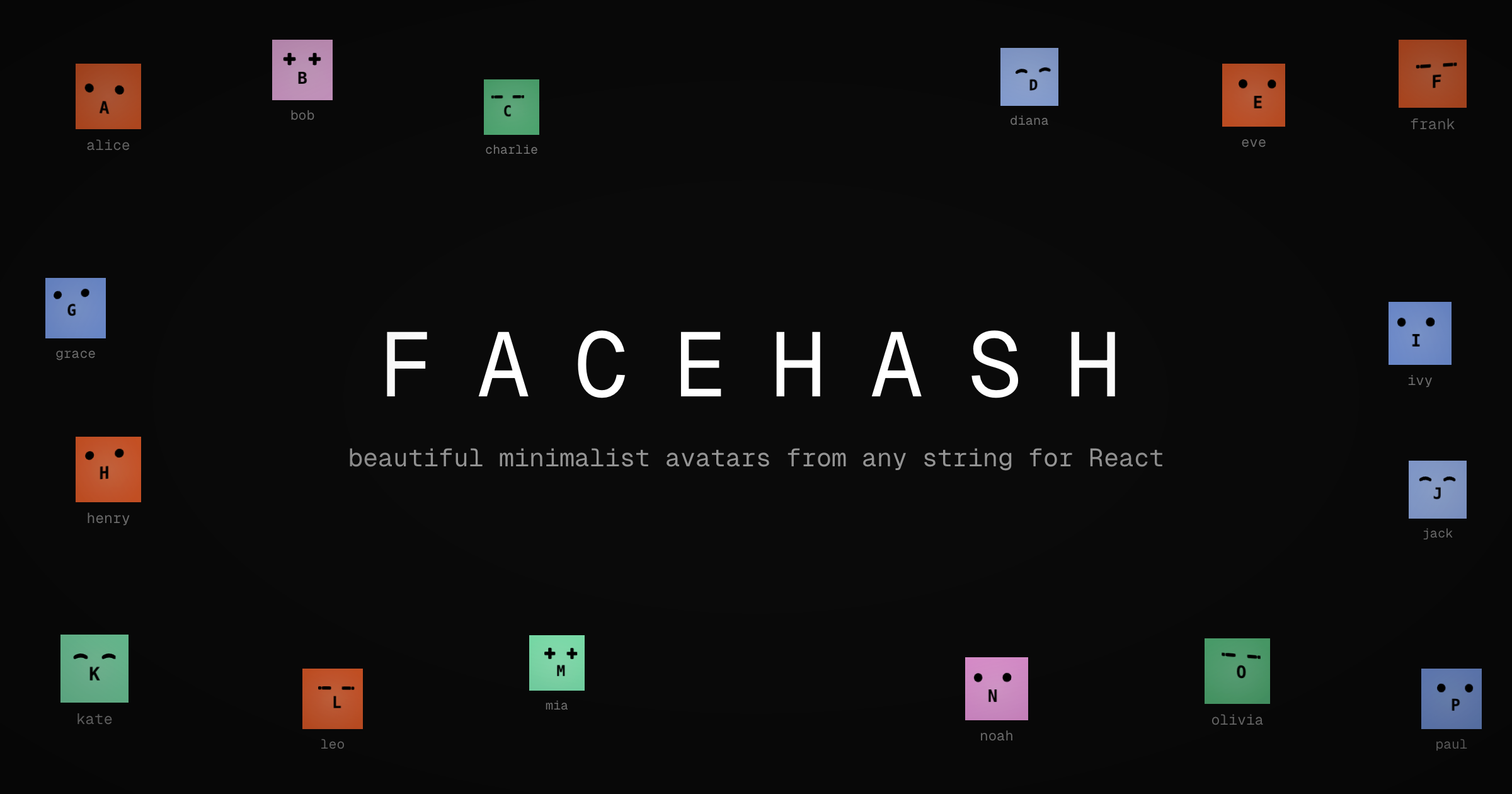
Each user gets a unique, consistent face based on their name — no more
generic initials.
## Changes
- Installed `facehash` package
- Updated `resources/js/components/user-info.tsx` to use `<Facehash>`
instead of `<Avatar>` with initials fallback
## Test plan
- [x] Verify avatar renders correctly in the sidebar footer (desktop)
- [x] Verify avatar renders correctly in the mobile header
- [x] Verify avatar renders correctly in the user dropdown menu
- [x] Confirm the same user always gets the same face
- [x] Check dark mode appearance
- Add version field to package.json (0.1.0)
- Install release-it for automated releases with conventional changelog
- Create .release-it.json configuration
- Create initial CHANGELOG.md
- Share version via Inertia (reads from package.json)
- Display version in user dropdown menu
## Summary

- Add four view modes for net worth and account balance charts:
- **Stacked Accounts**: existing stacked bar chart showing balances by
account
  - **Line**: net worth line chart with linear/log scale toggle
  - **Change**: bar chart showing MoM%, YoY%, Rolling 12M changes
- **Waterfall**: bridge chart showing Start -> Change -> End transition

- Add Vitest for frontend unit testing with 52 tests covering all
calculation functions
- Proper sign handling for liabilities (credit cards and loans subtract
from net worth)
- Log scale disabled with warning when net worth includes zero or
negative values
- Shared components and logic between dashboard and account detail
charts

## New Files

- `vitest.config.ts` - Vitest configuration
- `resources/js/lib/chart-calculations.ts` - Pure computation functions
- `resources/js/lib/chart-calculations.test.ts` - 52 unit tests
- `resources/js/hooks/use-chart-views.ts` - Shared chart view state hook
- `resources/js/components/charts/` - Reusable chart components

## Test plan

- [x] Dashboard net worth chart shows view toggle and all four views
work
- [ ] Account detail page chart shows view toggle and three views work
(no stacked)
- [x] Line chart scale toggle works (log disabled with warning when
applicable)
- [x] Change chart series toggle (MoM, YoY, 12M EUR, 12M %) works
- [x] Waterfall chart month selector works
- [x] All 52 unit tests pass (`bun run test`)
- [x] Build succeeds (`bun run build`)
- [x] Dark mode styling correct
 Víctor Falcón
