 [![CC BY-NC 4.0][cc-by-nc-shield]][cc-by-nc]
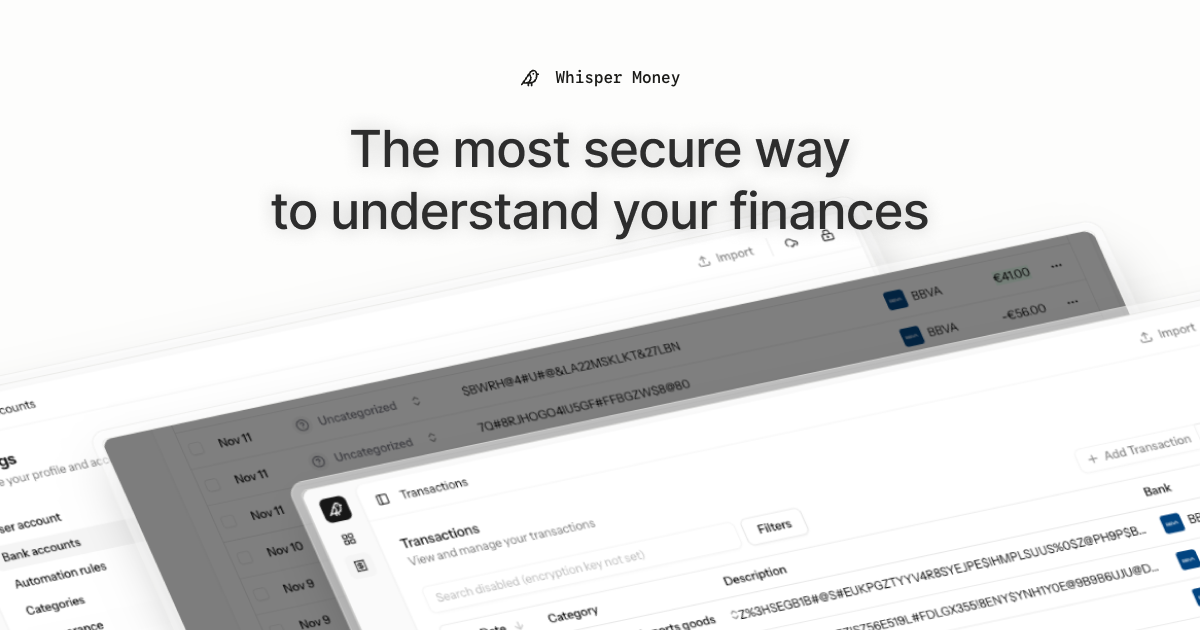
**The most secure way to understand your finances.**
Whisper Money is a privacy-first personal finance application that helps you track, categorize, and understand your spending—all while keeping your financial data encrypted and secure.
> 💬 **Join our Community:** Whether you're a user looking for help or a developer wanting to contribute, we'd love to have you in our [Discord server](https://discord.gg/Zj4TWMX55y)! Share feedback, ask questions, discuss new features, or just hang out with fellow privacy enthusiasts.
## Features
- 🔐 **End-to-end encryption** — Your financial data stays private
- 🏦 **Bank account management** — Track multiple accounts in one place
- 📊 **Transaction categorization** — Automatic and manual categorization
- 🤖 **Automation rules** — Set up rules to auto-categorize transactions
- 📈 **Financial insights** — Understand your spending patterns
## Tech Stack
- **Backend:** Laravel 12, PHP 8.4
- **Frontend:** React 19, Inertia.js v2, TypeScript
- **Styling:** Tailwind CSS v4
- **Database:** MySQL
- **Cache/Queue:** Redis
- **Testing:** Pest v4
## Running Locally
### Prerequisites
- Docker & Docker Compose
- Composer
- Node.js / Bun
### Setup
1. **Clone the repository:**
```bash
git clone https://github.com/whisper-money/whisper-money.git
cd whisper_money
```
2. **Copy the environment file:**
```bash
cp .env.example .env
```
3. **Start the Docker services:**
```bash
docker compose up -d
```
4. **Install dependencies and setup the application:**
```bash
composer setup
```
5. **Start the development server:**
```bash
composer run dev
```
This will concurrently start:
- PHP development server
- Queue worker
- Log viewer (Pail)
- Vite dev server
The application will be available at `https://whispermoney.test`.
## Running with Docker (Production Image)
For testing the production Docker image locally:
1. **Copy the production environment file:**
```bash
cp .env.production.example .env
```
2. **Start the services:**
```bash
docker compose -f docker-compose.production.yml up -d
```
The application will be available at `http://localhost:8080`.
To use a different port, set `APP_PORT`:
```bash
APP_PORT=3000 docker compose -f docker-compose.production.yml up -d
```
## Other Environment Variables
| Variable | Default | Description |
| ----------------------- | ------- | ------------------------------------------- |
| `HIDE_AUTH_BUTTONS` | `false` | Hide login/register buttons on landing page |
| `SUBSCRIPTIONS_ENABLED` | `false` | Enable Stripe subscriptions |
## License
This work is licensed under a
[Creative Commons Attribution-NonCommercial 4.0 International License][cc-by-nc].
[cc-by-nc]: https://creativecommons.org/licenses/by-nc/4.0/
[cc-by-nc-shield]: https://img.shields.io/badge/License-CC%20BY--NC%204.0-lightgrey.svg
[![CC BY-NC 4.0][cc-by-nc-shield]][cc-by-nc]
**The most secure way to understand your finances.**
Whisper Money is a privacy-first personal finance application that helps you track, categorize, and understand your spending—all while keeping your financial data encrypted and secure.
> 💬 **Join our Community:** Whether you're a user looking for help or a developer wanting to contribute, we'd love to have you in our [Discord server](https://discord.gg/Zj4TWMX55y)! Share feedback, ask questions, discuss new features, or just hang out with fellow privacy enthusiasts.
## Features
- 🔐 **End-to-end encryption** — Your financial data stays private
- 🏦 **Bank account management** — Track multiple accounts in one place
- 📊 **Transaction categorization** — Automatic and manual categorization
- 🤖 **Automation rules** — Set up rules to auto-categorize transactions
- 📈 **Financial insights** — Understand your spending patterns
## Tech Stack
- **Backend:** Laravel 12, PHP 8.4
- **Frontend:** React 19, Inertia.js v2, TypeScript
- **Styling:** Tailwind CSS v4
- **Database:** MySQL
- **Cache/Queue:** Redis
- **Testing:** Pest v4
## Running Locally
### Prerequisites
- Docker & Docker Compose
- Composer
- Node.js / Bun
### Setup
1. **Clone the repository:**
```bash
git clone https://github.com/whisper-money/whisper-money.git
cd whisper_money
```
2. **Copy the environment file:**
```bash
cp .env.example .env
```
3. **Start the Docker services:**
```bash
docker compose up -d
```
4. **Install dependencies and setup the application:**
```bash
composer setup
```
5. **Start the development server:**
```bash
composer run dev
```
This will concurrently start:
- PHP development server
- Queue worker
- Log viewer (Pail)
- Vite dev server
The application will be available at `https://whispermoney.test`.
## Running with Docker (Production Image)
For testing the production Docker image locally:
1. **Copy the production environment file:**
```bash
cp .env.production.example .env
```
2. **Start the services:**
```bash
docker compose -f docker-compose.production.yml up -d
```
The application will be available at `http://localhost:8080`.
To use a different port, set `APP_PORT`:
```bash
APP_PORT=3000 docker compose -f docker-compose.production.yml up -d
```
## Other Environment Variables
| Variable | Default | Description |
| ----------------------- | ------- | ------------------------------------------- |
| `HIDE_AUTH_BUTTONS` | `false` | Hide login/register buttons on landing page |
| `SUBSCRIPTIONS_ENABLED` | `false` | Enable Stripe subscriptions |
## License
This work is licensed under a
[Creative Commons Attribution-NonCommercial 4.0 International License][cc-by-nc].
[cc-by-nc]: https://creativecommons.org/licenses/by-nc/4.0/
[cc-by-nc-shield]: https://img.shields.io/badge/License-CC%20BY--NC%204.0-lightgrey.svg