 0815548ac9
Continues the work merged in #341 with two focused commits.
## Baseline vs result (real numbers from runs on this PR)
| Job | Before (last run on #341) | After | Notes |
|---|---|---|---|
| build-assets | 70s (gates 3 jobs) | 74s | unchanged |
| tests | 215s | 243s | now starts at t=0 (no gate) |
| performance-tests | 72s | 64s | now starts at t=0 (no gate) |
| browser-tests longest shard | 341s | 323s | -18s |
| linter | 61s | 63s | same |
| static-analysis | 29s | 23s | -6s |
| **Wall (critical path)** | **~7m** | **~6.6m** | **-25s on the
critical path** |
The critical path is still `build-assets → browser-tests-matrix`. Real
wall-time wins for that path require either smarter shard balancing or a
Playwright Docker container — both deliberately deferred (see below).
## Tier 1 — wall-time wins (commit 1)
- **Pest:** `withoutVite()` is now applied globally in the `Feature` and
`Performance` suites via `pest()->beforeEach(...)->in(...)`. Those
suites never assert on the JS bundle, so they no longer need a compiled
Vite manifest.
- **Drop `needs: build-assets`** from `tests` and `performance-tests`.
Both now start at t=0 instead of waiting ~70s for the artifact. Browser
tests still gate on it (real Playwright session needs the manifest).
- **Playwright:** install only `chromium` (no firefox/webkit) since
that's all pest-plugin-browser uses. Saves ~15s of system-dep install
per shard.
- **Drop `actions/setup-node`** from browser-tests-matrix;
`oven-sh/setup-bun` already provides node for `npx playwright`.
I also tried bumping browser shards 4 → 6 but reverted (commit 3):
pest-plugin-browser's `--shard=N/M` distributes very unevenly at M=6 in
this codebase — shard 6 ended up running the entire 106-test suite
(13m26s) while other shards ran 23 tests each. Reverted to 4 shards for
predictable balance. Better balancing needs a test-time-aware split
(follow-up).
## Tier 2 — caching + setup dedup (commit 2)
- New composite actions:
- `.github/actions/setup-php-deps`: PHP + composer cache + `vendor/`
cache. On a `vendor/` cache hit, `composer install` is skipped entirely.
- `.github/actions/setup-bun-deps`: Bun + bun cache + `node_modules/`
cache. On a hit, `bun install` is skipped entirely.
- All 6 jobs refactored to use the composite actions. Removes ~150 lines
of duplicated YAML.
- **Bug fix: Pint cache key** dropped `${{ github.sha }}` from the
primary key so it actually reuses across runs (was effectively 0%
reuse).
## Deliberately not included
- **Pest `--parallel`**: paratest's per-process DB suffix conflicts with
Testcontainers user grants (see revert in
|
||
|---|---|---|
| .agents/skills | ||
| .claude/skills | ||
| .cursor | ||
| .github | ||
| .opencode/skills | ||
| .pi/extensions | ||
| app | ||
| bootstrap | ||
| config | ||
| database | ||
| docker | ||
| lang | ||
| public | ||
| resources | ||
| routes | ||
| screenshots | ||
| scripts | ||
| src/lib/crypto | ||
| storage | ||
| templates/coolify | ||
| tests | ||
| .editorconfig | ||
| .env.example | ||
| .env.production.example | ||
| .gitattributes | ||
| .gitignore | ||
| .mcp.json | ||
| .php-cs-fixer.dist.php | ||
| .php-version | ||
| .prettierignore | ||
| .prettierrc | ||
| .release-it.json | ||
| AGENTS.md | ||
| CHANGELOG.md | ||
| CLAUDE.md | ||
| Dockerfile | ||
| Dockerfile.production | ||
| LICENSE.md | ||
| LOCALIZATION.md | ||
| README.md | ||
| artisan | ||
| boost.json | ||
| bun.lock | ||
| components.json | ||
| compose.yaml | ||
| composer.json | ||
| composer.lock | ||
| docker-compose.production.yml | ||
| eslint.config.js | ||
| falcode.json | ||
| opencode.json | ||
| package-lock.json | ||
| package.json | ||
| phpstan-baseline.neon | ||
| phpstan.neon | ||
| phpunit.xml | ||
| tsconfig.json | ||
| vite.config.ts | ||
| vitest.config.ts | ||
| vitest.setup.ts | ||
| whispermoney | ||
| worktree.sh | ||
README.md
Deutsch | Español | français | 日本語 | 한국어 | Português | Русский | 中文
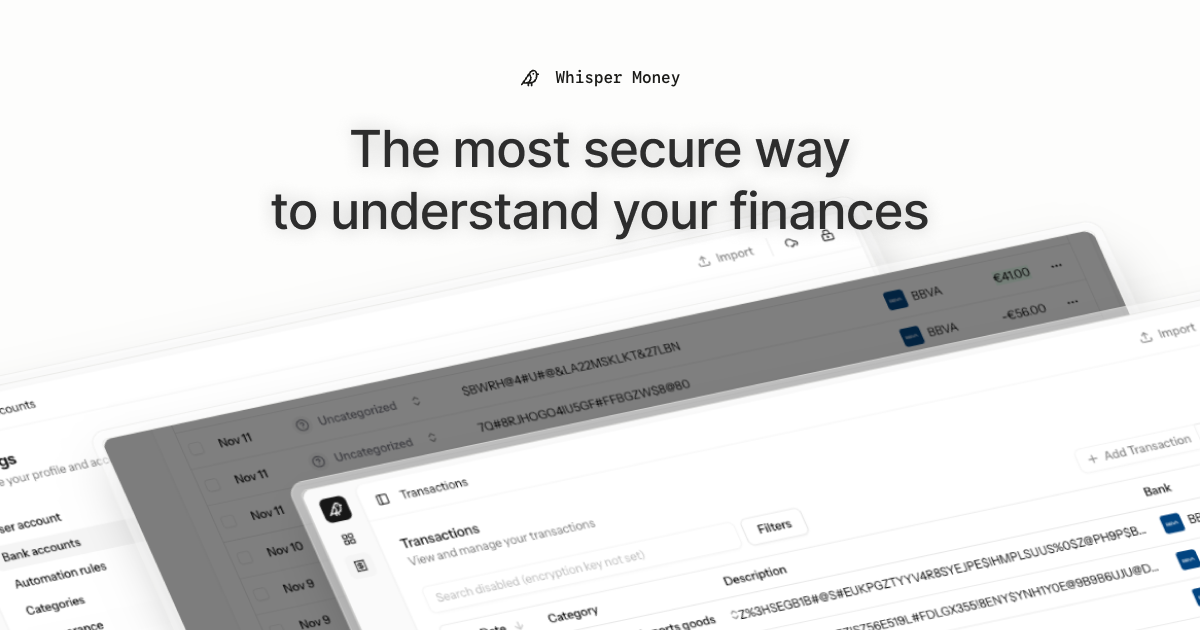
Whisper Money


The most secure way to understand your finances.
Whisper Money is a privacy-first personal finance application that helps you track, categorize, and understand your spending—all while keeping your financial data encrypted and secure.
🎮 Try the Demo: Experience Whisper Money with our demo account - no registration required!
💬 Join our Community: Whether you're a user looking for help or a developer wanting to contribute, we'd love to have you in our Discord server! Share feedback, ask questions, discuss new features, or just hang out with fellow privacy enthusiasts.
Features
- 🔐 Privacy-first — Your data is never shared with third parties. You own it
- 🏦 Bank account management — Track multiple accounts in one place
- 📊 Transaction categorization — Automatic and manual categorization
- 🤖 Automation rules — Set up rules to auto-categorize transactions
- 📈 Financial insights — Understand your spending patterns
Tech Stack
- Backend: Laravel 12, PHP 8.4
- Frontend: React 19, Inertia.js v2, TypeScript
- Styling: Tailwind CSS v4
- Database: MySQL
- Cache/Queue: Redis
- Testing: Pest v4
Running Locally
Quick Start (Recommended)
The easiest way to get started is using our automated setup script:
bash <(curl -fsSL https://whisper.money/setup.sh)
After installation, just visit https://whisper.money.localhost in your browser.
Manual Setup
If you prefer to set up manually:
- Clone the repository:
git clone https://github.com/whisper-money/whisper-money.git
cd whisper-money
- Run the setup script:
whispermoney install
Available Commands
Important: You must run
whispermoney installbefore using any other command. If you skip the install step, commands likestartwill not work.
Once installed, you can use the whispermoney command for common tasks:
# Start all services
whispermoney start

# Stop all services
whispermoney stop

# Upgrade to latest version
whispermoney upgrade

# Interactive menu
whispermoney
Development Server
For active development with hot reloading:
composer run dev
This will concurrently start:
- PHP development server (via Portless HTTPS proxy)
- Queue worker
- Log viewer (Pail)
- Vite dev server
The application will be available at https://dev.whisper.money.localhost. In git worktrees, the branch name is automatically prepended (e.g. https://fix-ui.dev.whisper.money.localhost).
Running with Docker (Production Image)
For testing the production Docker image locally:
- Copy the production environment file:
cp .env.production.example .env
- Start the services:
docker compose -f docker-compose.production.yml up -d
The application will be available at http://localhost:8080.
To use a different port, set APP_PORT:
APP_PORT=3000 docker compose -f docker-compose.production.yml up -d
Deploying to Coolify
Whisper Money can be easily deployed to Coolify using our Docker Compose template.
Quick Deploy
- In Coolify, create a new resource and select Docker Compose
- Choose Empty Compose File as the source
- Paste the contents from our template: 👉 whisper-money.yaml
- Deploy!
The template includes:
- Whisper Money application container
- MySQL 8.0 database with health checks
- Persistent volumes for data and storage
- Auto-generated database credentials
Required Environment Variables
| Variable | Description |
|---|---|
RESEND_API_KEY |
Email service API key (for password resets, notifications) |
Note:
APP_KEYandAPP_URLare auto-configured. The container generates anAPP_KEYon first startup if not provided.
Optional Environment Variables
| Variable | Default | Description |
|---|---|---|
DRIP_EMAILS_ENABLED |
true |
Enable drip emails (welcome, onboarding, feedback) |
HIDE_AUTH_BUTTONS |
false |
Hide login/register buttons on landing page |
SUBSCRIPTIONS_ENABLED |
false |
Enable Stripe subscriptions |
STRIPE_KEY |
- | Stripe publishable key |
STRIPE_SECRET |
- | Stripe secret key |
STRIPE_WEBHOOK_SECRET |
- | Stripe webhook signing secret |
Star History
License
This work is licensed under a Creative Commons Attribution-NonCommercial 4.0 International License.