 50d0fccd17
## Problem

On the dashboard **Net Worth Evolution** monthly bar chart, users with a
large negative net worth (lots of debt) saw an **empty chart** — only
the x-axis month labels rendered, no bars.

Root cause: the chart scales each asset segment so the stacked bar
height equals net worth. For negative net worth the scale factor was
clamped to zero:

```ts
const scaleFactor = hasLiabs && totalAssets > 0
    ? Math.max(0, netWorth / totalAssets) // negative net worth -> 0 -> every bar collapses
    : 1;
```

A stack of positive asset segments simply can't represent a negative
total, so everything collapsed to zero height.

## Fix

- Extract the scaling into a tested pure helper
`computeNetWorthBarScaling`.
- When net worth is **negative**, hide the (meaningless) scaled asset
segments and draw the deficit as a **single downward bar** from a **zero
baseline** (dashed reference line).
- **Positive** periods still stack assets upward. Both directions round
only at their far end and meet the zero line flush, so upward and
downward bars look symmetric.
- Extend the same handling to the **daily area chart**, which shared the
bug through the same scaled dataset.
- Share a single `NetWorthMode` type across the bar/area charts and
tooltip (was duplicated in three places).
- Translate the tooltip **Net Worth / Total** labels (were hardcoded
English; added `Net Worth` to `lang/es.json`).
- Render the chart for **liability-only** users (a debtor with just a
loan) instead of the "No account data available" empty state.

## Tests

- Unit tests for `computeNetWorthBarScaling`: no-liabilities, positive,
negative-with-assets, liabilities-only, net-worth-exactly-zero, and
no-assets cases.
- `bun run test`, `prettier --check`, `eslint` all green on the touched
files.

## QA

Verified in the running app (Playwright) with two seeded users:

- **Heavily indebted** (net worth −56.250,00 €): the chart now renders
red downward bars instead of an empty area.
- **Net worth crossing zero**: negative months draw downward, positive
months stack upward, sharing the zero baseline; tooltip shows
per-account balances + the (now translated) "Patrimonio Neto" total.

## Demo


https://github.com/user-attachments/assets/7a9b167f-c037-4c82-8b68-f32932be99fe

## Screenshots

**Before** — empty chart, only x-axis labels:

<!-- PLACEHOLDER: before screenshot -->
<img width="1440" height="900" alt="net-worth-before"
src="https://github.com/user-attachments/assets/3bf9b3e3-ae75-4230-bca7-e7246a9a35d9"
/>


**After** — negative net worth as downward bars:
<img width="1440" height="900" alt="net-worth-after-tooltip"
src="https://github.com/user-attachments/assets/85302f0a-e427-4cbf-baba-5b1414049e9f"
/>
<img width="1440" height="900" alt="net-worth-after-mixed"
src="https://github.com/user-attachments/assets/41f08331-f055-4245-beeb-8d071c0d5d6d"
/>
<img width="1440" height="900" alt="net-worth-after-negative"
src="https://github.com/user-attachments/assets/c8610b03-dcff-46de-8987-d47c477ddd85"
/>
|
||
|---|---|---|
| .agents/skills | ||
| .claude | ||
| .cursor | ||
| .github | ||
| .opencode/skills | ||
| .pi | ||
| app | ||
| bootstrap | ||
| config | ||
| database | ||
| docker | ||
| docs | ||
| experiments | ||
| lang | ||
| public | ||
| resources | ||
| routes | ||
| screenshots | ||
| scripts | ||
| src/lib/crypto | ||
| storage | ||
| templates/coolify | ||
| tests | ||
| .dockerignore | ||
| .editorconfig | ||
| .env.example | ||
| .env.production.example | ||
| .gitattributes | ||
| .gitignore | ||
| .mcp.json | ||
| .php-cs-fixer.dist.php | ||
| .php-version | ||
| .prettierignore | ||
| .prettierrc | ||
| .release-it.json | ||
| AGENTS.md | ||
| CHANGELOG.md | ||
| CLAUDE.md | ||
| Dockerfile | ||
| Dockerfile.production | ||
| LICENSE.md | ||
| LOCALIZATION.md | ||
| ONBOARDING.md | ||
| README.md | ||
| artisan | ||
| autoresearch-dashboard.md | ||
| autoresearch.jsonl | ||
| autoresearch.md | ||
| autoresearch.sh | ||
| boost.json | ||
| bun.lock | ||
| components.json | ||
| compose.yaml | ||
| composer.json | ||
| composer.lock | ||
| docker-compose.production.yml | ||
| eslint.config.js | ||
| falcode.json | ||
| opencode.json | ||
| package-lock.json | ||
| package.json | ||
| phpstan-baseline.neon | ||
| phpstan.neon | ||
| phpunit.xml | ||
| tsconfig.json | ||
| vite.config.ts | ||
| vitest.config.ts | ||
| vitest.setup.ts | ||
| whispermoney | ||
| worktree.sh | ||
README.md
Deutsch | Español | français | 日本語 | 한국어 | Português | Русский | 中文
Whisper Money


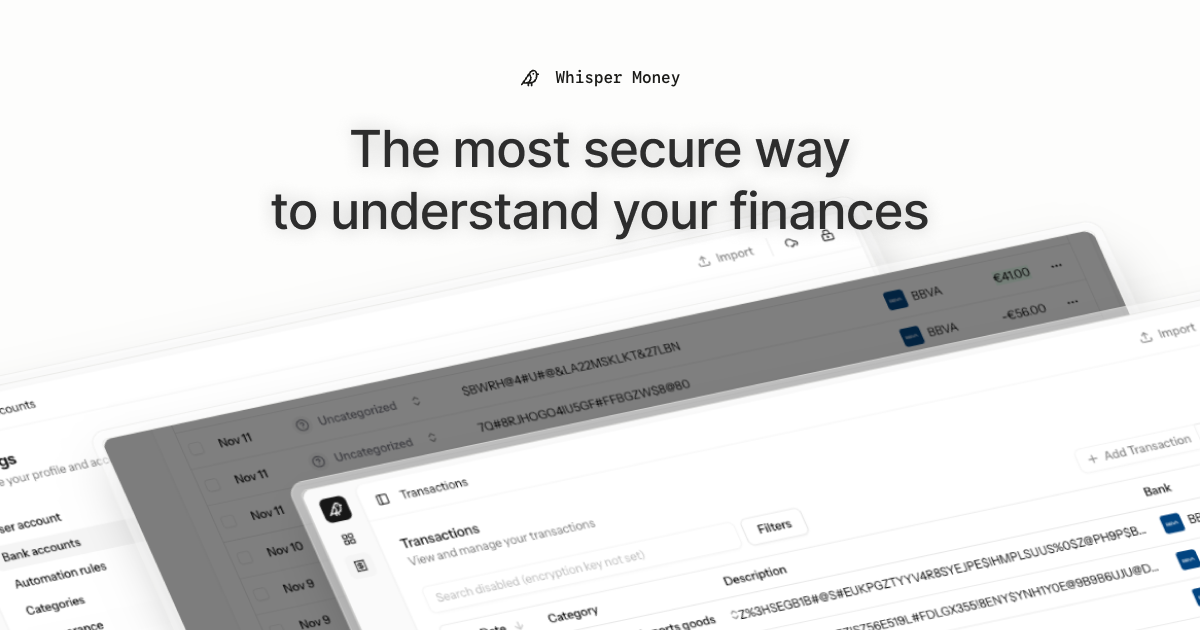
The most secure way to understand your finances.
Whisper Money is a privacy-first personal finance application that helps you track, categorize, and understand your spending—all while keeping your financial data encrypted and secure.
🎮 Try the Demo: Experience Whisper Money with our demo account - no registration required!
💬 Join our Community: Whether you're a user looking for help or a developer wanting to contribute, we'd love to have you in our Discord server! Share feedback, ask questions, discuss new features, or just hang out with fellow privacy enthusiasts.
Features
- 🔐 Privacy-first — Your data is never shared with third parties. You own it
- 🏦 Bank account management — Track multiple accounts in one place
- 📊 Transaction categorization — Automatic and manual categorization
- 🤖 Automation rules — Set up rules to auto-categorize transactions
- 📈 Financial insights — Understand your spending patterns
Tech Stack
- Backend: Laravel 12, PHP 8.4
- Frontend: React 19, Inertia.js v2, TypeScript
- Styling: Tailwind CSS v4
- Database: MySQL
- Cache/Queue: Redis
- Testing: Pest v4
Running Locally
Quick Start (Recommended)
The easiest way to get started is using our automated setup script:
bash <(curl -fsSL https://whisper.money/setup.sh)
After installation, just visit https://whisper.money.localhost in your browser.
Manual Setup
If you prefer to set up manually:
- Clone the repository:
git clone https://github.com/whisper-money/whisper-money.git
cd whisper-money
- Run the setup script:
whispermoney install
Available Commands
Important: You must run
whispermoney installbefore using any other command. If you skip the install step, commands likestartwill not work.
Once installed, you can use the whispermoney command for common tasks:
# Start all services
whispermoney start

# Stop all services
whispermoney stop

# Upgrade to latest version
whispermoney upgrade

# Interactive menu
whispermoney
Development Server
For active development with hot reloading:
composer run dev
This will concurrently start:
- PHP development server (via Portless HTTPS proxy)
- Queue worker
- Log viewer (Pail)
- Vite dev server
The application will be available at https://dev.whisper.money.localhost. In git worktrees, the branch name is automatically prepended (e.g. https://fix-ui.dev.whisper.money.localhost).
Running with Docker (Production Image)
For testing the production Docker image locally:
- Copy the production environment file:
cp .env.production.example .env
- Start the services:
docker compose -f docker-compose.production.yml up -d
The application will be available at http://localhost:8080.
To use a different port, set APP_PORT:
APP_PORT=3000 docker compose -f docker-compose.production.yml up -d
Deploying to Coolify
Whisper Money can be easily deployed to Coolify using our Docker Compose template.
Quick Deploy
- In Coolify, create a new resource and select Docker Compose
- Choose Empty Compose File as the source
- Paste the contents from our template: 👉 whisper-money.yaml
- Deploy!
The template includes:
- Whisper Money application container
- MySQL 8.0 database with health checks
- Persistent volumes for data and storage
- Auto-generated database credentials
Required Environment Variables
| Variable | Description |
|---|---|
RESEND_API_KEY |
Email service API key (for password resets, notifications) |
Note:
APP_KEYandAPP_URLare auto-configured. The container generates anAPP_KEYon first startup if not provided.
Optional Environment Variables
| Variable | Default | Description |
|---|---|---|
DRIP_EMAILS_ENABLED |
true |
Enable drip emails (welcome, onboarding, feedback) |
REGISTRATION_ENABLED |
true |
Set to false to close public sign-ups (the /register routes return a 403 and every registration CTA is hidden) while keeping /login open |
SUBSCRIPTIONS_ENABLED |
false |
Enable Stripe subscriptions |
STRIPE_KEY |
- | Stripe publishable key |
STRIPE_SECRET |
- | Stripe secret key |
STRIPE_WEBHOOK_SECRET |
- | Stripe webhook signing secret |
AI_PROVIDER |
gemini |
AI provider for every AI feature (gemini, ollama, openai, ...) |
AI Provider
Whisper Money's AI features (transaction categorization and automation-rule
suggestions) run on laravel/ai and default to
Google Gemini. The provider is configurable independently of the model, so
you can point the app at any text provider laravel/ai supports — gemini,
openai, anthropic, azure, groq, xai, deepseek, mistral, or a
self-hosted Ollama server. Ollama is the headline case
because it keeps AI processing fully local and private — data never leaves your
infrastructure — but the switch is generic.
Each provider needs its own credentials configured for laravel/ai (e.g.
GEMINI_API_KEY, OPENAI_API_KEY, ANTHROPIC_API_KEY, or OLLAMA_URL). An
unknown or non-text provider fails fast when the AI feature runs.
| Variable | Default | Description |
|---|---|---|
AI_PROVIDER |
gemini |
Provider for all AI features. Set once to switch everything. |
AI_SUGGESTIONS_PROVIDER |
AI_PROVIDER |
Override the provider for rule suggestions only. |
AI_CATEGORIZATION_PROVIDER |
AI_PROVIDER |
Override the provider for transaction categorization only. |
AI_SUGGESTIONS_MODEL |
gemini-flash-latest |
Model used for rule suggestions. |
AI_CATEGORIZATION_MODEL |
gemini-flash-latest |
Model used for transaction categorization. |
GEMINI_API_KEY |
- | Required when the provider is gemini. |
OLLAMA_URL |
http://localhost:11434 |
Ollama server URL (used when the provider is ollama). |
OLLAMA_API_KEY |
- | Optional; only needed behind an authenticating proxy. |
Example: fully local AI with Ollama
AI_PROVIDER=ollama
OLLAMA_URL=http://ollama.example.local:11434
AI_SUGGESTIONS_MODEL=gemma3:12b
AI_CATEGORIZATION_MODEL=gemma3:12b
Make sure the model is pulled on the Ollama server first (ollama pull gemma3:12b).
Any other provider follows the same pattern: set AI_PROVIDER, that provider's
credentials, and the *_MODEL vars to one of its models. Gemini remains the
default, so existing deployments are unaffected.
Star History
License
This work is licensed under a Creative Commons Attribution-NonCommercial 4.0 International License.