 cbeea2fc34
## Summary

A credit card is a spending account, not wealth. This change:

- **Excludes credit cards from net worth entirely** — they no longer add
to *or* subtract from the net worth total, the evolution chart, or its
trends. They are filtered out at the source, so every net-worth
aggregation (backend summary + frontend chart/trend/MoM) is consistent.
- **Shows the credit card balance as a positive figure** on the
per-account cards, on both the dashboard and the Accounts page (like any
other account).
- **Fixes a loan sign inconsistency**: a loan used to show *positive* on
the Accounts page but *negative* on the dashboard. The Accounts list now
applies the liability sign too, so loans render negative in both places.

### Why

A user reported that a credit card showed as a positive balance on the
Accounts screen but dragged their net worth down on the dashboard — the
same account rendered with opposite signs on the two screens. The root
cause was that credit cards were modelled as liabilities (like loans)
and each screen computed the balance through a different path. Product
decision: a credit card is spendable credit, so its balance is shown
as-is and simply doesn't participate in net worth.

## Behavior

| Account (e.g. 90k / 50k) | Per-account cards (dashboard + Accounts) |
Net worth chart & total |
| --- | --- | --- |
| **Credit card** | `+90,000` | **excluded** (not counted) |
| **Loan** | `−50,000` (was `+50,000` on Accounts) | subtracts
(unchanged) |
| Checking / savings / … | unchanged | unchanged (asset) |

## ⚠️ Existing-data impact

Previously credit cards were forced to **reduce** net worth
(`-abs(balance)`). With this change they are excluded, so **users with
existing credit-card accounts will see their net worth rise** by
whatever their cards used to subtract. This is a deliberate semantic
change, not a migration — no stored balances are altered.

## Implementation

- `AccountType::countsInNetWorth()` — new predicate, `false` only for
credit cards; `calculateNetWorthAt()` skips excluded types.
- `AccountType::reducesNetWorth()` / `LIABILITY_TYPES` — now only
`loan`, so `netWorthContribution()` renders credit cards positive on the
per-account cards.
- `net-worth-chart.tsx` — credit cards filtered out of
`includedAccounts` (one point that cascades to segments, totals, trends
and `useChartViews`).
- `Accounts/Index.tsx` — applies `netWorthContribution()` so loans
render negative, matching the dashboard.

## Testing

- Backend: `AccountTypeTest` (32) and `DashboardAnalyticsTest` (credit
card excluded, loan still subtracts) — green.
- Frontend: `chart-calculations.test.ts` (37) — green.
- `pint`, `prettier`, `eslint` — clean.

Browser QA skipped per request (the logged-in flow is also currently
blocked locally by pending Spaces migrations). Logic is fully covered by
the tests above.
|
||
|---|---|---|
| .agents/skills | ||
| .claude | ||
| .cursor | ||
| .github | ||
| .opencode/skills | ||
| .pi | ||
| app | ||
| bootstrap | ||
| config | ||
| database | ||
| docker | ||
| docs | ||
| experiments | ||
| lang | ||
| public | ||
| resources | ||
| routes | ||
| screenshots | ||
| scripts | ||
| src/lib/crypto | ||
| storage | ||
| templates/coolify | ||
| tests | ||
| .dockerignore | ||
| .editorconfig | ||
| .env.example | ||
| .env.production.example | ||
| .gitattributes | ||
| .gitignore | ||
| .mcp.json | ||
| .php-cs-fixer.dist.php | ||
| .php-version | ||
| .prettierignore | ||
| .prettierrc | ||
| .release-it.json | ||
| AGENTS.md | ||
| CHANGELOG.md | ||
| CLAUDE.md | ||
| Dockerfile | ||
| Dockerfile.production | ||
| LICENSE.md | ||
| LOCALIZATION.md | ||
| ONBOARDING.md | ||
| README.md | ||
| artisan | ||
| autoresearch-dashboard.md | ||
| autoresearch.jsonl | ||
| autoresearch.md | ||
| autoresearch.sh | ||
| boost.json | ||
| bun.lock | ||
| components.json | ||
| compose.yaml | ||
| composer.json | ||
| composer.lock | ||
| docker-compose.production.yml | ||
| eslint.config.js | ||
| falcode.json | ||
| opencode.json | ||
| package-lock.json | ||
| package.json | ||
| phpstan-baseline.neon | ||
| phpstan.neon | ||
| phpunit.xml | ||
| tsconfig.json | ||
| vite.config.ts | ||
| vitest.config.ts | ||
| vitest.setup.ts | ||
| whispermoney | ||
| worktree.sh | ||
README.md
Deutsch | Español | français | 日本語 | 한국어 | Português | Русский | 中文
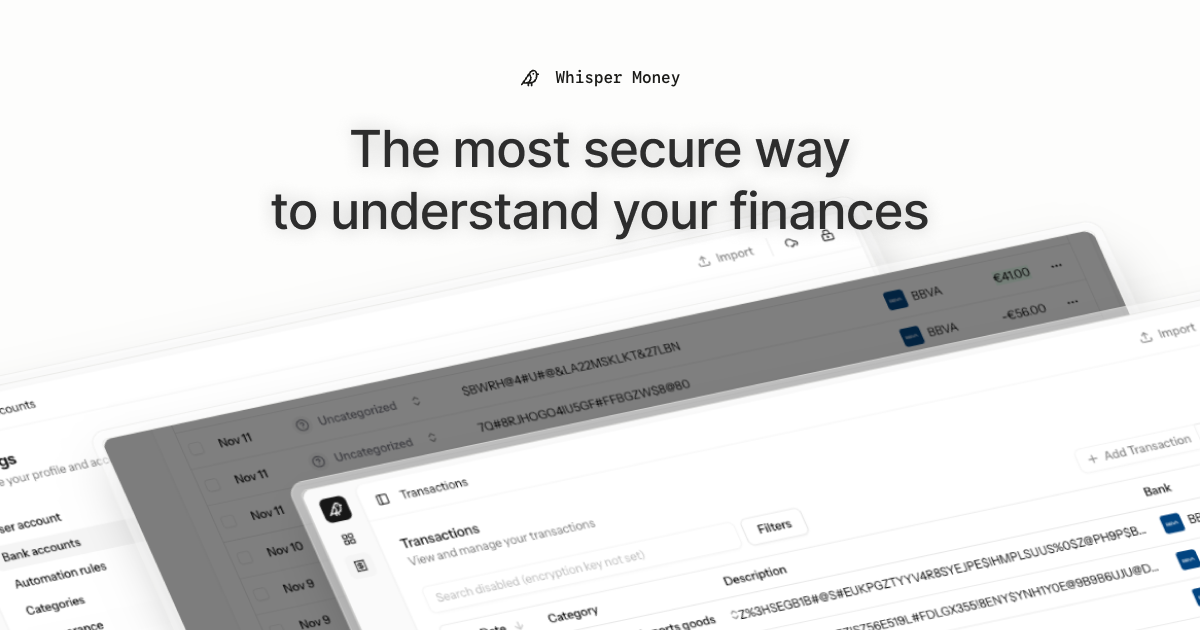
Whisper Money


The most secure way to understand your finances.
Whisper Money is a privacy-first personal finance application that helps you track, categorize, and understand your spending—all while keeping your financial data encrypted and secure.
🎮 Try the Demo: Experience Whisper Money with our demo account - no registration required!
💬 Join our Community: Whether you're a user looking for help or a developer wanting to contribute, we'd love to have you in our Discord server! Share feedback, ask questions, discuss new features, or just hang out with fellow privacy enthusiasts.
Features
- 🔐 Privacy-first — Your data is never shared with third parties. You own it
- 🏦 Bank account management — Track multiple accounts in one place
- 📊 Transaction categorization — Automatic and manual categorization
- 🤖 Automation rules — Set up rules to auto-categorize transactions
- 📈 Financial insights — Understand your spending patterns
Tech Stack
- Backend: Laravel 12, PHP 8.4
- Frontend: React 19, Inertia.js v2, TypeScript
- Styling: Tailwind CSS v4
- Database: MySQL
- Cache/Queue: Redis
- Testing: Pest v4
Running Locally
Quick Start (Recommended)
The easiest way to get started is using our automated setup script:
bash <(curl -fsSL https://whisper.money/setup.sh)
After installation, just visit https://whisper.money.localhost in your browser.
Manual Setup
If you prefer to set up manually:
- Clone the repository:
git clone https://github.com/whisper-money/whisper-money.git
cd whisper-money
- Run the setup script:
whispermoney install
Available Commands
Important: You must run
whispermoney installbefore using any other command. If you skip the install step, commands likestartwill not work.
Once installed, you can use the whispermoney command for common tasks:
# Start all services
whispermoney start

# Stop all services
whispermoney stop

# Upgrade to latest version
whispermoney upgrade

# Interactive menu
whispermoney
Development Server
For active development with hot reloading:
composer run dev
This will concurrently start:
- PHP development server (via Portless HTTPS proxy)
- Queue worker
- Log viewer (Pail)
- Vite dev server
The application will be available at https://dev.whisper.money.localhost. In git worktrees, the branch name is automatically prepended (e.g. https://fix-ui.dev.whisper.money.localhost).
Running with Docker (Production Image)
For testing the production Docker image locally:
- Copy the production environment file:
cp .env.production.example .env
- Start the services:
docker compose -f docker-compose.production.yml up -d
The application will be available at http://localhost:8080.
To use a different port, set APP_PORT:
APP_PORT=3000 docker compose -f docker-compose.production.yml up -d
Deploying to Coolify
Whisper Money can be easily deployed to Coolify using our Docker Compose template.
Quick Deploy
- In Coolify, create a new resource and select Docker Compose
- Choose Empty Compose File as the source
- Paste the contents from our template: 👉 whisper-money.yaml
- Deploy!
The template includes:
- Whisper Money application container
- MySQL 8.0 database with health checks
- Persistent volumes for data and storage
- Auto-generated database credentials
Required Environment Variables
| Variable | Description |
|---|---|
RESEND_API_KEY |
Email service API key (for password resets, notifications) |
Note:
APP_KEYandAPP_URLare auto-configured. The container generates anAPP_KEYon first startup if not provided.
Optional Environment Variables
| Variable | Default | Description |
|---|---|---|
DRIP_EMAILS_ENABLED |
true |
Enable drip emails (welcome, onboarding, feedback) |
HIDE_AUTH_BUTTONS |
false |
Hide login/register buttons on landing page |
SUBSCRIPTIONS_ENABLED |
false |
Enable Stripe subscriptions |
STRIPE_KEY |
- | Stripe publishable key |
STRIPE_SECRET |
- | Stripe secret key |
STRIPE_WEBHOOK_SECRET |
- | Stripe webhook signing secret |
Star History
License
This work is licensed under a Creative Commons Attribution-NonCommercial 4.0 International License.