 e339aaa193
## What & why The dashboard white-screened with React **"Maximum update depth exceeded"** on mobile (iOS 18.7 / Opera Touch), fingerprinted in Sentry as **PHP-LARAVEL-47** (`https://whisper.money/dashboard`). ### Root cause (upstream, recharts < 3.9.0) The crashing first-party frame is inside recharts' internal `CartesianChart` → `useElementOffset` (`node_modules/recharts/es6/util/useElementOffset.js`). In < 3.9.0 that hook: - memoizes its measuring **callback ref** with `useCallback(..., [lastBoundingBox.width, .height, .top, .left, ...])`, so **every `setState` changes the ref identity → React re-invokes the ref → it re-measures on each render**, and - reads **viewport-relative** `getBoundingClientRect().top/left` with a `EPS = 1px` threshold. On mobile, any mid-render viewport shift (the iOS URL bar showing/hiding on scroll) moves the box `> 1px` on each commit, feeding an unbounded `render → measure → setState` loop until React aborts at the nested-update limit and the dashboard white-screens. This is the **same crash family** as the `ChartTooltipPortal` loop fixed in #657, but a **distinct root cause inside recharts** (that first-party loop is already fixed and covered by its own test; both are present on this branch). ### The fix Upgrade **recharts 3.7.0 → 3.9.2**. 3.9.0 rewrote `useElementOffset` to drive measurement off a **`ResizeObserver` with a stable callback ref** (deps no longer include the last bounding box). `ResizeObserver` fires on element **size** changes, not on scroll/viewport-position — so the iOS URL-bar shift no longer re-triggers measurement. This removes the loop at its source; it does not merely mask it. ## Commits 1. `fix(chart): upgrade recharts to 3.9.2 to stop the dashboard render loop` — the fix (bun.lock + a code comment on `ResponsiveContainer` recording the `>= 3.9.0` requirement). 2. `fix(chart): raise recharts floor to ^3.9.0 so the crash fix can't regress` — review follow-up: `package.json` was still `^3.7.0` (permits the crashing versions); bumped to `^3.9.0` and regenerated `package-lock.json` so both `bun install --frozen-lockfile` and `npm ci` enforce the floor. Also resolves a pre-existing bun.lock/package-lock.json divergence. 3. `test(chart): guard recharts >= 3.9.0 against a downgrade regression` — asserts the installed recharts is `>= 3.9.0` (the honest test for a "depend on the patched version" fix; a jsdom behavioral repro is impossible — zero-size rects, no ResizeObserver — and would pass on the buggy version too). ## Review (two agents, before this PR) Both reviewed against the actual `node_modules/recharts@3.9.2` source, not just release notes. - **No material regression risk.** The `ChartTooltipPortal`'s two hard dependencies still hold in 3.9.2: `.recharts-wrapper` is still emitted and is still the default tooltip portal target, and `Tooltip` still passes `coordinate` as `{ x, y }`. `ResponsiveContainer`'s `initialDimension` is still supported. No API we use was removed/renamed. - **Types & tests:** `bun run types` produces zero recharts-attributable errors; the chart-related JS tests (tooltip portal/position, budget-spending-chart, stacked-bar custom-shape path) pass on 3.9.2. ### Lockfile note The production bundle is built by `bun run build` off **bun.lock** (pinned to 3.9.2). `package-lock.json` is consumed **only** by `release.yml`'s `npm ci`, which runs `release-it` (versioning/changelog/tag) and does **not** build the shipped bundle — so its large regen diff is mechanical drift-repair and cannot affect users. Follow-up worth considering (out of scope): consolidate on bun and drop the vestigial `package-lock.json`. ## Why draft (not auto-merged) The root-cause fix is high-confidence, but this is a **charting-library bump touching all chart surfaces** and the original bug is **mobile-only**, which I can't visually QA here. Please spot-check before merge: - [ ] **Mobile dashboard** (ideally iOS Safari + Opera Touch): charts render, no white-screen, scroll is smooth, tooltips position correctly. - [ ] **Animations**: recharts 3.9 rewrote the animation system — glance that Area/Bar/Line still animate acceptably on data refresh (esp. `account-balance-chart`, `budget-spending-chart`). - [ ] **New Sentry noise**: watch for `"ResizeObserver loop completed with undelivered notifications"` — that's a benign warning, not the loop returning; suppress rather than treat as a regression. Refs PHP-LARAVEL-47 |
||
|---|---|---|
| .agents/skills | ||
| .claude | ||
| .cursor | ||
| .github | ||
| .opencode/skills | ||
| .pi | ||
| app | ||
| bootstrap | ||
| config | ||
| database | ||
| docker | ||
| docs | ||
| experiments | ||
| lang | ||
| public | ||
| resources | ||
| routes | ||
| screenshots | ||
| scripts | ||
| src/lib/crypto | ||
| storage | ||
| templates/coolify | ||
| tests | ||
| .dockerignore | ||
| .editorconfig | ||
| .env.example | ||
| .env.production.example | ||
| .gitattributes | ||
| .gitignore | ||
| .mcp.json | ||
| .php-cs-fixer.dist.php | ||
| .php-version | ||
| .prettierignore | ||
| .prettierrc | ||
| .release-it.json | ||
| AGENTS.md | ||
| CHANGELOG.md | ||
| CLAUDE.md | ||
| Dockerfile | ||
| Dockerfile.production | ||
| LICENSE.md | ||
| LOCALIZATION.md | ||
| ONBOARDING.md | ||
| README.md | ||
| artisan | ||
| autoresearch-dashboard.md | ||
| autoresearch.jsonl | ||
| autoresearch.md | ||
| autoresearch.sh | ||
| boost.json | ||
| bun.lock | ||
| components.json | ||
| compose.yaml | ||
| composer.json | ||
| composer.lock | ||
| docker-compose.production.yml | ||
| eslint.config.js | ||
| falcode.json | ||
| opencode.json | ||
| package-lock.json | ||
| package.json | ||
| phpstan-baseline.neon | ||
| phpstan.neon | ||
| phpunit.xml | ||
| tsconfig.json | ||
| vite.config.ts | ||
| vitest.config.ts | ||
| vitest.setup.ts | ||
| whispermoney | ||
| worktree.sh | ||
README.md
Deutsch | Español | français | 日本語 | 한국어 | Português | Русский | 中文
Whisper Money


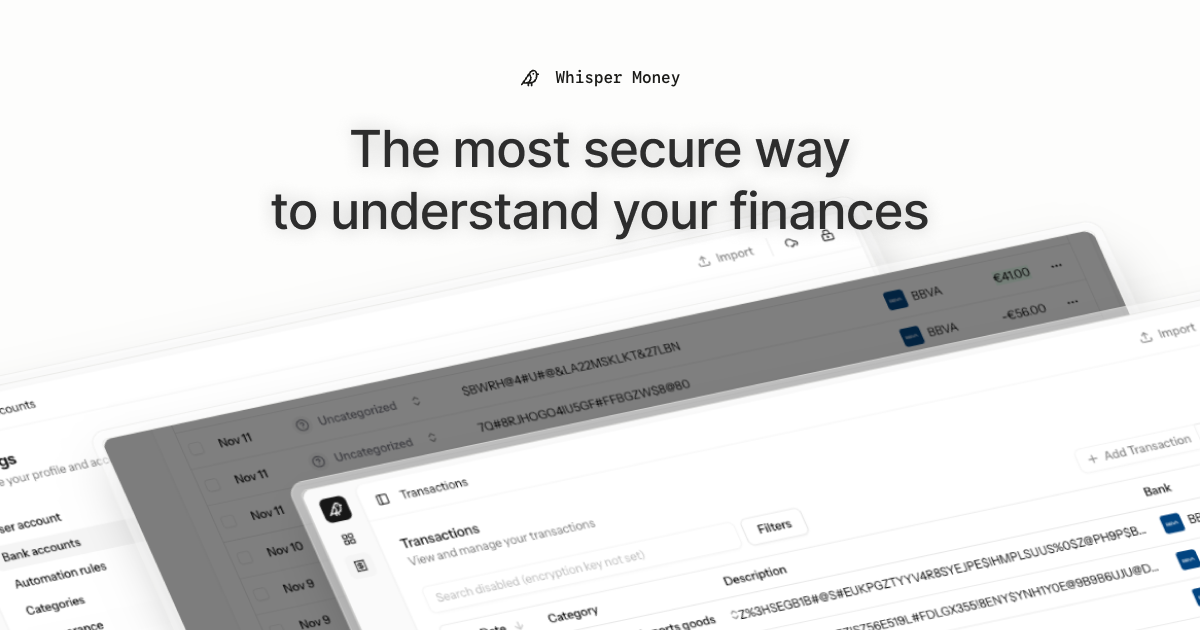
The most secure way to understand your finances.
Whisper Money is a privacy-first personal finance application that helps you track, categorize, and understand your spending—all while keeping your financial data encrypted and secure.
🎮 Try the Demo: Experience Whisper Money with our demo account - no registration required!
💬 Join our Community: Whether you're a user looking for help or a developer wanting to contribute, we'd love to have you in our Discord server! Share feedback, ask questions, discuss new features, or just hang out with fellow privacy enthusiasts.
Features
- 🔐 Privacy-first — Your data is never shared with third parties. You own it
- 🏦 Bank account management — Track multiple accounts in one place
- 📊 Transaction categorization — Automatic and manual categorization
- 🤖 Automation rules — Set up rules to auto-categorize transactions
- 📈 Financial insights — Understand your spending patterns
Tech Stack
- Backend: Laravel 12, PHP 8.4
- Frontend: React 19, Inertia.js v2, TypeScript
- Styling: Tailwind CSS v4
- Database: MySQL
- Cache/Queue: Redis
- Testing: Pest v4
Running Locally
Quick Start (Recommended)
The easiest way to get started is using our automated setup script:
bash <(curl -fsSL https://whisper.money/setup.sh)
After installation, just visit https://whisper.money.localhost in your browser.
Manual Setup
If you prefer to set up manually:
- Clone the repository:
git clone https://github.com/whisper-money/whisper-money.git
cd whisper-money
- Run the setup script:
whispermoney install
Available Commands
Important: You must run
whispermoney installbefore using any other command. If you skip the install step, commands likestartwill not work.
Once installed, you can use the whispermoney command for common tasks:
# Start all services
whispermoney start

# Stop all services
whispermoney stop

# Upgrade to latest version
whispermoney upgrade

# Interactive menu
whispermoney
Development Server
For active development with hot reloading:
composer run dev
This will concurrently start:
- PHP development server (via Portless HTTPS proxy)
- Queue worker
- Log viewer (Pail)
- Vite dev server
The application will be available at https://dev.whisper.money.localhost. In git worktrees, the branch name is automatically prepended (e.g. https://fix-ui.dev.whisper.money.localhost).
Running with Docker (Production Image)
For testing the production Docker image locally:
- Copy the production environment file:
cp .env.production.example .env
- Start the services:
docker compose -f docker-compose.production.yml up -d
The application will be available at http://localhost:8080.
To use a different port, set APP_PORT:
APP_PORT=3000 docker compose -f docker-compose.production.yml up -d
Deploying to Coolify
Whisper Money can be easily deployed to Coolify using our Docker Compose template.
Quick Deploy
- In Coolify, create a new resource and select Docker Compose
- Choose Empty Compose File as the source
- Paste the contents from our template: 👉 whisper-money.yaml
- Deploy!
The template includes:
- Whisper Money application container
- MySQL 8.0 database with health checks
- Persistent volumes for data and storage
- Auto-generated database credentials
Required Environment Variables
| Variable | Description |
|---|---|
RESEND_API_KEY |
Email service API key (for password resets, notifications) |
Note:
APP_KEYandAPP_URLare auto-configured. The container generates anAPP_KEYon first startup if not provided.
Optional Environment Variables
| Variable | Default | Description |
|---|---|---|
DRIP_EMAILS_ENABLED |
true |
Enable drip emails (welcome, onboarding, feedback) |
HIDE_AUTH_BUTTONS |
false |
Hide login/register buttons on landing page |
SUBSCRIPTIONS_ENABLED |
false |
Enable Stripe subscriptions |
STRIPE_KEY |
- | Stripe publishable key |
STRIPE_SECRET |
- | Stripe secret key |
STRIPE_WEBHOOK_SECRET |
- | Stripe webhook signing secret |
Star History
License
This work is licensed under a Creative Commons Attribution-NonCommercial 4.0 International License.