 fb1adfc484
## What & why

Adds a **read-only MCP server** so a paid ("Pro") user can connect
Whisper Money to their own AI assistant (Claude web/desktop, Claude
Code, ChatGPT) and analyse their own finances — spending, cashflow, net
worth, transactions.

This is **Phase 1 (PR1): read-only**. Write tools (create/edit/delete
transactions, categories, labels, rules, balances) are a deliberate
follow-up (PR2); the token plumbing already reserves an `mcp:write`
ability for them.

## How it works

- **Transport:** remote streamable HTTP server via `laravel/mcp`,
mounted at `/mcp` (`routes/ai.php`).
- **Auth:** Sanctum personal access tokens with **MCP-only abilities**
(`mcp:read`). The route is gated by `auth:sanctum` +
`abilities:mcp:read` + `throttle:60,1`, so a future public-API token
(different ability) can't reach it and vice versa.
- **Pro gating** is enforced **per request inside the tools**
(`User::canUseFeature(PlanFeature::McpAccess)`), so a lapsed
subscription stops working on its own without the user revoking the
token. Free users can still create tokens (marked **PRO** in the UI) but
every call returns a "paid plan required" error with an upgrade URL.
- **Consent:** connecting is the consent — a clearly-weighted
data-egress disclaimer + per-client connection instructions on the
settings page. No separate checkbox (by design).

## Tools (all read-only)

| Tool | Scope |
|------|-------|
| `search_transactions` | space-scoped (optional `space`, defaults to
personal) |
| `list_accounts`, `list_categories`, `list_spaces` | space-scoped |
| `spending_by_category`, `get_cashflow`, `get_net_worth` | user's whole
account (reuse existing analytics services/controllers) |

Recurring-charge detection is left to the agent over
`search_transactions` results (no dedicated tool).

## Settings → MCP access

New page to create / rotate / revoke tokens (name + one-time secret
reveal), with `last_used_at`, a PRO badge, the egress disclaimer, and
copy-paste connection instructions for Claude (web/desktop), Claude Code
and ChatGPT.

## Tests

- Tool behaviour + Pro gating + **cross-user / cross-space isolation**
(`tests/Feature/Mcp/McpToolsTest.php`).
- HTTP auth boundary: 401 without a token, 403 without `mcp:read`, 200
with it (`tests/Feature/Mcp/McpEndpointAuthTest.php`).
- Token CRUD + ownership + free-tier creation
(`tests/Feature/Settings/McpTokenTest.php`).

## Reviewed & adjusted

Ran technical + product reviews and applied the fixes: kept PR1 strictly
read-only (dropped a UI scope selector that promised non-existent
write), routed gating through the `PlanFeature` convention, put token
rotation behind a confirmation, removed a silent on-load clipboard copy,
weighted the egress disclaimer, and fixed a `list_spaces` N+1.

### Known, deliberate tradeoffs
- `get_cashflow` / `get_net_worth` / `spending_by_category` reuse the
existing **user-scoped** analytics controllers/services, so they cover
the whole account rather than a single space (documented in the server
instructions). Per-space analytics is a follow-up.
- Space tools scope by `space_id` gated by membership
(`accessibleSpaces`) — the intended shared-tenant model — rather than a
per-row `user_id` filter.

## Not runnable in this environment
Browser QA of the settings page wasn't run here (no local
`node_modules`); that surface relies on CI build/typecheck/lint and
follows existing settings-page conventions.

---

## Updates since opening

- **Behind a feature flag.** New `App\Features\Mcp` (default off) hides
the whole settings screen — the nav item and every `settings/mcp*` route
(404 when off). Pro-plan gating still happens per request. Enable it
with `php artisan feature:enable "App\Features\Mcp" <email|all|25%>`.
- **Renamed** the user-facing page from "MCP access" to **"AI
Connector"** (nav, title, breadcrumb) so non-technical users understand
it. Route names, files and the feature stay internal.
- **Shared `ProBadge`** component (amber), now used on both the AI
Connector and billing pages instead of an inline badge.
- **Softer data-egress notice** (amber shield icon instead of a red
alert) and plainer copy throughout.
- **Accurate connection instructions (important).** Verified against the
official docs: a personal access token works with **Claude Code** today.
**Claude Desktop** and **ChatGPT** custom connectors authenticate over
**OAuth** and do not accept a static token, so they're now marked
**"coming soon"**. OAuth is the real unlock for those clients and is the
recommended follow-up (it also maps to the deferred write-tools work).
Sources: [Claude custom
connectors](https://support.claude.com/en/articles/11175166-get-started-with-custom-connectors-using-remote-mcp),
[ChatGPT developer
mode](https://developers.openai.com/api/docs/guides/developer-mode).
- UI reviewed in a real browser; layout/alignment checked across states
(empty, new-token reveal, token list).
|
||
|---|---|---|
| .agents/skills | ||
| .claude | ||
| .cursor | ||
| .github | ||
| .opencode/skills | ||
| .pi | ||
| app | ||
| bootstrap | ||
| config | ||
| database | ||
| docker | ||
| docs | ||
| experiments | ||
| lang | ||
| public | ||
| resources | ||
| routes | ||
| screenshots | ||
| scripts | ||
| src/lib/crypto | ||
| storage | ||
| templates/coolify | ||
| tests | ||
| .dockerignore | ||
| .editorconfig | ||
| .env.example | ||
| .env.production.example | ||
| .gitattributes | ||
| .gitignore | ||
| .mcp.json | ||
| .php-cs-fixer.dist.php | ||
| .php-version | ||
| .prettierignore | ||
| .prettierrc | ||
| .release-it.json | ||
| AGENTS.md | ||
| CHANGELOG.md | ||
| CLAUDE.md | ||
| Dockerfile | ||
| Dockerfile.production | ||
| LICENSE.md | ||
| LOCALIZATION.md | ||
| ONBOARDING.md | ||
| README.md | ||
| artisan | ||
| autoresearch-dashboard.md | ||
| autoresearch.jsonl | ||
| autoresearch.md | ||
| autoresearch.sh | ||
| boost.json | ||
| bun.lock | ||
| components.json | ||
| compose.yaml | ||
| composer.json | ||
| composer.lock | ||
| docker-compose.production.yml | ||
| eslint.config.js | ||
| falcode.json | ||
| opencode.json | ||
| package-lock.json | ||
| package.json | ||
| phpstan-baseline.neon | ||
| phpstan.neon | ||
| phpunit.xml | ||
| tsconfig.json | ||
| vite.config.ts | ||
| vitest.config.ts | ||
| vitest.setup.ts | ||
| whispermoney | ||
| worktree.sh | ||
README.md
Deutsch | Español | français | 日本語 | 한국어 | Português | Русский | 中文
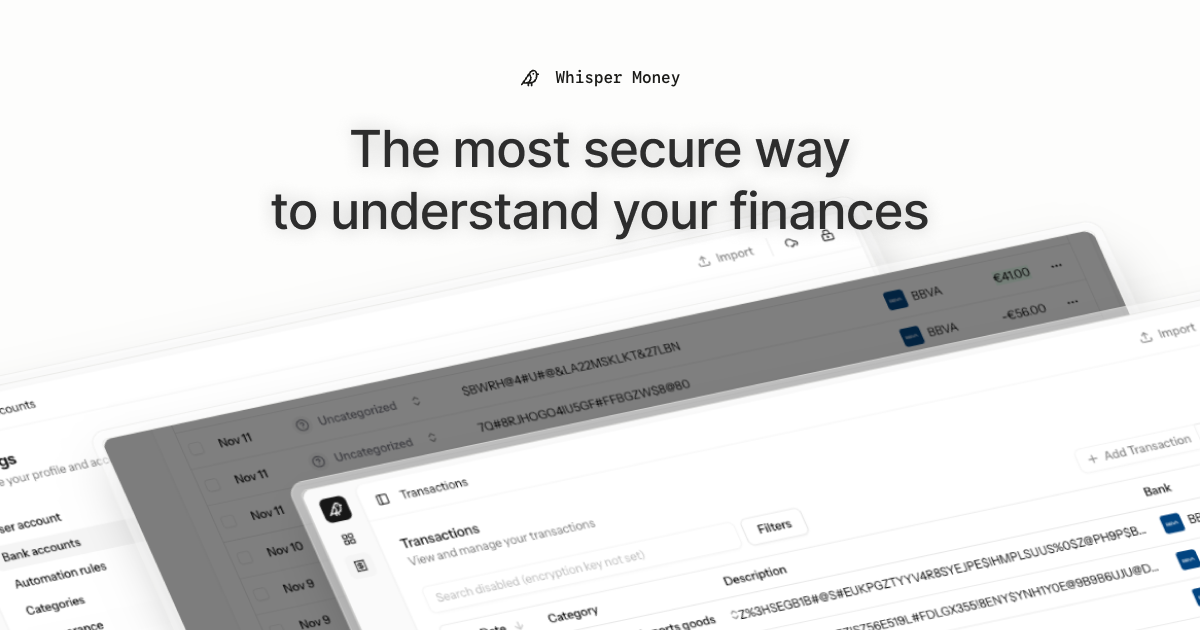
Whisper Money


The most secure way to understand your finances.
Whisper Money is a privacy-first personal finance application that helps you track, categorize, and understand your spending—all while keeping your financial data encrypted and secure.
🎮 Try the Demo: Experience Whisper Money with our demo account - no registration required!
💬 Join our Community: Whether you're a user looking for help or a developer wanting to contribute, we'd love to have you in our Discord server! Share feedback, ask questions, discuss new features, or just hang out with fellow privacy enthusiasts.
Features
- 🔐 Privacy-first — Your data is never shared with third parties. You own it
- 🏦 Bank account management — Track multiple accounts in one place
- 📊 Transaction categorization — Automatic and manual categorization
- 🤖 Automation rules — Set up rules to auto-categorize transactions
- 📈 Financial insights — Understand your spending patterns
Tech Stack
- Backend: Laravel 12, PHP 8.4
- Frontend: React 19, Inertia.js v2, TypeScript
- Styling: Tailwind CSS v4
- Database: MySQL
- Cache/Queue: Redis
- Testing: Pest v4
Running Locally
Quick Start (Recommended)
The easiest way to get started is using our automated setup script:
bash <(curl -fsSL https://whisper.money/setup.sh)
After installation, just visit https://whisper.money.localhost in your browser.
Manual Setup
If you prefer to set up manually:
- Clone the repository:
git clone https://github.com/whisper-money/whisper-money.git
cd whisper-money
- Run the setup script:
whispermoney install
Available Commands
Important: You must run
whispermoney installbefore using any other command. If you skip the install step, commands likestartwill not work.
Once installed, you can use the whispermoney command for common tasks:
# Start all services
whispermoney start

# Stop all services
whispermoney stop

# Upgrade to latest version
whispermoney upgrade

# Interactive menu
whispermoney
Development Server
For active development with hot reloading:
composer run dev
This will concurrently start:
- PHP development server (via Portless HTTPS proxy)
- Queue worker
- Log viewer (Pail)
- Vite dev server
The application will be available at https://dev.whisper.money.localhost. In git worktrees, the branch name is automatically prepended (e.g. https://fix-ui.dev.whisper.money.localhost).
Running with Docker (Production Image)
For testing the production Docker image locally:
- Copy the production environment file:
cp .env.production.example .env
- Start the services:
docker compose -f docker-compose.production.yml up -d
The application will be available at http://localhost:8080.
To use a different port, set APP_PORT:
APP_PORT=3000 docker compose -f docker-compose.production.yml up -d
Deploying to Coolify
Whisper Money can be easily deployed to Coolify using our Docker Compose template.
Quick Deploy
- In Coolify, create a new resource and select Docker Compose
- Choose Empty Compose File as the source
- Paste the contents from our template: 👉 whisper-money.yaml
- Deploy!
The template includes:
- Whisper Money application container
- MySQL 8.0 database with health checks
- Persistent volumes for data and storage
- Auto-generated database credentials
Required Environment Variables
| Variable | Description |
|---|---|
RESEND_API_KEY |
Email service API key (for password resets, notifications) |
Note:
APP_KEYandAPP_URLare auto-configured. The container generates anAPP_KEYon first startup if not provided.
Optional Environment Variables
| Variable | Default | Description |
|---|---|---|
DRIP_EMAILS_ENABLED |
true |
Enable drip emails (welcome, onboarding, feedback) |
HIDE_AUTH_BUTTONS |
false |
Hide login/register buttons on landing page |
SUBSCRIPTIONS_ENABLED |
false |
Enable Stripe subscriptions |
STRIPE_KEY |
- | Stripe publishable key |
STRIPE_SECRET |
- | Stripe secret key |
STRIPE_WEBHOOK_SECRET |
- | Stripe webhook signing secret |
Star History
License
This work is licensed under a Creative Commons Attribution-NonCommercial 4.0 International License.