2.9 KiB
2.9 KiB
▄▄▄▄▄▄ ▄▄▄▄   ▄▄▄  ▄▄▄▄▄ ▄▄▄▄▄ ▄▄  ▄▄▄▄    ▄▄▄  ▄▄  ▄▄  ▄▄▄  ▄▄  ▄▄ ▄▄ ▄▄▄▄▄ ▄▄▄▄▄ ▄▄▄▄
  ██   ██▄█▄ ██▀██ ██▄▄  ██▄▄  ██ ██▀▀▀   ██▀██ ███▄██ ██▀██ ██  ▀███▀   ▄█▀ ██▄▄  ██▄█▄
  ██   ██ ██ ██▀██ ██    ██    ██ ▀████   ██▀██ ██ ▀██ ██▀██ ██▄▄▄ █   ▄██▄▄ ██▄▄▄ ██ ██
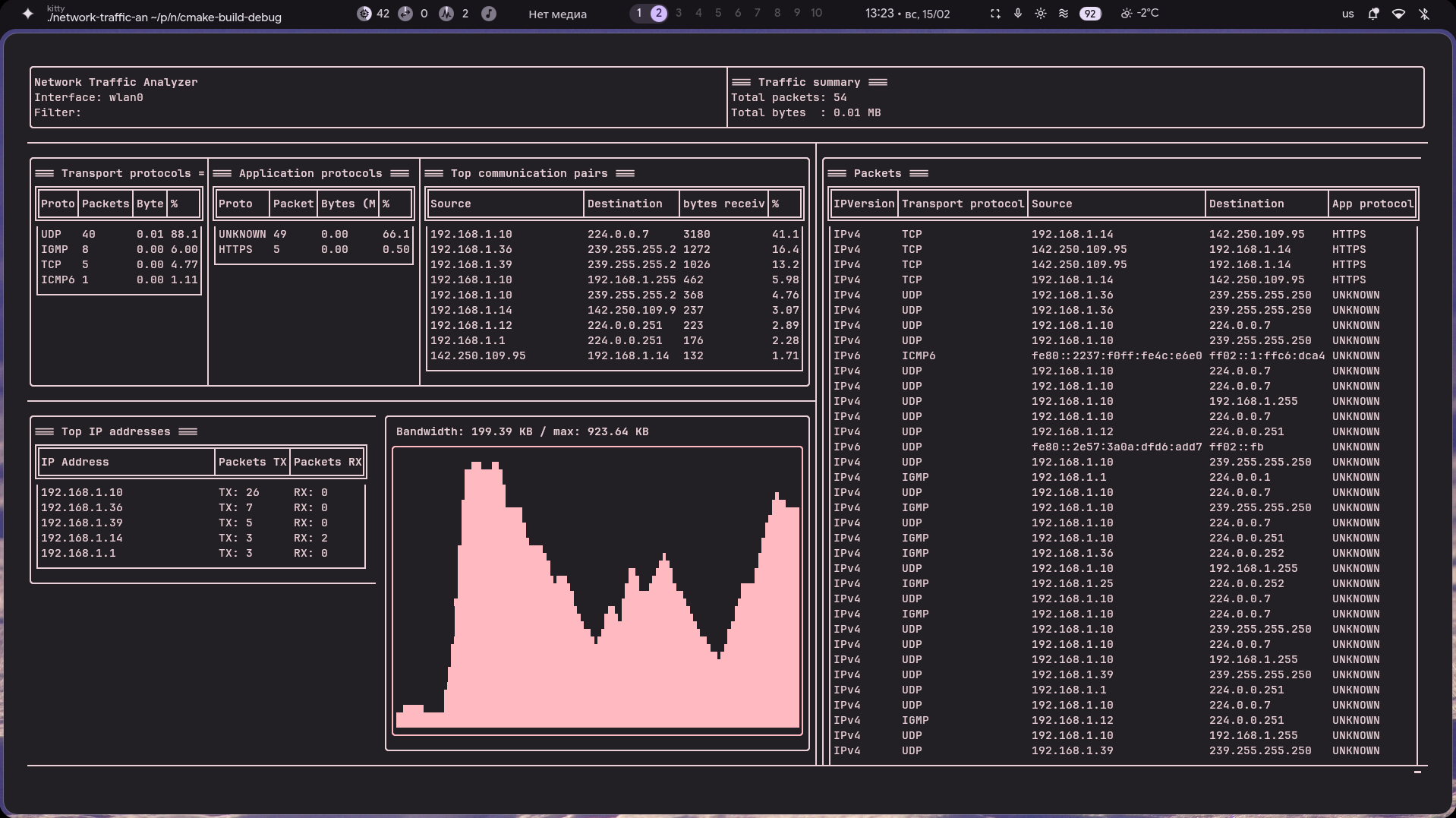
A high-performance CLI network analyzer built with libpcap for raw packet capture and FTXUI for a fully interactive terminal UI. The application captures packets directly from a network interface, parses protocol headers manually, aggregates statistics in real time
Developed by @deniskhud
[!IMPORTANT] Packet capture requires elevated privileges.
Run with:
sudo ./network-traffic-analyzer
Or grant capabilities:
sudo setcap cap_net_raw,cap_net_admin=eip ./network-traffic-analyzer
Or you can use just command
just run
Features
-
Live Packet Capture
- Capture traffic from a selected network interface
- Support for BPF filters (e.g. tcp, port 80, udp)
- Real-time processing using libpcap
-
Real-Time Statistics Engine
- Total packets & traffic volume
- Transport protocol distribution (TCP / UDP / ICMP)
- Application-level classification (port-based)
- Top IP addresses
- Top source > destination pairs
-
Flexible Capture Modes
- Live capture from selected network interface (-i, --interface)
- Offline analysis from .pcap file (-r, --offline)
- Packet count limit (-c)
- Time limit for capture (-t)
- Interface discovery (--interfaces)
[!TIP] For the complete list of CLI options, use:
--help
Technologies
- C++20+
- Boost::program_options
- libpcap
- FTXUI
- CMake
Setup
1. clone the repo then
cd network-traffic-analyzer
./install.sh
Usage Example
Live capture on eth0
just capture -i eth0
Capture 100 packets
just run -i wlan0 -c 100
Analyze offline pcap file
just run --offline traffic.pcap
Export results (json / csv)
just run --json result.json --csv result.csv
Learn More
| Doc | Contents |
|---|---|
| 00-OVERVIEW.md | Quick start, prerequisites, project structure |
| 01-CONCEPTS.md | libpcap internals, BPF filters, protocol header parsing |
| 02-ARCHITECTURE.md | System design, component breakdown, data flow, threading model |
| 03-IMPLEMENTATION.md | Line-by-line code walkthrough |
| 04-CHALLENGES.md | Extension ideas and advanced topics |