2.8 KiB
Model context protocol (MCP)
The Model context protocol (aka MCP) is a way to provide tools and context to the LLM. From the MCP docs:
MCP is an open protocol that standardizes how applications provide context to LLMs. Think of MCP like a USB-C port for AI applications. Just as USB-C provides a standardized way to connect your devices to various peripherals and accessories, MCP provides a standardized way to connect AI models to different data sources and tools.
MCP enables you to use a wide range of MCP servers to provide tools to your Agents.
MCP servers
Currently, the MCP spec defines two kinds of servers, based on the transport mechanism they use:
- stdio servers run as a subprocess of your application. You can think of them as running "locally".
- HTTP over SSE servers run remotely. You connect to them via a URL.
You can use the [MCPServerStdio][cai.sdk.agents.mcp.server.MCPServerStdio] and [MCPServerSse][cai.sdk.agents.mcp.server.MCPServerSse] classes to connect to these servers.
For example, this is how you'd use the official MCP filesystem server.
async with MCPServerStdio(
    params={
        "command": "npx",
        "args": ["-y", "@modelcontextprotocol/server-filesystem", samples_dir],
    }
) as server:
    tools = await server.list_tools()
Using MCP servers
MCP servers can be added to agents. The runner collects tools from each server (via list_tools()) when the agent runs, so the model can call them; each invocation uses the server's call_tool().
from cai.sdk.agents import Agent

# mcp_server_1 and mcp_server_2 are connected MCPServerStdio / MCPServerSse instances.
cybersecurity_lead = Agent(
    name="Cybersecurity Lead Agent",
    instructions="Use the tools to solve the task.",
    mcp_servers=[mcp_server_1, mcp_server_2],
)
Caching
Every time an Agent runs, it calls list_tools() on the MCP server. This can be a latency hit, especially if the server is a remote server. To automatically cache the list of tools, you can pass cache_tools_list=True to both [MCPServerStdio][cai.sdk.agents.mcp.server.MCPServerStdio] and [MCPServerSse][cai.sdk.agents.mcp.server.MCPServerSse]. You should only do this if you're certain the tool list will not change.
If you want to invalidate the cache, you can call invalidate_tools_cache() on the servers.
End-to-end examples
See the examples/mcp/ directory in the CAI repository for runnable scripts (stdio and SSE patterns).
Tracing
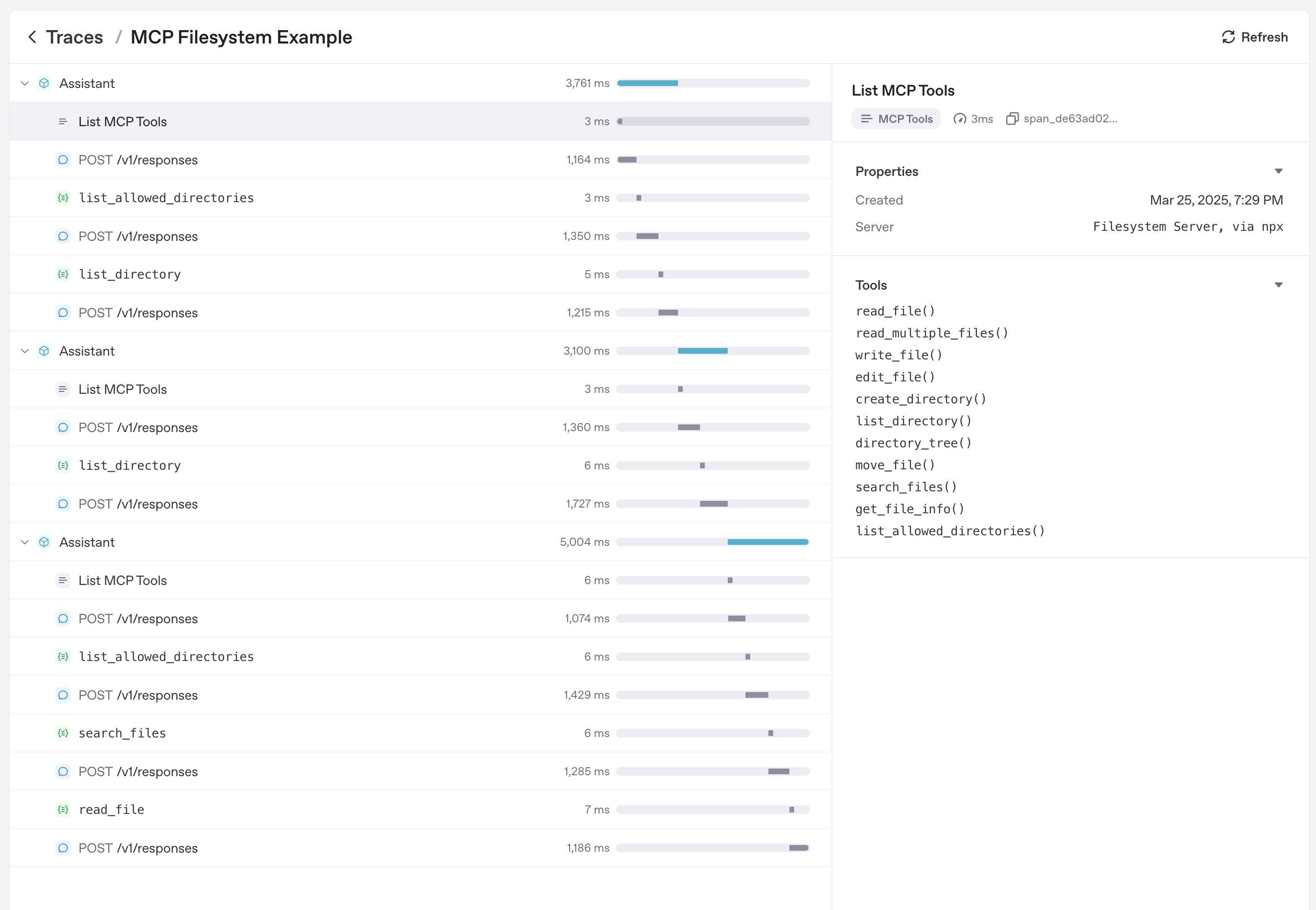
Tracing automatically captures MCP operations, including:
- Calls to the MCP server to list tools
- MCP-related info on function calls