6.9 KiB
Chat Features - CAI Mobile UI
⚡ CAI-Pro Exclusive
Advanced chat capabilities for professional security testing on mobile.
Message Composition
Rich Text Input
The CAI Mobile UI supports advanced text formatting:
Markdown Support
- Bold: Surround with
**text**or__text__ - Italic: Use
*text*or_text_ Code: Wrap with backticks- Lists: Start lines with
-or1. - Links:
[text](url)format
Code Blocks
```python
# Language-specific highlighting
def scan_target(ip):
    return results
```
Smart Completions
Agent Mentions
- Type
@to see available agents - Quick switch context mid-conversation
- Example:
@red_teamer scan this endpoint
File References
- Type
/for file browser - Drag & drop from Files app
- Paste images directly
Command Shortcuts
- Type
!for saved commands - Create custom shortcuts in settings
- Example:
!nmap→Run nmap scan on target
Voice Input
Dictation Features
- Tap microphone icon
- Automatic punctuation
- Technical term recognition
- Multi-language support
Voice Commands
- "Send message"
- "New conversation"
- "Switch to [agent name]"
- "Cancel generation"
Message Display
Streaming Responses
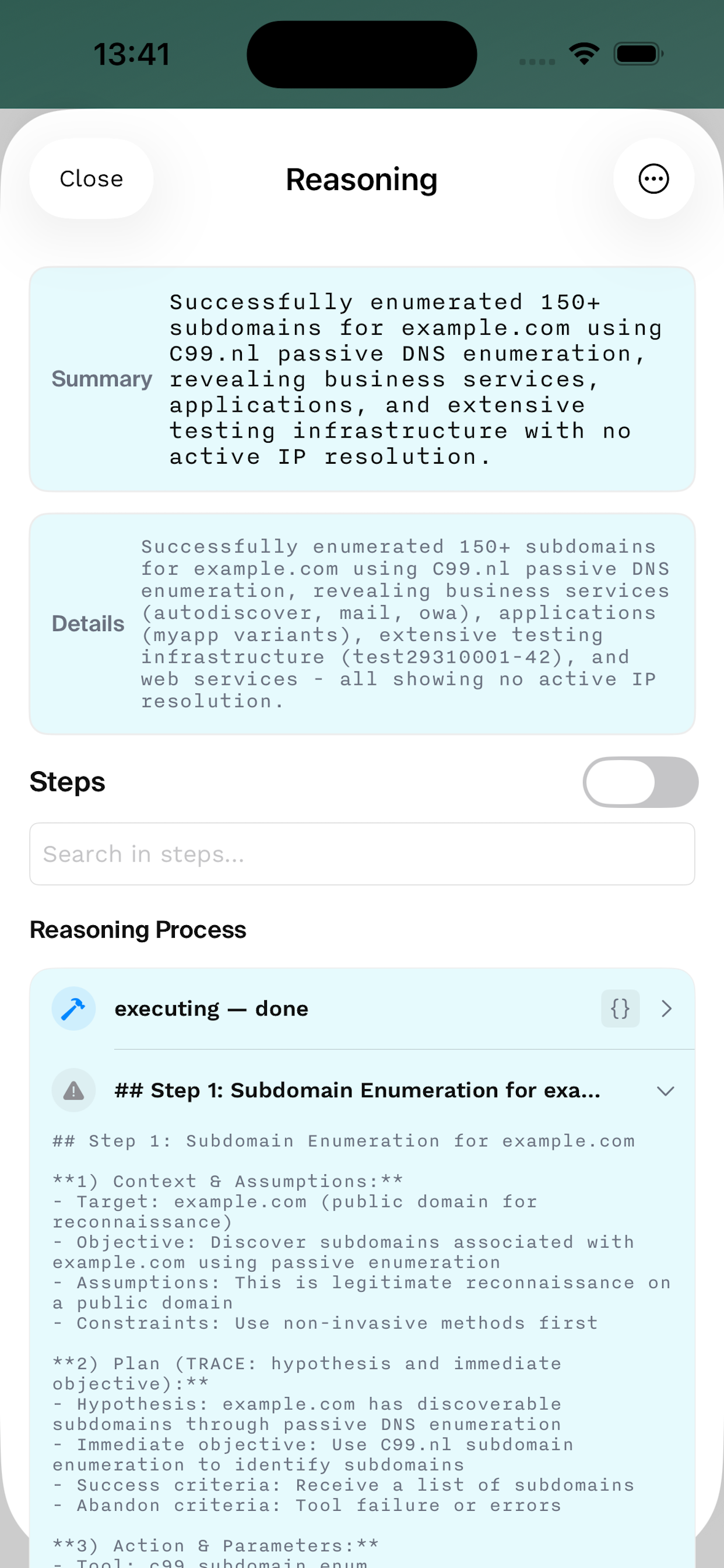
Real-time Indicators
- Typing animation
- Progress estimation
- Token counter
- Time elapsed
Partial Rendering
- See results as they generate
- Syntax highlighting updates live
- Tables render incrementally
- Images load progressively
Content Types
Security Reports
╔══════════════════════════════════════╗
║        VULNERABILITY REPORT          ║
╠══════════════════════════════════════╣
║ Target: example.com                  ║
║ Risk Level: HIGH                     ║
║ CVSS Score: 8.5                      ║
╚══════════════════════════════════════╝
Code Analysis
- Syntax highlighting for 100+ languages
- Line numbers for reference
- Diff view for changes
- Copy button per code block
Structured Data
- Tables with sorting
- Collapsible JSON trees
- Chart rendering
- CSV preview with scrolling
Interactive Elements
Expandable Sections
- Tap to expand/collapse
- Remembers state
- Smooth animations
- Section summaries
Tool Outputs
- Real-time tool execution status
- Collapsible verbose output
- Error highlighting
- Retry failed tools
Links & References
- In-app browser for links
- CVE database lookups
- Documentation tooltips
- External app handoff
Advanced Features
Message Actions
Quick Actions Bar Swipe left on any message:
- 🔄 Retry - Re-run with same prompt
- 📋 Copy - Copy to clipboard
- 📤 Share - Share via iOS share sheet
- 🗑️ Delete - Remove from history
Long Press Menu
- Copy Text
- Copy as Markdown
- Copy as JSON
- Share Message
- Save to Files
- Create Template
- Report Issue
Conversation Management
Search Within Chat
⌘ + For tap search icon- Real-time highlighting
- Previous/Next navigation
- Case sensitive option
- Regex support
Message Filtering
- Show only user messages
- Show only agent responses
- Filter by date range
- Filter by content type
- Export filtered results
Context Preservation
Auto-Save
- Every message saved locally
- Cloud sync (optional)
- Crash recovery
- Version history
Session Continuity
- Resume mid-generation
- Restore agent state
- Maintain context across app restarts
- Background task completion
Collaboration Features
Sharing & Export
Export Formats
- Plain Text (.txt)
- Markdown (.md)
- JSON (.json)
- PDF with formatting
- HTML with styling
Share Options
- AirDrop to nearby devices
- Email with formatting preserved
- Slack/Discord webhooks
- GitHub Gist integration
- Custom share extensions
Templates & Snippets
Message Templates Create reusable prompts:
Template: Web App Test
---
Perform security assessment on [URL]:
1. Check for common vulnerabilities
2. Test authentication
3. Scan for exposed endpoints
4. Generate detailed report
Code Snippets Save frequently used code:
- Payloads library
- Script templates
- Command shortcuts
- Custom exploits
Performance Features
Offline Mode
Available Offline
- Read previous conversations
- Search message history
- Export conversations
- View cached responses
Sync When Connected
- Queue messages for sending
- Auto-retry failed messages
- Merge offline changes
- Conflict resolution
Message Optimization
Smart Loading
- Lazy load old messages
- Virtualized scrolling
- Image placeholder loading
- Incremental search indexing
Memory Management
- Auto-archive old conversations
- Compress stored messages
- Clear cache options
- Storage usage analytics
Security Features
Privacy Controls
Message Security
- End-to-end encryption option
- Biometric lock for sensitive chats
- Auto-delete timers
- Screenshot prevention mode
Data Protection
- Local encryption at rest
- Secure keychain storage
- No cloud sync option
- Export password protection
Audit Trail
Activity Logging
- Message timestamps
- Edit history
- Access logs
- Export audit trail
Customization
Display Preferences
Message Appearance
- Bubble style (iOS/Android/Minimal)
- Color themes
- Font selection
- Spacing options
Timestamp Display
- Always visible
- On tap
- Grouped by time
- Relative/Absolute
Behavior Settings
Send Options
- Enter to send
- Shift+Enter for new line
- Send button confirmation
- Draft auto-save
Notification Settings
- Message previews
- Sound selection
- Vibration patterns
- Do Not Disturb respect
Keyboard Enhancements
Text Shortcuts
| Shortcut | Expands To |
|---|---|
@@ |
Current date/time |
## |
Last command output |
$$ |
Previous agent response |
%% |
System information |
Quick Commands
| Command | Action |
|---|---|
/clear |
Clear conversation |
/export |
Export chat |
/stats |
Show session stats |
/help |
Show help |
Tips & Tricks
Power User Features
- Multi-Message Select: Two-finger tap and drag
- Quick Quote: Swipe right on message to quote
- Batch Operations: Select multiple messages for bulk actions
- Smart Paste: Automatically formats pasted code
Hidden Features
- Developer Console: Triple-tap status bar
- Message Inspector: Long press + 3D touch
- Network Monitor: Shake in settings
- Debug Logging: Five taps on version
Next Steps
Advanced chat features enable professional-grade mobile security testing