## Summary
- store browser-detected IANA timezones on users during registration and
share the value to the frontend
- silently backfill missing timezones for authenticated users without
overwriting existing saved values
- add focused feature coverage for registration, shared props, and the
timezone backfill endpoint

## Testing
- php artisan test --compact tests/Feature/Auth/RegistrationTest.php
tests/Feature/InertiaSharedDataTest.php
tests/Feature/Settings/TimezoneTest.php
- npm test -- resources/js/utils/currency.test.ts
## Summary
- add month-end command to revoke old Enable Banking sessions for users
without a paid plan while keeping their linked accounts as manual
accounts
- extract banking disconnect flow into a reusable action so manual
disconnects and scheduled cleanup share same revoke and detach behavior
- add feature coverage for free-user cleanup, paid-user skips,
under-6-hour skips, non-Enable Banking skips, and revoke failure
fallback

## Testing
- vendor/bin/pint --dirty --format agent
- php artisan test --compact
tests/Feature/CancelFreeEnableBankingConnectionsCommandTest.php
tests/Feature/OpenBanking/ConnectionControllerTest.php
## Summary
- update subscription pricing to the final release amounts for monthly
and annual billing
- keep billing UI formatting aligned with the configured currency so
1.99 €/month displays correctly
- refresh subscription and Stripe sync tests to lock the new values in
place
## Summary

- **Auto-calculates Annual Revaluation %** (CAGR) on the frontend when
purchase price, purchase date, and current market value are all provided
— pre-fills the revaluation field while still allowing manual override
- **Generates historical monthly balance records** via linear
interpolation from purchase date to today when creating a real estate
account with complete purchase data
- New `RealEstateBalanceGeneratorService` handles balance generation
with dates on the 1st of each month (matching the existing
`ApplyRealEstateRevaluationCommand` convention)

## Changes

### Backend
- **`app/Services/RealEstateBalanceGeneratorService.php`** (new) —
Linear interpolation service that builds balance dates (purchase date,
1st of each intermediate month, today) and creates `AccountBalance`
records using `updateOrCreate`
- **`app/Http/Controllers/Settings/AccountController.php`** — Calls the
service after real estate detail creation when all three inputs are
present

### Frontend
- **`resources/js/components/accounts/account-form.tsx`** — Added CAGR
auto-calculation via `useEffect` with a `useRef` flag
(`isRevaluationManuallySet`) to avoid overwriting manual user input

### Tests
- **`tests/Feature/Services/RealEstateBalanceGeneratorServiceTest.php`**
(new) — 7 unit tests covering interpolation, edge cases (same-day
purchase, flat values, single month spans)
- **`tests/Feature/RealEstateTest.php`** — 6 new feature tests covering
historical balance generation through the controller (with/without
purchase data, same-day, flat values)

All 38 tests in `RealEstateTest.php` and all 7 service tests pass.
## Summary
- gate waitlist signup behind email confirmation so only verified leads
receive a queue position and referral code
- add signed lead verification routes, a check-email page, and a
dedicated verification email for the waitlist flow
- update lead syncing and feature tests so only verified leads are
exported to Resend and referral movement happens after verification

## Testing
- php artisan test --compact tests/Feature/UserLeadTest.php
- php artisan test --compact
tests/Feature/ResendSyncLeadsCommandTest.php
- php artisan test --compact tests/Feature/MailSenderTest.php
- vendor/bin/pint --dirty --format agent
## Summary
- add safe-area CSS variables for the viewport top and bottom insets
- apply safe-area-aware collision padding to the shared popover
primitive so iOS overlays stay below the notch
- add a focused regression test for the popover safe-area guard

## Testing
- vendor/bin/pint --dirty --format agent
- php artisan test --compact tests/Feature/PopoverSafeAreaTest.php
## Summary
- switch the iOS standalone PWA status bar style from
`black-translucent` to `default`
- keep installed iOS app content below the status bar and notch area
- extend the PWA template test to guard against regressing to
translucent overlap

## Testing
- vendor/bin/pint --dirty --format agent
- php artisan test --compact tests/Feature/PwaTest.php
## Summary
- move the top safe-area inset from the mobile header to the shared
authenticated content shell
- keep scrolling content on iOS sidebar pages from sliding under the
notch
- add a focused regression test for the shared layout safe-area
placement

## Testing
- vendor/bin/pint --dirty --format agent
- php artisan test --compact
tests/Feature/AuthenticatedLayoutSafeAreaTest.php
## Summary
- add an optional linked property selector when creating loan accounts
in both the main create dialog and onboarding
- validate that only the current user's unlinked real-estate accounts
can be selected and persist the reciprocal link after loan creation
- expose linked property state in shared account props and cover the new
flow with focused loan feature tests

## Testing
- php artisan test --compact tests/Feature/LoanTest.php
- vendor/bin/pint --dirty --format agent
## Summary
- default the onboarding account setup choice to the connected Standard
option when open banking is available
- change the Standard onboarding card and connected-bank step accents
from blue to emerald for consistent plan styling
- update the onboarding browser test comment to reflect the new default
selection

## Verification
- `php artisan test --compact tests/Feature/SubscriptionTest.php`
- `php artisan test --compact tests/Browser/OnboardingFlowTest.php` *(3
unrelated existing failures in browser assertions)*
## Summary
- update the create account modal copy to explicitly mention loans and
property accounts
- clarify the manual option so users understand it also covers manually
created real-estate accounts
- update the browser test assertion to match the revised dialog copy
## Summary
- add real estate to the onboarding account type explainer and update
investment copy to mention crypto and cold wallets
- align onboarding manual account creation with the real-estate feature
flag and real-estate payload requirements
- cover the onboarding copy and real-estate creation flow with browser
tests

## Testing
- php artisan test --compact tests/Browser/OnboardingFlowTest.php
## Summary
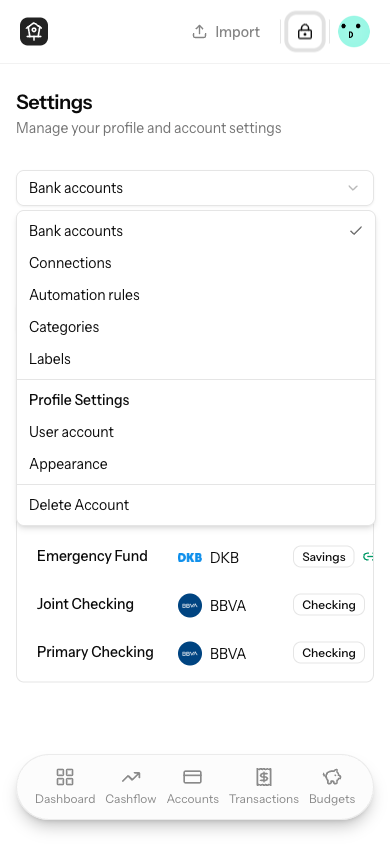
- add a hamburger icon to the mobile settings dropdown trigger so it
reads more clearly as navigation
- reduce the mobile spacing between the settings subtitle and the
dropdown trigger
- keep the desktop settings sidebar unchanged

## Testing
- php artisan test --compact tests/Feature/Settings/CategoryTest.php
## Summary
- add an Appearance shortcut to the user dropdown between Privacy mode
and Settings
- use the existing appearance route so users can jump straight to
`/settings/appearance`
- add a focused frontend test covering the new menu item and its order
## Summary
- default account charts to the user's currency when a currency toggle
is available
- reverse the account chart currency toggle order so the user currency
appears first
- add a focused frontend test covering the toggle order and selected
state

## Testing
- npm test -- chart-currency-toggle
## Summary
- keep two decimal places in net worth and account chart amounts instead
of rounding to whole units
- update shared chart tooltip, trend tooltip, and MoM tooltip currency
formatting so related chart values stay consistent
- add targeted formatter coverage for chart-style balances with decimals

## Testing
- npm test -- resources/js/utils/currency.test.ts
## Summary
- update mail signatures to show Álvaro before Víctor across the Blade
mail templates
- add a focused mail test that guards the signature order so the old
ordering does not reappear
- verified with `php artisan test --compact
tests/Feature/MailSenderTest.php`
## Summary

- **Store `invested_amount` in user's currency** (e.g. EUR) instead of
the account's currency (e.g. BTC), since it represents "how much of my
money did I put in" — a concept tied to the user's home currency.
- **Flip `display_invested_amount`** in API responses: now converts from
user currency → account currency (previously account → user), for the
chart's account-currency toggle mode.
- **Remove redundant conversions** in `AccountMetricsService` since
invested amounts are already in user currency after sync.

## Changes

### Backend (5 files)
- **BinanceBalanceSyncService** — convert to
`$account->user->currency_code` instead of `$account->currency_code`
- **BitpandaBalanceSyncService** — same currency target change
- **IndexaCapitalBalanceSyncService** — inject
`CurrencyConversionService`, convert invested amount float to user
currency before storing as cents
- **DashboardAnalyticsController** — flip `display_invested_amount`
conversion direction (user→account) in both monthly and daily endpoints
- **AccountMetricsService** — remove 4 now-redundant invested_amount
conversion spots (values already in user currency)

### Frontend (6 files)
- **update-balance-dialog.tsx** — invested amount input uses user
currency
- **balances-modal.tsx** — invested amount display and edit uses user
currency
- **account-balance-chart.tsx** — currency toggle: user-currency mode
keeps invested_amount as-is; account-currency mode swaps to
`display_invested_amount`
- **import-balances-drawer.tsx** — passes `investedAmountCurrencyCode`
(user currency) to sub-components
- **import-balance-step-mapping.tsx** /
**import-balance-step-preview.tsx** — format invested amounts in user
currency

### Tests (2 files)
- **IndexaCapitalBalanceSyncTest** — use `app()` instead of `new`
(constructor now has DI), pin account currency to USD for deterministic
assertions
- **DashboardAnalyticsTest** — add EUR-based exchange rate, flip
assertion from `/ 0.90` to `* 0.90`
## Summary

- Makes `bank_id` nullable for all account types in both
`StoreAccountRequest` and `UpdateAccountRequest` (previously it was only
nullable for real estate)
- Shows the bank combobox field for all account types in the
`AccountForm` component, including real estate
- Removes the `required` attribute from the hidden bank input and the
logic that cleared bank selection when switching to real estate type

## Test changes

- Updated "validates required fields" test to no longer expect `bank_id`
as a required field
- Added "can create a new account without a bank" test in `AccountTest`
- Updated `RealEstateTest` to verify non-real-estate accounts can also
be created without a bank (was previously asserting the opposite)
## Summary
- Adds the missing `:8000` port to the frontend Sentry/Bugsink DSN in
`app.tsx`, so errors are sent to the correct endpoint at
`bugsink.whisper.money:8000`.
## Summary

- **Bug fix:** Dashboard and accounts index cards displayed the
account's original currency code (e.g. `BTC`) even though balances were
already converted to the user's currency (e.g. `EUR`). Now passes
`displayCurrencyCode` to card components so the label matches the
converted amount.
- **Feature:** Added a currency toggle on the account detail chart to
switch between the account's native currency and the user's main
currency. Extends the balance evolution APIs with `display_*` fields
when conversion applies.
- **First-account restriction:** Restricts first-account creation to
primary (fiat) currencies only, ensuring the user's base currency is
always widely supported.

## Changes

### Bug fix — currency label on cards
- `AccountBalanceCard` / `AccountListCard`: Added `displayCurrencyCode`
prop; all amount renders now use it instead of `account.currency_code`
- `dashboard.tsx`: Passes `netWorthEvolution.currency_code` as
`displayCurrencyCode`
- `Accounts/Index.tsx`: Passes `auth.user.currency_code` as
`displayCurrencyCode`

### Backend — API extension
- `DashboardAnalyticsController`: Both `accountBalanceEvolution()` and
`accountDailyBalanceEvolution()` now return `display_value`,
`display_invested_amount`, `display_mortgage_balance` per data point and
a top-level `display_currency_code` when the account currency differs
from the user's

### Frontend — currency toggle
- New `ChartCurrencyToggle` component with `ToggleGroup` showing
currency code labels (e.g. `BTC` / `EUR`)
- `ChartSettingsPopover`: Extended with optional `currencyToggle` prop
for mobile
- `AccountBalanceChart`: Full integration — all amounts, trends,
tooltips, MoM chart, and equity swap to `display_*` values when toggle
is set to user currency

### First-account currency restriction
- `StoreAccountRequest`: First account limited to primary currency codes
- `AccountForm` / `CreateAccountDialog` / `StepCreateAccount`: Pass
`usePrimaryCurrenciesOnly` when applicable

### Tests
- 5 new Pest tests for `display_*` fields in balance evolution endpoints
- 3 new Vitest tests for `deriveAccountMetrics` (mixed-currency, empty
data, invested amounts)
- 1 new Pest test for first-account BTC rejection
## Summary

- Removes the `account-mapping` Pennant feature flag entirely, making
the account mapping flow (pending accounts data + map-accounts page) the
default and only code path
- Removes the old direct-creation branches from all banking controllers
(Authorization, Bitpanda, Binance, IndexaCapital)
- Extracts a shared `CreatesAccountsFromPending` trait for the
onboarding auto-create logic
- Updates all controller tests to reflect the always-on mapping behavior

## Changes

### Backend
- **AppServiceProvider** — removed `account-mapping` flag definition
- **AuthorizationController** — removed flag check +
`createAccountsFromSession()` dead code; always stores
`pending_accounts_data` and redirects to mapping
- **BitpandaController / BinanceController / IndexaCapitalController** —
removed flag checks, old inline account creation, and unused imports
- **HandleInertiaRequests / ActivateDevelopmentFeatures /
ResolvesFeatures** — removed `account-mapping` from flag arrays
- **New `CreatesAccountsFromPending` trait** — shared auto-create logic
for onboarding path (to be consumed next)

### Frontend
- Removed `'account-mapping'` from the TypeScript `Features` interface

### Tests
- Merged flag-specific test variants into single always-on tests
- Removed redundant tests that tested the old disabled-flag code path
- Updated assertions to check `pending_accounts_data` instead of direct
account creation
## Summary

- **Clickable toggle rows**: The full row in the chart settings popover
now toggles the checkbox, not just the checkbox itself.
- **Chart stacking order**: When toggling "Include loans" or "Include
real estate", the chart now re-mounts so accounts appear in the correct
sorted position (biggest at bottom) instead of being appended on top.
- **Scheme-aware liability dot**: The red liability indicator dot in the
chart tooltip now respects the user's chart color scheme (neutral, blue,
pink) instead of always using the destructive/red color.
Extend the dashboard to hide linked loan accounts and display merged
real estate cards showing equity as the primary balance, a dual-line
sparkline (solid market value, dashed mortgage owed), 'Mortgage at'
subtitle with bank logo, and a rich tooltip with Market Value,
Mortgage Owed, and color-coded Equity.
Combine real estate and linked loan accounts into a unified card on the
accounts list, showing equity as the primary balance with a dual-line
sparkline (solid for market value, dashed for mortgage owed). Hide linked
loans from the loan group and display mortgage bank info in the subtitle.

On the detail page, render LoanDetailsCard for real estate accounts with
linked loans and add header actions for editing loan details and updating
owed amounts via dialogs.
## Summary

- **Market Value**, **Mortgage Owed**, and **Equity** sparkline cards
and the main real estate balance chart now respect the user's selected
chart color scheme (neutral, blue, pink, colorful) instead of hardcoding
colorful-only colors (amber-500, emerald-500).
- Added `mortgageLineColor` and `equityLineColor` to the
`useChartColors()` hook so all real estate chart components derive
colors from a single source of truth.
- Updated `RealEstateTooltipContent` and the `ComposedChart` in
`AccountBalanceChart` to use the hook colors as well.
## Summary

- Adds loan detail tracking (interest rate, term, start date, original
amount) to loan-type accounts, following the existing
`real_estate_details` pattern
- Implements `LoanAmortizationService` with standard amortization math
to automatically project month-to-month balance evolution
- Shows projected future balances as a dashed line on the account
balance chart, visually distinct from historical data
- Adds a scheduled command (`loans:generate-balances`) to auto-generate
monthly balance entries for loan accounts
- Includes 36 tests (10 unit for pure math, 26 feature for CRUD, API
projections, command, and authorization)

## Changes

### Backend
- **Migration**: `loan_details` table (UUID PK, unique `account_id` FK,
interest rate, term, start date, original amount)
- **LoanDetail model** + factory with `Account::loanDetail()` HasOne
relationship
- **LoanAmortizationService**: `calculateMonthlyPayment`,
`calculateRemainingBalance`, `generateProjection`, `projectFromBalance`,
`calculateRemainingMonths`, `getBalanceAtDate`
- **GenerateMonthlyLoanBalances** command: runs monthly on 1st, skips
existing entries
- **LoanDetailController**: PATCH endpoint for editing loan details from
show page
- **Settings\AccountController**: creates/updates `LoanDetail` on
store/update
- **DashboardAnalyticsController**: appends projected data points with
`projected: true` flag
- **Validation**: loan-specific rules in StoreAccountRequest and
UpdateAccountRequest

### Frontend
- **AccountForm**: loan fields (rate, term, start date, original amount)
shown when `type === 'loan'`
- **Create/Edit dialogs**: pass loan data fields in POST/PATCH payloads
- **Show page**: `LoanDetailsCard` component with edit/read modes,
computed monthly payment and remaining months
- **Balance chart**: new `ComposedChart` branch with dashed `Line`
overlay for projected data points
- **Types**: `LoanDetail` interface in `account.ts`
## Summary

- Allow setting the **current market value** (balance) when creating a
real estate account — the balance field existed for other account types
but was hidden for real estate
- Add an **annual revaluation percentage** field to real estate
accounts, editable from both the creation form and the property details
card on the account show page
- Create a scheduled command (`real-estate:apply-revaluation`) that runs
monthly on the 1st to automatically adjust property values by
`revaluation_percentage / 12 / 100`

## Details

### Backend
- Migration adds `decimal('revaluation_percentage', 5, 2)` nullable
column to `real_estate_details`
- Validation: nullable numeric, range -100 to +100 (negative for
depreciation)
- `ApplyRealEstateRevaluationCommand` finds all accounts with a
non-null/non-zero percentage, gets the latest balance, and upserts the
new balance for today
- Scheduled `->monthlyOn(1, '00:00')` in `routes/console.php`

### Frontend
- Added `real_estate` to `BALANCE_ACCOUNT_TYPES` so the Market Value
field appears during creation
- Added Annual Revaluation (%) input to both the creation form and the
property details card
- Read-mode displays formatted percentage with sign (e.g.,
"+3.50%/year")

### Tests
- 6 new tests in `RealEstateTest.php` covering creation with balance,
revaluation %, negative %, validation, PATCH update, and clearing to
null
- 8 tests in `ApplyRealEstateRevaluationTest.php` covering
positive/negative revaluation, skip conditions, latest balance usage,
multiple accounts, and upsert behavior
## Summary

- Add mortgage balance as a dashed line overlay on the property value
chart when a real estate account has a linked loan
- Display equity (market value - mortgage owed) in the chart header and
as a 3-column summary strip (Market Value | Mortgage Owed | Equity) in
the property details card
- Extend balance evolution API endpoints to include `mortgage_balance`
data points for linked loan accounts
- Add 6 new tests covering mortgage/equity display in account show page
and balance evolution endpoints
## Summary

- Adds **real estate** as a new account type (`real_estate`) for
tracking property assets within the existing Accounts page
- Properties store metadata (type, address, purchase price/date, area,
notes) in a dedicated `real_estate_details` table with a one-to-one
relationship to accounts
- Properties can be **linked to a loan account** (mortgage) to
implicitly calculate equity — property value counts as asset (+), linked
loan counts as liability (-)
- Market value is tracked as the account balance and uses "market value"
terminology throughout the UI

## What's included

### Backend
- `PropertyType` enum (Residential, Commercial, Land, Vacation, Other)
- `RealEstateDetail` model, factory, migration, policy
- `StoreRealEstateDetailRequest` and `UpdateRealEstateDetailRequest`
form requests
- `RealEstateDetailController` with `update()` for editing property
details
- Extended `Settings\AccountController@store` to create
`RealEstateDetail` when type is `real_estate`
- Extended `AccountController@show` to load real estate detail, linked
loan with bank info, and available loan accounts
- Extended `AccountController@index` SQL ordering to include
`real_estate`
- Conditional validation rules in `StoreAccountRequest` for real estate
fields

### Frontend
- New `real_estate` type in `account.ts` with `PropertyType`,
`AreaUnit`, `RealEstateDetail` interface, and helper functions
- Conditional real estate fields in `account-form.tsx` (property type,
address, purchase price, purchase date, area, linked loan, notes)
- `PropertyDetailsCard` component in `Accounts/Show.tsx` with view and
inline edit modes
- "Update market value" terminology in balance update buttons for real
estate accounts
- `real_estate` added to account type ordering and groups on the Index
page
- Wayfinder routes regenerated

### Tests
- 22 feature tests covering creation, validation, show page, index
ordering, updating details, IDOR protection, model relationships, and
soft delete behavior
- Unit test updates for `AccountType` enum (`reducesNetWorth`,
`isNonTransactional`)

### Translations
- 32 new Spanish translation strings for all real estate UI

## Design decisions
- Real estate accounts are **non-transactional** (like
investment/retirement) — balance-only tracking for now. Future iteration
will link transactions directly for rental income/expense tracking
- **Single loan per property** via direct FK from
`real_estate_details.linked_loan_account_id`
- No encryption on address/notes fields (opted out per discussion)
- No separate sidebar page — real estate is a grouped section within the
existing Accounts page
## Summary

- Rework the neutral (default) chart color scheme for light mode to
improve contrast distribution and visual variety
- Adjusts `--chart-1` through `--chart-9` zinc shade assignments for
better differentiation between chart segments
## Summary

- Adds an optional balance input field to the account creation modal for
**investment**, **loan**, **retirement**, and **savings** account types.
- When a balance is provided, an `AccountBalance` record is created for
today's date upon account creation.
- The balance label adapts to the account type (e.g., "Owed Amount" for
loans, "Balance" for others).

## Changes

- **`account-form.tsx`** — Shows `AmountInput` when a balance-tracking
type is selected and currency is set.
- **`create-account-dialog.tsx`** — Passes `balance` in the POST payload
when present.
- **`StoreAccountRequest.php`** — Adds optional `balance` (nullable
integer) validation.
- **`AccountController::store`** — Creates an `AccountBalance` record
when balance is provided.
- **`AccountTest.php`** — 3 new tests covering creation with balance,
without balance, and invalid balance validation.

## Screenshots
<img width="1017" height="649" alt="image"
src="https://github.com/user-attachments/assets/4bf1530e-0faf-45a4-a3d1-d0ec49d5b412"
/>
## Summary

Transfer categories with `cashflow_direction` set to `outflow` or
`inflow` now appear in the **Sankey diagram** instead of the 12-month
trend chart. This gives a clearer picture of money flow (e.g.
investments, savings transfers) without inflating the income/expense
trend lines. Hidden transfers remain excluded from everything.

## Changes

- **Sankey endpoint**: Updated join to include tracked transfer
categories on the matching flow side (outflow → expense side, inflow →
income side)
- **Trend endpoint**: Removed `transfer_inflow` and `transfer_outflow`
columns from the SQL query and API response
- **Trend chart UI**: Removed tracked inflow/outflow bars, tooltip rows,
legend items, and related config
- **TypeScript types**: Removed `transfer_inflow`/`transfer_outflow`
from `TrendDataPoint`
- **Category form**: Updated direction field description to reference
"Sankey chart" instead of "monthly trend"
- **Tests**: Updated 4 existing tests and added 2 new tests covering
tracked transfers in Sankey breakdown

## Design decision

Tracked transfers appear **only in the Sankey diagram** — they do not
affect summary totals, savings rate, or breakdown cards. This keeps the
high-level numbers accurate while still visualizing where money flows
internally.
## Summary

- Makes Income Sources and Expense Categories rows on the Cashflow page
clickable, navigating to the Transactions page pre-filtered by category
and date range
- Follows the exact same pattern as the dashboard's Top Spending
Categories card (`top-categories-card.tsx`)
- Fixes progress bar hover visibility by adding the `group` Tailwind
class to the link wrapper

## Changes

- **`resources/js/components/cashflow/breakdown-card.tsx`**: Added
optional `period` prop; each category row renders as an Inertia `<Link>`
with `category_ids`, `date_from`, and `date_to` query params when period
is provided; falls back to plain `div` otherwise
- **`resources/js/pages/cashflow/index.tsx`**: Passes `period` to both
`BreakdownCard` instances (income and expense)
- **`tests/Browser/CashflowCategoryNavigationTest.php`**: Browser tests
verifying clicking a category navigates to `/transactions` with the
correct query params
## Summary
- guard the shared label combobox against missing `value` and `labels`
props so account transaction tools cannot crash while data is still
loading
- wire account transaction bulk label actions to pass label data through
consistently and keep optimistic updates in sync
- add regression coverage for the combobox normalization helper and the
account show payload shared props
## Summary
- replace direct `web-haptics/react` imports with a local hook that
manages the `WebHaptics` instance safely in-app
- keep existing haptic triggers working across the sidebar, mobile back
button, connect account flow, and transaction categorizer
- add focused Vitest coverage for the wrapper lifecycle and trigger
proxying

## Testing
- npm run test -- resources/js/hooks/use-web-haptics.test.tsx
- npm run lint -- resources/js/hooks/use-web-haptics.ts
resources/js/hooks/use-web-haptics.test.tsx
resources/js/components/app-sidebar.tsx
resources/js/components/nav-main.tsx
resources/js/components/mobile-back-button.tsx
resources/js/components/open-banking/connect-account-inline.tsx
resources/js/pages/transactions/categorize.tsx
- npm run build
## Summary

- Corrects the `/accounts/{id}` endpoint to `/accounts/{id}/details` in
`EnableBankingProvider`.
- Gracefully handles 404 responses (expired/revoked sessions) during
IBAN backfill, skipping them without counting as failures.
- Updates the \"Re-evaluate All Expenses\" UI label to \"Update
categories automatically\" (EN) / \"Actualizar categorías
automáticamente\" (ES).
## Summary

- Sorts stacked chart accounts by descending average balance across all
data points, so the largest accounts sit at the bottom of the chart and
smaller ones appear on top.
- Uses the per-account average (rather than any single period's balance)
to guarantee a consistent ordering across every month/day in the chart —
no mixing of order between periods.
- Applies to both monthly (`StackedBarChart`) and daily
(`StackedAreaChart`) granularities since they share the same `dataKeys`.
## Summary

- Add `reauthorize` endpoint and reconnect detection in OAuth
`callback()` so users can re-authorize a revoked EnableBanking session
without losing their accounts or transaction history
- Replace "Retry" with "Reconnect" button (dropdown + error panel) for
EnableBanking authentication errors; catch-up sync of missed
transactions is handled automatically by the existing
`SyncBankingConnectionJob` via `last_synced_at`
- Add 5 missing Spanish translations (`Reconectar`, `Autenticación
fallida...`, `Error al iniciar la reautorización.`, `Error al
reconectar...`, `Cuenta bancaria reconectada exitosamente.`) and wrap
the reconnect flash message in `__()`
- 7 new Pest tests covering all reauthorize scenarios and the reconnect
callback path (15 total passing)
## Summary

- When a user already has a connection to a bank/provider, that
institution is now hidden from the list when they open the \"Connect
Bank\" dialog
- Applies to all providers: EnableBanking institutions (matched by
`aspsp_name`), Binance, Bitpanda, and Indexa Capital (matched by
`provider`)
- `ConnectAccountDialog` accepts a new `connections` prop (passed from
the connections settings page where it's already available);
`ConnectAccountInline` (used in onboarding) accepts an optional
`connections` prop defaulting to `[]`

## Tests

- Added 2 backend tests to `ConnectionControllerTest` verifying the data
contract: the connections page sends `provider` and `aspsp_name` fields
for all provider types, which the frontend filtering logic depends on
## Summary

- Adds `whitespace-normal` to the description column's cell class to
override the base `TableCell`'s `whitespace-nowrap`, which was
preventing `max-width` from being respected in HTML auto table layout
- Reduces the description column max-width from unlimited (`max-w-none`)
to `300px` at `md` breakpoint and `250px` at `sm`, eliminating
horizontal scroll at ~1220px viewport widths
## Summary

- Adds a **Monthly / Yearly** billing period toggle to the pricing
section on the welcome page, shown only when the `open-banking` feature
flag is active and both monthly and yearly plan variants exist in the
pricing config.
- Defaults to **Yearly**; the Yearly button displays a dynamically
computed **Save X%** badge (currently 50%, derived from actual plan
prices).
- Plan cards filter to the selected billing period; the Free plan card
is always visible regardless of the selected period.
- Enables `open-banking` for unauthenticated landing page visitors so
the richer variant of the page (bank connections section + pricing
toggle) is always shown.
## Summary

- Adds a **Connect Your Banks** feature card (2-col wide) shown only
when the `open-banking` Pennant flag is active
- When **open-banking is ON**: row 1 = Connect Your Banks (col-span-2) +
Import in Seconds (col-span-1), row 2 = three feature cards
- When **open-banking is OFF**: row 1 = three feature cards, row 2 =
Import in Seconds (full width, unchanged behaviour)
- **Cashflow at a Glance** moved from its own standalone section into
the feature grid as a full-width row 3 (always visible)


https://github.com/user-attachments/assets/5151c141-60e2-4117-b1f2-629f2ef4c9ed

---------

Co-authored-by: Copilot <223556219+Copilot@users.noreply.github.com>
## Summary
- add a new `banks:check-logos` console command that validates all
non-null bank logo URLs weekly
- set broken/invalid bank logos to `null` and send an admin report email
to `ADMIN_EMAIL` when updates occur
- add weekly scheduling, admin mail config wiring, and feature tests for
valid/broken/head-fallback flows

## Testing
- vendor/bin/pint --dirty
- php artisan test tests/Feature/Console/CheckBankLogosCommandTest.php

Co-authored-by: Copilot <223556219+Copilot@users.noreply.github.com>
## Summary

- **Monthly equivalent pricing**: yearly plan now shows the per-month
price (e.g. €3.90/month) with a \"Billed annually at €46.80\" note
beneath, matching the paywall behaviour
- **Plan rename**: \"Pro Monthly\" and \"Pro Yearly\" renamed to
\"Standard Monthly\" and \"Standard Yearly\" in config
- **Free plan card**: when the `open-banking` feature flag is active, a
Free card is shown first in the pricing grid — same features as paid
plans but without \"Connect bank accounts\" and \"Priority support\"
- **Connect bank accounts feature**: conditionally prepended to paid
plan feature lists when `open-banking` is enabled
- **Grid layout**: column count dynamically accounts for the optional
free plan card

## Screenshots
<img width="1172" height="862" alt="image"
src="https://github.com/user-attachments/assets/1f2895ed-12fe-4b32-a117-19a584014ae7"
/>
<img width="1173" height="821" alt="image"
src="https://github.com/user-attachments/assets/6f56a697-9908-43c6-9b15-6dd8cec35826"
/>
## Summary

- **Gate bank connection flow** — free-tier users see an upgrade dialog
instead of the bank connection flow (connections page, account creation
dialog). Backend 402 guard added as safety net in
`AuthorizationController`.
- **Billing page upgrade UI** — non-subscribed users see a plan selector
with monthly/yearly options and an upgrade CTA; subscribed users see the
existing Stripe portal button. Connected Bank Accounts added as the
headline benefit.
- **Upgrade dialog** now redirects to `/settings/billing` (plan
selector) instead of the checkout page directly.
- **Spanish translations** added for all new UI strings.

## Screenshots
<img width="804" height="509" alt="image"
src="https://github.com/user-attachments/assets/6238f72a-a5e2-45f8-974a-7a664f976b83"
/>
<img width="1122" height="892" alt="image"
src="https://github.com/user-attachments/assets/8438bbe2-d3ec-48fb-b3c0-33a940dd94a7"
/>
## Summary

- **Dynamic Stripe price resolution**: Replaces hardcoded
`stripe_price_id` env vars with lookup-key-based resolution
(`stripe_lookup_key`). A new `php artisan stripe:sync-prices` command
creates/updates Stripe prices from `config/subscriptions.php`
automatically.
- **Locale-aware currency formatting**: Replaces all
`getCurrencySymbol() + toFixed(2)` patterns with `formatCurrency()`
(backed by `Intl.NumberFormat`) across `welcome.tsx`, `paywall.tsx`,
`billing.tsx`, and `step-create-account.tsx`, so symbol position and
separators are correct for the user's locale (e.g. `3,90 €` in Spanish).
- **EUR defaults and updated plan prices**: Cashier currency defaulted
to EUR, plan prices updated to €7.80/month and €46.80/year, and
`pricing.currency` is now shared as an Inertia prop.
- **Promo/discount cleanup**: Removed all FOUNDER discount mentions and
Discord community links from the paywall, landing pricing section, and
invitation email.
## Summary

- Reverts the CSV special-case added in `55f35c6` — `router.reload({
only: ['transactions'] })` now always fires in the syncing step so
CSV-imported transactions correctly appear in the categorize step.
- Fixes the `click('Skip')` selector in `OnboardingFlowTest` to use
`button:has-text("Skip")` instead of `'Skip'`, bypassing the Pest
browser plugin's exact-text fallback which timed out because the
button's full text content is `"Skip Ctrl+N"` (due to the `<Kbd>` child
element).
- Updates the onboarding flow browser test to exercise the full
categorize flow (skipping all 5 CSV transactions) instead of asserting
the empty state.

This commit was pushed after PR #201 was merged and did not make it into
main.
## Summary

- Adds an intro screen to the categorize transactions onboarding step
that shows before the categorizer UI, explaining that at least 5
transactions must be categorized to continue
- Displays four benefit cards (see where you spend, build better
budgets, spot savings, automate over time) to motivate the user
- Adds missing Spanish translation for \"Back to accounts\" and all new
strings introduced by the intro screen
## Summary

- Adds an inline email capture form on the landing page when
`HIDE_AUTH_BUTTONS=true`, replacing the previous CTA buttons
- Each signup gets a queue position (starting at #500), a unique
referral link, and a welcome email from `victor@whisper.money`
- Referring 10 people via the personal link moves the referrer 10
positions forward in the queue (floor: 1), triggering a notification
email
- Full Spanish localisation for all UI strings and email copy; `locale`
is stored on each lead so emails are sent in the lead's own language
- 14 feature tests covering all waitlist behaviour (positions,
referrals, emails, thank-you page)

## How to activate

Set `HIDE_AUTH_BUTTONS=true` in `.env`. The waitlist form and thank-you
page are completely dormant otherwise.
## Summary

- Open Banking users who complete onboarding **without** connecting a
bank are no longer blocked at `/subscribe` — they can continue for free
via a new \"Continue for free\" button on the paywall
- Users who **did** connect a bank during onboarding see the standard
paywall with no free option (bank sync is a paid/Standard feature)
- Renamed the paid plan badge from **Pro** → **Standard** in the
onboarding UI

## Changes

### Backend
- `EnsureUserIsSubscribed` middleware: grants free access when
`open-banking` feature is active and the user has no
`banking_connections`
- `SubscriptionController::index()`: passes a `canUseFreePlan` boolean
prop to the paywall page

### Frontend
- `paywall.tsx`: accepts `canUseFreePlan` prop and renders a "Continue
for free" button that navigates to the dashboard
- `step-create-account.tsx`: badge and info text updated from "Pro" →
"Standard"

### Tests
- Two new browser tests in `OnboardingFlowTest.php`:
  - Manual account flow → `/subscribe` shows "Continue for free"
- BBVA connected bank flow (EnableBanking sandbox) → `/subscribe` does
NOT show "Continue for free"
## Summary

- Restores `useWebHaptics` import and `trigger('light')` call to
`MobileBackButton` that was lost during rebase
- Both the floating and inline back buttons now fire haptic feedback on
tap via the shared `handleBack` function
## Summary

- Installs `web-haptics` via bun
- Triggers `selection` haptic feedback on all navigation items (mobile
bottom bar and desktop sidebar)
- Triggers `light` haptic feedback on all back buttons
(`connect-account-inline.tsx`, `categorize.tsx`)
## Summary

- The \"Connected\" account card in `StepCreateAccount` was rendered
unconditionally during onboarding, allowing users without the
`open-banking` Pennant flag to see and interact with the bank connection
option
- Now follows the same pattern as `CreateAccountDialog`, which already
correctly checks `features['open-banking']` before showing the Connected
option
- The grid also collapses to a single column when only the Manual option
is available

## Changes

- **`resources/js/components/onboarding/step-create-account.tsx`** —
reads `features['open-banking']` from shared Inertia props and
conditionally renders the Connected card, the connected inline flow, and
the "Pro feature" hint message
- **`tests/Feature/OpenBanking/OpenBankingFeatureFlagTest.php`** — two
new tests asserting the flag value is correctly shared to the frontend
on the onboarding page (both enabled and disabled states)
## Summary

- Adds a `MobileBackButton` component (mobile only) on Budget and
Account detail pages
- At rest: replaces the logo icon in the header with a styled back
button
- On scroll (>40px): a floating pill button appears top-right with the
same glass/backdrop-blur style as the bottom nav bar, with a smooth
300ms slide+fade animation
- Extends `AppSidebarLayout` and `AppSidebarHeader` with an optional
`mobileLeading` slot that falls back to `AppLogo` when not provided
## Summary

- Modern ICU/CLDR sets `useGrouping: 'auto'` for `es-ES`, which
suppresses the thousands separator for numbers between 1,000 and 9,999
(e.g. `1560,07 €` instead of `1.560,07 €`)
- Added `useGrouping: 'always'` to `Intl.NumberFormat` options in
`formatCurrency` to force the separator at 1,000+ for all locales
- Added test cases covering `es-ES` + `EUR` for 4-digit amounts
(1,000–9,999)
## Summary

- Moves the **Clear** button into the same flex row as the search input
and Filters button, so it always appears to the right of the Filters
button instead of wrapping to a new row
- Makes the filter row (`w-full`) stretch to 100% width on small
displays
- Fixes the search input sizing to use `min-w-0 flex-1` so it shrinks
properly on narrow screens
## Summary

- Fixes intermittent missing thousands separator on the dashboard
account card balance display, reproducible with Binance accounts whose
crypto-derived balances land on specific cent values.
- Root cause: `AmountDisplay` was doing `amountInCents / 100` → state →
`amount * 100` back into `formatCurrency`. This IEEE 754 round-trip
introduces floating-point noise (e.g. `1234567 / 100 * 100 =
1234566.9999...`), causing `Intl.NumberFormat` to produce unexpected
output.
- Fix: pass `amountInCents` directly to `formatCurrency` (which already
handles the `/100` division internally). The encryption fake-amount
display is also simplified from `useState + useEffect` to a single
`useMemo`.

## Changes

- `resources/js/components/ui/amount-display.tsx` — remove intermediate
`amount` state, pass `amountInCents` directly to `formatCurrency`
- `resources/js/utils/currency.test.ts` — new test file covering correct
formatting, thousands separators, and the specific float round-trip edge
cases
## Summary

- Makes each top spending category in the dashboard card a clickable
link to the transactions page, pre-filtered by that category and the
last 30 days
- Uses the same muted background hover effect (`hover:bg-muted`) as the
account title links on the dashboard for visual consistency
## Summary

- Wraps the budget name in `BudgetListCard` with an Inertia `<Link>`
that navigates to the budget detail page
- Applies the same `-my-1 -ml-1.5 ... rounded-md px-1.5 py-1
transition-colors hover:bg-muted` hover effect used on dashboard account
card titles
- The existing "View Details" button in the card footer is unchanged
## Summary

- The `__()` call in `create-budget-dialog.tsx` contained an embedded
newline and indentation whitespace in the string literal, causing the
translation key to not match the clean key in `lang/es.json`
- Collapsed the multi-line call into a single line with the clean string
- Removed the stale duplicate key with the malformed `\n` + whitespace
from `lang/es.json`
## 🚪 Why?

### Problem
The onboarding flow had no integration with connected (bank-linked)
accounts. Users who connected a bank via OAuth were redirected to a
separate account-mapping page, breaking the onboarding flow. After
returning, there was no way to resume at the correct step. Additionally,
connected accounts were incorrectly shown in the manual import steps
(import-transactions / import-balances), which don't apply to them.

## 🔑 What?

### Changes
- **Inline bank connect wizard**: Added `ConnectAccountInline` component
that embeds the full 3-step bank OAuth flow within the onboarding
`create-account` step, replacing the redirect to a separate page.
- **Manual / Connected selection UI**: `StepCreateAccount` now presents
a choice between manual and connected account setup before proceeding.
- **Auto-account creation on OAuth callback**:
`AccountMappingController` and `AuthorizationController` auto-create
accounts for non-onboarded users and redirect back to
`/onboarding?step=create-account` instead of showing the mapping UI.
- **`?step=` deep-linking**: The onboarding page reads a `?step=` query
param on mount and starts at that step, so returning from bank OAuth
lands at the right place.
- **Skip import steps for connected accounts**: `handleAccountCreated`
detects `connected: true` and skips `import-transactions` /
`import-balances`, going directly to `category-types` (first account) or
`more-accounts` (subsequent accounts).
- **Fix phantom account in more-accounts**: Connected accounts are no
longer added to `createdAccounts` state (they already appear via
`existingAccounts`), preventing a duplicate nameless entry in the final
account list.
- **Feature flags enabled in non-production**: `open-banking` and
`account-mapping` Pennant flags now resolve to `! app()->isProduction()`
instead of always `false`.
- **Open-banking routes accessible during onboarding**: Removed
`onboarded`/`subscribed` middleware from open-banking routes;
`EnsureOnboardingComplete` middleware explicitly allows `open-banking.*`
routes through.

## ✅ Verification

### Tests
- Updated `tests/Browser/OnboardingFlowTest.php` to reflect new UI
(manual/connected selection).
- Existing feature tests for open-banking controllers pass (pre-existing
failures in Binance/Bitpanda/IndexaCapital/AuthorizationController tests
are from a prior commit unrelated to this work).

### Manual Verification
- Connected account flow tested end-to-end: bank OAuth → auto-account
creation → redirect to `create-account` step → Continue → skip import
steps → `category-types`.
- 7-account BBVA user correctly shows all accounts in `more-accounts`
via `filteredExistingAccounts` with no phantom entry.
- Feature flags confirmed active in local environment via tinker.
## 🚪 Why?

The verify email template included a personal introduction ("Hi! I'm
Victor, the founder of Whisper Money.") which is redundant and overly
informal for a transactional email. Removing it makes the email more
concise and professional.

## 🔑 What?

- Removed the personal introduction line from the verify email Blade
template
- Updated the corresponding Spanish translation key to match the new
string
## 🚪 Why?

### Problem

Dead frontend components were accumulating in the codebase with no
automated way to detect them. Unused code increases maintenance burden,
confuses contributors, and inflates bundle analysis noise. Additionally,
several React hooks had incorrect dependency arrays causing stale
closures or unnecessary re-renders, and an unused variable was left in
the new test file.

## 🔑 What?

### Changes

- Add `resources/js/lib/orphan-components.test.ts` — a Vitest test that
scans every file under `resources/js/components/` and fails if any
component is never imported anywhere in the codebase (supports `@/`
alias imports, relative imports, and barrel `index.*` re-exports)
- Delete 14 orphan components identified by the new test:
-
`accounts/import-balances/import-balance-step-{account,mapping,preview,upload}`
  - `app-mobile-nav`
  - `appearance-dropdown`
  - `dashboard/stat-card`
  - `landing/encryption-video-player`
  - `sync-status-button`
  - `transactions/date-header`
  - `ui/{icon,input-group,navigation-menu,placeholder-pattern}`
- Restore `ui/avatar.tsx` which was incorrectly included in the deletion
(it is imported via relative path in `user-info.tsx`)
- Fix ESLint warnings across 5 files:
- `orphan-components.test.ts` — remove unused `componentDir` variable in
`importStrings()`
- `transaction-list.tsx` — remove `categories`, `accounts`, `banks`,
`automationRules` from `useCallback` deps (none referenced in callback
body)
- `amount-input.tsx` — add missing `locale` dep to `useEffect` (used in
`formatCurrency`)
- `use-dashboard-data.ts` — wrap `fetchData` in `useCallback([locale])`
and add to `useEffect` deps to prevent stale closure on locale
- `dashboard.tsx` — wrap `netWorthEvolution` fallback in
`useMemo([props.netWorthEvolution])` to stabilise the reference passed
to the downstream `useMemo`

## ✅ Verification

### Tests

The new test runs as part of `bun run test` (Vitest), already executed
in the `linter` CI job. All 48 tests pass:

```
✓ resources/js/lib/chart-calculations.test.ts (32 tests)
✓ resources/js/lib/file-parser.test.ts (15 tests)
✓ resources/js/lib/orphan-components.test.ts (1 test)
```

`bun run lint` and `bun run build` now exit clean.

Going forward, any new component added to `resources/js/components/`
that is not imported anywhere will fail CI automatically.
## 🚪 Why?

### Problem
Privacy mode — which masks financial amounts so users can share their
screen without leaking account balances — was previously gated behind an
admin-only check. Regular users had no way to toggle it from the UI.
Additionally, several places in the app (chart tooltips, budget pages)
were rendering raw amounts via \`formatCurrency\` directly, bypassing
the privacy mode check entirely.

## 🔑 What?

### Changes
- Remove the \`isAdmin()\` guard from the privacy mode toggle in the
user menu, making it available to all users
- Mask digits with \`*\` in \`AmountDisplay\` when privacy mode is
enabled (e.g. \`$1,234.56\` → \`$*,***.**\`)
- Apply the same digit masking to the net worth chart tooltip totals in
\`chart.tsx\` (both single-currency and multi-currency paths)
- Replace raw \`formatCurrency\` calls with \`AmountDisplay\` in
\`budget-list-card.tsx\` (spent, allocated, remaining)
- Add a \`maskIfPrivate\` helper in \`budget-spending-chart.tsx\`
CustomTooltip to mask allocated, spent, last period, and available
amounts when privacy mode is active

## ✅ Verification
<img width="1858" height="1193" alt="image"
src="https://github.com/user-attachments/assets/ec734841-c5cb-44e9-a9f5-ddee7a53a78c"
/>
<img width="1255" height="762" alt="image"
src="https://github.com/user-attachments/assets/b1b93615-41a0-4e8d-8dea-7b27e227181c"
/>
## Why

### Problem
Account type icons were defined in two separate places —
`step-account-types.tsx` (onboarding) and `account-type-icon.tsx`
(dashboard) — using different icon choices for the same account types.
For example, `checking` showed `Building2` on the dashboard but `Wallet`
in onboarding, and `retirement` showed `Umbrella` vs `TrendingUp`. This
created a visually inconsistent experience.

## What

### Changes
- Added `accountIconByType(type: AccountType): LucideIcon` helper to
`resources/js/types/account.ts` as the single source of truth for
account type icons
- Updated `AccountTypeIcon` component to delegate to the new helper
instead of maintaining its own map
- Updated `StepAccountTypes` to derive icons from the helper instead of
storing them inline per entry
- Dashboard account cards now use the same icon set as the onboarding
screen (Wallet, PiggyBank, CreditCard, LineChart, TrendingUp, Building2)

## Verification

### Tests
No behaviour change — purely a refactor consolidating icon mapping into
one place. Existing tests remain unaffected.
## Why

### Problem
The mobile bottom navigation bar showed only icons with no labels,
making it hard to identify each section at a glance — especially for new
users.

## What

### Changes
- Each nav item now renders its icon above a short text label
- Active item gets a subtle pill background (`bg-primary/15`) matching
the reference design
- Each button uses `flex-1` so items stretch to fill all available width
evenly
- Added `mobileTitle` to all nav items with short, space-conscious
labels: `Panel`, `Flujo`, `Cuentas`, `Movim.`, `Presup.`
- Removed the `__()` translation dependency from the mobile nav to avoid
a runtime crash that was causing icons to disappear entirely
## Why

### Problem
On iOS (and narrow mobile screens), the transactions toolbar overflows
the viewport — the Columns button is pushed off-screen because the
actions row does not wrap.

Additionally, the \"Add Transaction\" button label was too long for
small screens, contributing to the overflow.

## What

### Changes
<img width="388" height="374" alt="image"
src="https://github.com/user-attachments/assets/7962f21d-70b7-427b-b01b-a855b687452d"
/>
## Summary

- Wrap all hardcoded strings in `create-budget-dialog.tsx` and
`edit-budget-dialog.tsx` with `__()` so they pass through the i18n
system (submit button label, start day labels, helper text for
carry-over/reset, and the selection-required validation message)
- Update `getBudgetPeriodTypeLabel` and `getRolloverTypeLabel` in
`budget.ts` to use `__()` so period type options (Monthly, Weekly,
Bi-weekly, Custom) and rollover types (Carry Over, Reset/Pool) are
translated
- Add all missing Spanish translations to `lang/es.json`: period type
labels, rollover type labels, start-day helpers, carry-over/reset
descriptions, and validation messages
## Summary

- Wrap benefit card titles and descriptions in `__()` — they were
hardcoded strings never passed through the translation function
- Move the `benefits` array inside the component so `__()` is called at
render time (after translations are loaded)
- Add 7 missing Spanish translation keys in `lang/es.json`
- Fix the untranslated `"— $9/month"` entry that had the English string
as its own translation

## Missing keys added

| English | Spanish |
|---|---|
| Unlimited Everything | Sin Límites en Todo |
| No limits on bank accounts, transactions, or categories. | Sin límites
en cuentas bancarias, transacciones o categorías. |
| Your data is never shared with third parties. You are always the
owner. | Tus datos nunca se comparten con terceros. Tú eres siempre el
propietario. |
| Smart Automation | Automatización Inteligente |
| Automation rules to categorize transactions automatically. | Reglas de
automatización para categorizar transacciones automáticamente. |
| Priority Support | Soporte Prioritario |
| Get help when you need it with priority email support. | Obtén ayuda
cuando la necesites con soporte prioritario por correo electrónico. |
| — $9/month | — $9/mes |
## 🚪 Why?

### Problem
Untranslated strings were silently reaching production. Several UI
components rendered raw English literals without going through \`__()\`,
and 15+ strings used via \`__()\` had no entry in \`lang/es.json\`,
causing Spanish-locale users to see untranslated text. There was also no
automated safeguard to catch new regressions.

## 🔑 What?

### Changes
- Add \`tests/Feature/LocalizationTest.php\` with two test groups that
run in CI:
1. **PHP translation files** — verifies every key in \`lang/en/*.php\`
exists in the matching \`lang/es/*.php\` file
2. **Spanish JSON translations** — scans all \`.ts\`/\`.tsx\` files for
static \`__()\` calls and asserts each key exists in \`lang/es.json\`
- Wrap previously unwrapped literals in \`__()\` in `header.tsx`
(Github, Discord, Dashboard, Log in, Register), \`appearance.tsx\`
(Chart color scheme heading and color scheme labels), and
\`rule-builder.tsx\` (field config labels and operator labels at render
site)
- Add 15 missing Spanish translations to \`lang/es.json\`: Discord,
Chart color scheme, Choose the color palette for your charts, Blue,
Colorful, Neutral, Pink, Account Name, Bank Name, contains, equals,
greater than, is empty, is not empty, less than

## ✅ Verification

### Tests
- New test: `tests/Feature/LocalizationTest.php` — 2 tests, 4
assertions, all passing
- Runs automatically in CI via the existing `./vendor/bin/pest` job (no
CI config changes needed)

### Manual Verification
- `php artisan test --compact tests/Feature/LocalizationTest.php` →
`Tests: 2 passed (4 assertions)`
## Why

### Problem

Users viewing a budget had no way to look back at historical periods —
the show page always displayed the current period with no navigation.
The cashflow page's period selector also used a different visual style
(loose buttons with gaps) compared to the new grouped button pattern
established for budgets.

## What

### Changes

- **Budget period navigation**: new `BudgetPeriodNavigation` component
renders a `ButtonGroup` with `[<] [date range] [>]` buttons. Clicking
the label returns to the current period; arrows navigate between
existing periods.
- **Backend**: `BudgetController::show` accepts an optional
`?period=<uuid>` query param to serve a specific period. Future periods
are blocked at the query level on both direct access and `nextPeriod`
resolution.
- **Dropdown**: removed the split `ButtonGroup` from the budget header;
"Edit budget" and "Delete budget" now live together in a single `˅`
dropdown.
- **Cashflow period selector**: updated `PeriodNavigation` to use
`ButtonGroup` + `size="icon"` buttons to match the same visual style.
- **Tests**: 4 new feature tests covering period navigation,
future-period blocking, cross-budget access (404), and `nextPeriod`
boundary behaviour.

## Verification
<img width="921" height="683" alt="image"
src="https://github.com/user-attachments/assets/ceb5f70b-a15a-4a36-ae49-5d84054a62f9"
/>
## Why

### Problem
The mobile bottom tab bar navigation labels (Dashboard, Cashflow,
Accounts, Transactions, Budgets) were being rendered as raw English
strings regardless of the user's locale. Spanish-speaking users would
see English labels in the mobile navigation despite the rest of the app
being translated.

## What

### Changes
- Import the `__()` translation utility in `app-sidebar.tsx`
- Wrap `{item.title}` with `{__(item.title)}` in the mobile bottom tab
bar so labels go through the same translation lookup as the desktop
sidebar

All relevant Spanish translations (`"Dashboard"`, `"Cashflow"`,
`"Accounts"`, `"Transactions"`, `"Budgets"`) were already present in
`lang/es.json`.

## Verification
<img width="343" height="118" alt="image"
src="https://github.com/user-attachments/assets/c58acff7-fdbd-4dda-b2fc-4201865118c1"
/>
## Summary

- Add a top-right **Create Budget** / **Create Account** button (using
the existing `CreateButton` component) to the budgets and accounts index
pages, matching the UI pattern already used in Settings > Bank accounts
- Add a card-style **Create Account** trigger at the end of the accounts
grid, mirroring the existing card-style **Create Budget** trigger in the
budgets grid
- Refactor `CreateBudgetDialog` and `CreateAccountDialog` to accept an
optional `trigger` prop, keeping existing usages as-is (no breaking
changes)

### Video

https://github.com/user-attachments/assets/37322387-720a-4b07-b3af-b43cd897ba5a
## Why

### Problem
Cards across the app lacked visual interactivity. Adding a
cursor-tracking glowing border effect improves the UI polish and makes
the dashboard and other card-heavy pages feel more dynamic.

## What

### Changes
- Install `motion` package (required for the `animate()` call in the
effect)
- Add `GlowingEffect` component at
`resources/js/components/ui/glowing-effect.tsx` — tracks pointer
position and renders an animated conic gradient border that follows the
cursor
- Update the base `Card` primitive to include `<GlowingEffect>` as the
first child with `spread=40`, `proximity=64`, `inactiveZone=0.01`,
`glow=true` — all consumers inherit the effect automatically
- Remove `overflow-hidden` from the net-worth chart's `<Card>` (it was
clipping the effect) and move it to `<CardContent>` where it's actually
needed to contain the chart

## Verification

### Tests
No new logic was introduced — this is a purely visual enhancement to an
existing UI primitive. Existing tests remain unaffected.

### Manual
Move the cursor near and over any card (dashboard stats, account
balances, net worth chart, cashflow, budgets) to see the gradient border
glow follow the cursor.
## 🚪 Why?

### Problem
The bulk actions bar lost the \"Select all matching filters\"
capability, limiting users to acting only on the currently
visible/selected page of transactions. Users had no way to apply bulk
operations (category, labels, re-evaluate rules) to all transactions
matching their active filters.

## 🔑 What?

### Changes
- Re-adds a \"Select all matching filters\" icon button (with tooltip)
to the bulk actions bar — clicking it switches into a \"selecting all\"
mode
- When selecting all: the count label is replaced by a `CheckCheck` icon
with tooltip \"All matching filters\"; the Delete action is hidden
(backend-only safety)
- Bulk category and label updates in \"select all\" mode send `filters`
to `PATCH /transactions/bulk` and show a loading → success toast with
the updated count
- Re-evaluate rules in \"select all\" mode sends `filters` to the
re-evaluate bulk endpoint instead of `transaction_ids`
- Extends `BulkReEvaluateRulesRequest` and
`ReEvaluateTransactionRulesJob` to accept and apply a `filters` param
- Adds Spanish translations for new strings
- Wraps transaction count text in `whitespace-nowrap` to prevent it
splitting across two lines

## ✅ Verification

### Tests
- 2 new tests added in
`tests/Feature/ReEvaluateTransactionRulesTest.php`: verifies controller
passes filters to job, and job correctly scopes transactions by filters
- All 16 tests in `ReEvaluateTransactionRulesTest` pass
## 🚪 Why?

### Problem

Automation rule evaluation was happening entirely on the frontend,
relying on the client to fetch rules, loop over transactions, and apply
category/label/note changes. This meant evaluation was tied to
browser-side decryption logic, couldn't be triggered server-side, and
had no reliable progress reporting for bulk operations.

## 🔑 What?

### Changes

- **Single re-evaluation**: `POST
/transactions/{transaction}/re-evaluate-rules` applies all matching
rules immediately and returns the updated transaction; the frontend
updates local state from the response.
- **Bulk re-evaluation**: `POST /transactions/re-evaluate-rules`
dispatches a queued job and returns a `job_id`; the frontend polls `GET
/transactions/re-evaluate-rules/status/{jobId}` ~every second, updates a
progress toast, and refreshes the list when done.
- **Note support**: `AutomationRuleService` now applies plain
(unencrypted) `action_note` actions; encrypted notes are skipped since
the backend cannot decrypt them.
- **Dirty-only saves**: `AutomationRuleService::applyActions()` now
tracks whether any field changed and only calls `saveQuietly()` when
needed, avoiding unnecessary writes.
- **Encrypted transactions skipped**: Transactions with `description_iv`
are excluded from bulk queries and silently skipped on single
re-evaluation (existing behavior preserved).
- **Frontend cleanup**: Removed `evaluateRules`,
`appendNoteIfNotPresent`, and related crypto imports from
`transaction-list.tsx`, `index.tsx`,
`use-re-evaluate-all-transactions.tsx`, and
`transaction-actions-menu.tsx`.

## ✅ Verification

### Tests

- New: `tests/Feature/ReEvaluateTransactionRulesTest.php` — 14 passing
tests covering:
  - Single re-evaluation applies category, label, and note
  - Single re-evaluation skips encrypted transactions
  - Bulk job dispatched and returns 202 with job_id
  - Bulk status polling returns `processing` and `done`
- Partial bulk (specific transaction_ids) only processes selected
transactions
  - Encrypted transactions excluded from bulk processing
  - Unauthenticated requests are rejected (401)

### Manual Verification

- Row dropdown "Re-evaluate rules" calls backend and updates the row in
place
- Bulk "Re-evaluate All Expenses" dispatches job, shows progress toast,
refreshes list on completion
- Encrypted transactions are silently skipped in both flows
## Why

### Problem

Two small locale bugs in the Spanish UI:

1. **Budgets — Tracking label**: The translated string `Seguimiento:`
was rendered immediately adjacent to the tracking label value (e.g.
`Seguimiento:Padel`) due to a missing whitespace between the two JSX
expressions.
2. **Settings > Connections — account count**: The lowercase keys
`account` and `accounts` used for the singular/plural account count
badge (`ES · 1 account`) had no Spanish translations, so the English
fallback was always shown instead of `1 cuenta` / `X cuentas`.

## What

- `resources/js/components/budgets/budget-list-card.tsx`: Added `{' '}`
between `{__('Tracking:')}` and `{trackingLabel}` to ensure a space is
always rendered.
- `lang/es.json`: Added missing lowercase translation keys `"account":
"cuenta"` and `"accounts": "cuentas"`.

## Verification

### Tests

No dedicated tests exist for rendered translation strings. Changes are
mechanical (whitespace and JSON key additions) with no logic involved.

### Manual

- Switch locale to Spanish (`es`).
- Navigate to Budgets — confirm the tracking label reads `Seguimiento:
Padel` (with space).
- Navigate to Settings > Connections — confirm the account count reads
`1 cuenta` / `X cuentas`.
## Why

The Cashflow Trend chart was buried at the bottom of the page, making it
easy to miss despite being a high-value overview of income, expenses,
and net cashflow over time.

## What

- Moved the **Cashflow Trend** chart to appear immediately after the
summary cards, before the **Money Flow** (Sankey) chart
- Increased the chart height from `h-[250px]` to `h-[350px]` (both the
rendered chart and loading skeleton) to give it more visual weight,
closer to other prominent charts in the app

## Verification

### Tests
No logic changes — purely layout and sizing adjustments to existing
components.

### Manual
- Cashflow page now shows: Summary Cards → Cashflow Trend → Money Flow →
Breakdown Cards
- Trend chart renders taller and is more immediately visible on page
load
## Why

### Problem
The app had two categories of localization gaps:
1. Many UI strings were not translated — Spanish users saw raw English
text because keys were missing from `lang/es.json`.
2. All currency and number formatting was hardcoded to `'en-US'` (or
`undefined`), so amounts always formatted in English style regardless of
the user's locale setting.

## What

### Changes
- **`lang/es.json`** — Added 22 missing Spanish translation keys
covering onboarding, automation rules, balance history, dashboard, and
more.
- **`utils/currency.ts`** — Added `locale` parameter (default `'en-US'`)
to `formatCurrency`.
- **`utils/chart.tsx`** — Added `locale` parameter to
`formatCurrencyWithCode`; replaced `.toLocaleString()` calls with
locale-aware versions.
- **`hooks/use-dashboard-data.ts`** — Added `locale` param to
`formatMonth` and `deriveAccountMetrics`; wired `useLocale()` inside
`useDashboardData`.
- **`pages/dashboard.tsx`** — Added `useLocale()` and passed `locale` to
`deriveAccountMetrics`.
- **`components/charts/sankey-chart.tsx`** — Added `locale` param to
`formatAmount` and threaded it through `OtherCategoriesBreakdown`.
- **`components/charts/mom-chart.tsx`** — Replaced hardcoded `'en-US'`
in YAxis tickFormatter with `useLocale()`.
- **`components/budgets/budget-list-card.tsx`** — Passed `locale` to all
`formatCurrency` calls.
- **`components/budgets/budget-spending-chart.tsx`** — Passed `locale`
to all `formatCurrency` calls in `CustomTooltip`.
- **`components/ui/amount-display.tsx`** — Added `useLocale()` and
passed to `Intl.NumberFormat`.
- **`components/ui/amount-input.tsx`** — Added `useLocale()` and passed
to `Intl.NumberFormat` used for display formatting.
- **`components/accounts/balances-modal.tsx`** — Added `useLocale()` for
both the balance formatter and `formatDate`.
- **`components/transactions/edit-transaction-dialog.tsx`** — Replaced
hardcoded `'en-US'` with `useLocale()`.
-
**`components/accounts/import-balances/import-balance-step-mapping.tsx`**
— Replaced `'en-US'` with `useLocale()` in preview formatting.
- **`components/transactions/import-step-mapping.tsx`** — Replaced
`'en-US'` with `useLocale()` in preview formatting.
- **`components/onboarding/step-create-account.tsx`** — Fixed garbled
Spanish caused by 3-part JSX string concatenation; replaced with single
translation key.
- **`components/automation-rules/create-automation-rule-dialog.tsx`** —
Fixed multiline description key mismatch with `es.json`.

## Verification

### Tests
- TypeScript check (`npx tsc --noEmit`) passes with no new errors
introduced by these changes.
- `lang/es.json` validated as well-formed JSON.

### Manual
- With locale set to `es`, all previously untranslated strings now
render in Spanish.
- Currency amounts format according to the user's locale (e.g.,
`1.234,56 €` in `es` vs `$1,234.56` in `en-US`).
## Problem

The categorizer was reading transactions exclusively from the browser's
IndexedDB (Dexie), which is only populated via an on-demand sync
triggered from the import drawer. When an account was deleted
(soft-deleting all its transactions), those transactions remained in the
local IndexedDB and kept appearing in the categorizer on subsequent
visits.

## Solution

- **`TransactionController::categorize()`** now queries uncategorized
transactions directly from the database (`WHERE category_id IS NULL`)
with their account and bank eager-loaded, and passes them as an Inertia
prop alongside the existing `categories`, `accounts`, `banks`, and
`labels`.
- **`categorize.tsx`** drops all Dexie/`useLiveQuery` dependencies. The
transaction list now comes from the Inertia prop; client-side decryption
runs once on mount (the encryption key remains client-side only — the
server never sees it). Category assignment
(`transactionSyncService.update()`) is unchanged.

## Tests

Added 5 new feature tests covering:
- Categorize page is accessible to authenticated users and includes the
`transactions` prop
- Only uncategorized transactions are returned
- Transactions from deleted accounts are excluded
- Transactions from other users are not visible
- Guests are redirected to login
## Why

### Problem

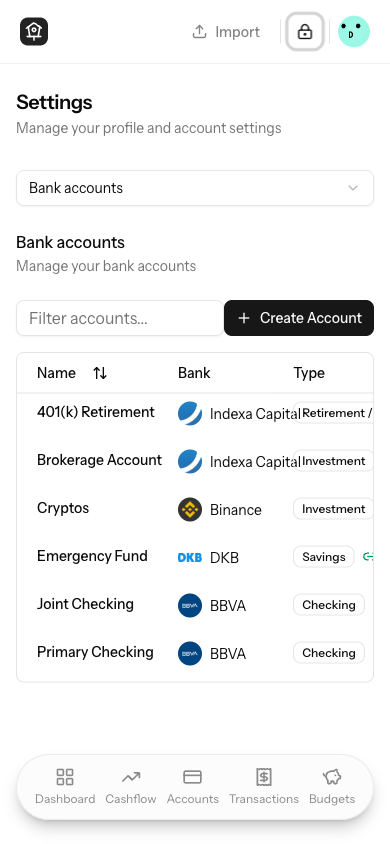
On mobile, the accounts settings table bank column was too narrow,
causing bank names to overflow or wrap awkwardly and overlap adjacent
columns (e.g. the Type badge).

## What

### Changes

- Set `min-w-32` on the bank cell container to give the column a
guaranteed minimum width on small screens
- Added `shrink-0` to the bank logo so it doesn't get squished
- Added `truncate` to the bank name text so long names are clipped with
an ellipsis instead of overflowing

## Verification
<img width="384" height="394" alt="image"
src="https://github.com/user-attachments/assets/4a96642f-b601-41e5-a350-df43073672a7"
/>
## Why

### Problem
Two iOS-specific UX issues reported by users:

1. **App icon invisible on light wallpapers** — the home screen shortcut
icon was a black logo on a white background, making it nearly invisible
against light iOS wallpapers (appeared as a faint frosted outline).
2. **Country dropdown overflows viewport** — the country picker in the
Connect Account flow exceeded the mobile viewport height, making it
impossible to scroll through the full list on small screens.

### Root Cause
1. All icon PNGs were exported with a white background and a black/grey
logo. The PWA manifest `background_color` was also `#ffffff`. No dark
background was baked in.
2. `SelectContent` used a fixed `max-h-96` (384px) regardless of
available screen space. The `SelectPrimitive.Viewport` height was bound
to `--radix-select-trigger-height` (the trigger element's height)
instead of the actual available viewport space, preventing Radix's
internal scroll buttons from working correctly on mobile.

## What

### Changes
- Regenerated all icon PNGs (favicon, apple-touch-icon,
web-app-manifest, whispermoney_icon_x*) — white logo on `#1b1b18` dark
background via ImageMagick Screen composite
- Updated `site.webmanifest` `background_color` from `#ffffff` →
`#1b1b18`
- Fixed `SelectContent` max height: `max-h-96` →
`max-h-[min(24rem,var(--radix-select-content-available-height))]`
- Fixed `SelectPrimitive.Viewport` height:
`--radix-select-trigger-height` →
`--radix-select-content-available-height`

## Verification

### Tests
No automated tests cover static asset generation or CSS utility values —
these are visual/rendering fixes.

### Manual
- iOS: Remove and re-add the home screen shortcut from Safari to pick up
the new `apple-touch-icon.png`. Icon should show a white bird logo on a
dark background, visible on any wallpaper.
- Mobile (iOS/Android): Open Connect Account dialog and verify the
country dropdown fits within the viewport and is fully scrollable.
## Why

**Problem:** Bulk re-evaluation of transactions against smart rules was
broken because the code required an encryption key that no longer exists
in the app. Additionally, the rule builder UI had unnecessary complexity
(priority field, labels/tags, date/category/notes conditions) that added
cognitive load without value. Currency amounts were also always
formatted with US conventions regardless of the user's locale.

## What

**Automation rules – re-evaluation fix:**
- Remove encryption key requirement from `evaluateRules`,
`evaluateRulesForTransactions`, `evaluateRulesForNewTransaction`, and
`prepareTransactionData` (accept `CryptoKey | null`)
- Drop `isKeySet` guards from single-transaction and bulk re-evaluate
handlers in `transaction-list.tsx` and `transaction-actions-menu.tsx`
- Simplify `use-re-evaluate-all-transactions.tsx` to pass `null` as key
directly

**Automation rules – UI cleanup:**
- Hide priority field from create/edit dialogs (still sends `priority:
0` / `rule.priority` to satisfy backend validation)
- Remove labels/tags from create/edit dialogs, actions column, and table
display
- Remove `date`, `category`, and `notes` from rule condition field
options in `rule-builder-utils.ts`
- Add `opacity-30` to disabled X button when only one condition/group
remains

**Amount localization:**
- Replace hardcoded `'en-US'` with `useLocale()` in `AmountDisplay` so
symbol position and number format follow the user's locale (e.g.
`89.705,00 €` in Spanish)

## Verification

- 38/38 `AutomationRuleTest` + `AutomationRuleEvaluationTest` tests pass
- Re-evaluation works without an encryption key set
- Spanish locale users see `89.705,00 €` instead of `€89,705.00`
## Summary

- Add a new **Chart color scheme** dropdown in Settings > Appearance
allowing users to choose between 4 color palettes: **Colorful** (new
default), **Neutral** (previous zinc grayscale), **Blue**, and **Pink**
- Persist the setting in a new `user_settings` table with instant
client-side feedback via localStorage + cookie
- All charts across dashboard, categories, budgets, and cashflow update
instantly when switching schemes
- Reduced colorful palette intensity (shifted from 500/600 to 300/400
range) for lower contrast
## Why

### Problem

Three UX issues were identified:

1. **Connection status badge looked like a button** — the `<Badge>`
component has interactive-looking styles that made it visually ambiguous
as a status indicator rather than a purely informational element.
2. **"Update balance" was shown for bank-connected accounts** — accounts
synced via Open Banking have their balances managed automatically;
showing a manual update button was misleading and could create
confusion.
3. **Delete confirmation word was not localized** — the dialog required
typing `DELETE` even when the UI was in Spanish, where the placeholder
correctly said `ELIMINAR`. The check was hardcoded to `'DELETE'`.

## What

### Changes

<img width="756" height="407" alt="image"
src="https://github.com/user-attachments/assets/4866edf7-5329-486a-9f72-fcd69429f784"
/>
<img width="757" height="424" alt="image"
src="https://github.com/user-attachments/assets/bc9bda54-e0a4-402b-be32-a9fe1897cfd5"
/>
The `+`/`-` sign and the formatted amount are separate text nodes inside
the same `<span>`, allowing the browser to break between them when
horizontal space is tight — leaving the sign orphaned on a separate
line.
## Changes
- **`account-balance-chart.tsx`, `account-list-card.tsx`,
`account-balance-card.tsx`**: Added `whitespace-nowrap` to the gain/loss
amount `<span>` in all three components
```diff
- className={`text-right font-mono tabular-nums ${...}`}
+ className={`whitespace-nowrap text-right font-mono tabular-nums ${...}`}
```
<!-- START COPILOT ORIGINAL PROMPT -->
<details>
<summary>Original prompt</summary>
>
> ----
>
> *This section details on the original issue you should resolve*
>
> <issue_title>The gain/lost amount is broken in two lines by the symbol
when there is no enough space</issue_title>
>
<issue_description>
>
> </issue_description>
>
> ## Comments on the Issue (you are @copilot in this section)
>
> <comments>
> </comments>
>
</details>
<!-- START COPILOT CODING AGENT SUFFIX -->
- Fixeswhisper-money/whisper-money#157
<!-- START COPILOT CODING AGENT TIPS -->
---
💡 You can make Copilot smarter by setting up custom instructions,
customizing its development environment and configuring Model Context
Protocol (MCP) servers. Learn more [Copilot coding agent
tips](https://gh.io/copilot-coding-agent-tips) in the docs.
---------
Co-authored-by: copilot-swe-agent[bot] <198982749+Copilot@users.noreply.github.com>
Co-authored-by: victor-falcon <238766+victor-falcon@users.noreply.github.com>
## Summary

- Uses `text-destructive-foreground` in dark mode for the connection
error icon and message text, replacing `text-destructive` which was too
dim against the dark background.
## Why

### Problem

When API tokens for Indexa Capital, Binance, or Bitpanda expire or are
revoked, syncs fail silently with 401/403 errors. Users have no way to
replace their credentials without disconnecting and recreating the
entire connection (losing account mappings and history).

## What

### Changes

- **Auth failure email notification**: on the final retry attempt (3rd
of 3), if a sync job fails with 401/403 for an API-key provider, an
email is sent to the user with a link to the connections settings page
- **Update credentials endpoint**: `PATCH
/settings/connections/{connection}/credentials` validates new
credentials against the provider API before saving, then triggers a sync
- **Update credentials dialog**: provider-specific form (API token for
Indexa/Bitpanda, API key + secret for Binance) shown via an "Update
Credentials" button in the error banner and dropdown menu
- **Mailable**: `BankingConnectionAuthFailedEmail` follows existing
patterns (queued, rate-limited, Markdown template)
- **Form request**: `UpdateConnectionCredentialsRequest` with dynamic
validation rules per provider and authorization check

### Files changed

| File | Change |
|------|--------|
| `app/Jobs/SyncBankingConnectionJob.php` | Send auth failed email on
final attempt for auth errors on API-key providers |
| `app/Mail/BankingConnectionAuthFailedEmail.php` | New queued mailable
|
| `resources/views/mail/banking-connection-auth-failed.blade.php` |
Email template |
| `app/Http/Controllers/OpenBanking/ConnectionController.php` |
`updateCredentials()` action with provider credential validation |
| `app/Http/Requests/OpenBanking/UpdateConnectionCredentialsRequest.php`
| Dynamic validation per provider |
| `routes/settings.php` | PATCH route for credential updates |
| `resources/js/components/open-banking/update-credentials-dialog.tsx` |
Dialog with provider-specific fields |
| `resources/js/pages/settings/connections.tsx` | Update Credentials
button in error state and dropdown |

## Verification

### Tests

- **12 new tests** across 2 test files, all passing:
- `SyncBankingConnectionJobTest`: 5 tests covering email sent on final
retry (Indexa 401, Binance 403), not sent before final retry, not sent
for non-auth errors, not sent for EnableBanking
- `ConnectionControllerTest`: 7 tests covering valid credential update
for each provider, invalid credentials, EnableBanking rejection,
authorization, feature flag, required field validation
- Full OpenBanking test suite: **145 tests, 473 assertions** passing
## Why

### Problem

The dashboard page takes ~4 seconds to load for users with many balance
records. Profiling revealed 29 queries across the initial page load + 3
separate API calls, a 576 KB wasted payload from unused bank records,
and a critical 3.7s bottleneck in `BalanceLookup` correlated subqueries.

## What

### Changes

**Query optimizations:**
- Replace correlated `MAX()` subqueries in `BalanceLookup` with
derived-table `joinSub` pattern — **48x faster** (3,693ms → 77ms) on
accounts with thousands of balance records
- Replace `whereHas` (EXISTS subqueries) with JOINs in
`DashboardAnalyticsController` and `CashflowAnalyticsController` — ~3x
faster per query
- Cache encryption check results in `HandleInertiaRequests` middleware
to avoid 2 duplicate queries per request

**Payload & request reduction:**
- Remove dead `banks` query from `DashboardController` (2,365 records,
576 KB never used by frontend)
- Remove duplicate `categories` and `accounts` queries already provided
by middleware shared props
- Consolidate 3 separate `fetch()` API calls into Inertia v2
`Inertia::defer()` props grouped under `'dashboard'` (single follow-up
request with skeleton fallbacks)

**Frontend:**
- Replace `useDashboardData` fetch hook with `usePage()` props +
`<Deferred>` components
- Convert `CashflowSummaryCard` from internal fetch to prop-based
- Use `router.reload({ only: [...] })` for balance update refetch

### Performance summary

| Metric | Before | After |
|--------|--------|-------|
| Initial page queries | 16 | 12 |
| Follow-up HTTP requests | 3 separate API calls | 1 Inertia deferred |
| BalanceLookup time | 3,693ms | 77ms |
| Wasted payload | 576 KB | 0 |

## Verification

### Tests

All 633 feature tests pass, including 40 dashboard/cashflow-specific
tests.
## Why

The `/accounts` page was making two extra client-side API calls via the
`useDashboardData()` hook:
- `/api/dashboard/net-worth-evolution` (~14.5s in dev)
- `/api/dashboard/top-categories` (~119ms, completely unused on this
page)

The backend logic itself is fast (~34ms), but the full middleware stack
cost of extra HTTP roundtrips in the dev environment was adding
significant overhead.

## What

### Backend (`AccountController.php`)
- Added `ExchangeRateService` constructor injection
- Added `Inertia::defer()` prop `accountMetrics` to the `index()` action
- Added `getAccountMetrics()`, `formatMonth()`, `convertBalance()`
private methods
- Uses `BalanceLookup::forAccounts()` for efficient batch loading (2 SQL
queries regardless of account count)

### Frontend (`Accounts/Index.tsx`)
- Removed `useDashboardData()` hook import and usage
- Added `accountMetrics` as an optional deferred prop (undefined until
resolved)
- Loading state derived from `!accountMetrics`, which naturally drives
the existing `loading` prop on `AccountListCard` (skeleton UI already
existed)
- Added `handleBalanceUpdated` callback using `router.reload({ only:
['accountMetrics'] })` for targeted refresh

## Verification

### Tests
- 3 new Pest tests covering deferred prop behavior:
- `accounts index defers account metrics` — verifies metrics are missing
from initial response, present after `loadDeferredProps()`, with correct
balance values
- `accounts index deferred metrics includes invested amount for
investment accounts` — verifies invested amount for investment account
types
- `accounts index deferred metrics returns null invested amount for
non-investment accounts` — verifies non-investment accounts get null
invested amount
- All 15 tests in `AccountControllerTest.php` pass
## Summary

- Adds `Savings` to the list of account types that support invested
amount tracking, alongside `Investment` and `Retirement`
- Decouples `supportsInvestedAmount()` from
`NON_TRANSACTIONAL_ACCOUNT_TYPES` in TypeScript, since savings accounts
are transactional but now also support invested amount tracking
- Updates unit tests to reflect savings accounts supporting invested
amounts

This enables remunerated savings accounts to track invested money vs.
current balance to visualize gains/losses — the same way investment and
pension accounts already do.
## Why

Investment and retirement accounts show balance over time, but there's
no way to see how much money was actually put in versus how much is
current value. Users can't tell at a glance whether their investments
are up or down.

## What

Adds an "invested amount" tracking system across the full stack:

**Backend**
- New `invested_amount` column on `account_balances` (nullable
bigInteger, cents, per-date)
- Auto-sync from providers: Indexa Capital (instruments_cost +
cash_amount), Bitpanda (fiat deposit/withdrawal history), Binance
(90-day windowed deposit/withdrawal with crypto→fiat conversion)
- Manual input support via Update Balance dialog
- Historical invested amount data in all balance evolution APIs (net
worth, account detail)

**Frontend**
- Dashed line on sparkline charts (dashboard + accounts page) showing
per-point historical invested amount alongside balance
- Dashed line on account detail charts (daily AreaChart + monthly
ComposedChart)
- Tooltips with labeled rows: Balance, Invested, Gain/loss (color-coded)
- Invested amount column in balances history modal
- Invested amount field in balance import wizard (CSV mapping)
- Demo account seeder updated with invested amount data

## Screenshots
<img width="1301" height="750" alt="image"
src="https://github.com/user-attachments/assets/0f05ecd0-8b98-47b4-9fa4-027f0311e3bb"
/>
<img width="744" height="374" alt="image"
src="https://github.com/user-attachments/assets/c4daa816-dee0-4f94-957f-317a13bc80d5"
/>
<img width="1267" height="738" alt="image"
src="https://github.com/user-attachments/assets/21df350c-6954-4ff5-8b3c-b858df3a8b3a"
/>
<img width="1301" height="828" alt="image"
src="https://github.com/user-attachments/assets/16f5f021-a926-4e8e-a999-c4ca32d1ea3d"
/>
<img width="1274" height="845" alt="image"
src="https://github.com/user-attachments/assets/62f2dfc0-04f0-4bdb-b072-cf7cd1be77d3"
/>
## Why

### Problem

The cashflow breakdown cards (Income Sources / Expense Categories)
overflow the viewport width on mobile devices. The row items (icon,
category name, trend indicator, percentage, amount) don't fit within the
narrow mobile viewport because all non-name elements are `shrink-0`,
leaving insufficient space.

Additionally, a leftover `bg-red-500` debug class was present on the
breakdown cards grid container.

## What

### Changes

- Restructured breakdown card rows into two groups (label side / data
side) with `max-w-[60%]` on the label group so the category name
truncates with ellipsis before pushing data off-screen
- Added `overflow-hidden` to the row flex container to prevent content
spilling
- Hidden the percentage text label on mobile (`hidden sm:inline`) — the
progress bar still conveys this visually
- Removed leftover `bg-red-500` debug class from the cashflow page grid
- Switched breakdown cards grid to explicit `grid-cols-1` on mobile for
clarity

## Verification

### Manual

Tested visually on mobile viewport — breakdown cards now fit within the
screen width, matching the Dashboard's TopCategoriesCard behavior.
## Why

### Problem

Users with accounts in multiple currencies see raw balances on the net
worth chart without any conversion. A user with a USD-denominated
profile who also holds EUR and GBP accounts sees misleading totals — the
chart simply sums cents across currencies as if they were the same unit.

## What

### Changes

- **`ExchangeRateService`** — New service that wraps
`CurrencyConversionService` with DB-level caching. Checks the
`exchange_rates` table first, falls back to the external CDN API on
cache miss, and stores the full rate blob for future lookups.
- **`exchange_rates` migration + model** — New table with
`(base_currency, date)` unique constraint storing JSON rate blobs.
Includes factory.
- **`CurrencyConversionService`** — Made `getRatesForCurrency()` public
so `ExchangeRateService` can delegate to it.
- **`DashboardAnalyticsController`** — `netWorthEvolution` and
`netWorthDailyEvolution` endpoints now convert every account balance
from `account.currency_code` to `user.currency_code`. Response includes
`currency_code` field and `_original` data for foreign-currency
accounts.
- **Future date capping** — `ExchangeRateService::getRates()` caps any
future date to today, since the currency API only serves historical
rates. Prevents 500 errors when the chart requests end-of-month rates
for the current (incomplete) month.
- **Frontend charts** — Simplified to single-currency display. Removed
multi-currency `TotalDisplay` component; the chart header and tooltip
now show amounts in the user's currency. Foreign-currency accounts show
their original amount inline in the tooltip (e.g., "€2,000.00 →
$2,222.22").
- **`valueFormatter` type fix** — Changed return type from `string` to
`React.ReactNode` in chart component interfaces to match actual usage
with `AmountDisplay`.

## Screenshot
<img width="1266" height="649" alt="image"
src="https://github.com/user-attachments/assets/6f661840-3f65-49fe-9948-d4cfd6c6ef0e"
/>
## Summary

Adds daily granularity support to the dashboard Net Worth Evolution
chart, mirroring the daily balance feature added for individual account
pages in #135.

## Why

The net worth chart only supported monthly granularity, making it
impossible to see short-term net worth fluctuations. Users who track
daily balances need a way to visualize day-over-day net worth changes
across all accounts.

## Screenshots
<img width="1263" height="714" alt="image"
src="https://github.com/user-attachments/assets/646e7e21-5c1b-42dc-9a20-5e9b6d5d72b4"
/>
<img width="1261" height="715" alt="image"
src="https://github.com/user-attachments/assets/b9fe5080-55f3-485a-a566-1d25d83518c7"
/>
## Summary

- Adds a **Monthly / Daily granularity toggle** to the account balance
evolution chart on account pages
- Daily view renders as an **area chart** (line with gradient fill)
showing the last 30 days, while monthly keeps the existing bar chart
- All 3 chart view modes (stacked, period-over-period,
period-over-period %) work in both granularities
- Chart view toggle **tooltips update dynamically** based on granularity
(e.g. "Month over month change" → "Day over day change")
- Backend fills gaps in sparse `account_balances` data by carrying
forward the last known balance day-by-day
- Includes 3 new Pest tests for the daily endpoint (data points,
gap-filling, forbidden access)

## Screenshot
<img width="1271" height="743" alt="image"
src="https://github.com/user-attachments/assets/cca7a7ad-bdcc-45d2-a5e1-47b1cb855d49"
/>
<img width="1274" height="755" alt="image"
src="https://github.com/user-attachments/assets/14e1f2d8-41cd-49cc-b0f4-307edb847af8"
/>
## Summary

- Adds a vertical dashed reference line on the budget spending chart
indicating the current day within the period
- The marker only appears when today falls within the budget period date
range
- Adapts to both display modes: uses the day index (`Day N`) when a
previous period is shown, or the ISO date when showing a single period

## Screenshot

<!-- Add screenshot here -->
## Summary

- Adds proper flex overflow constraints (`min-w-0`, `shrink-0`) to the
account list card so long account names truncate with ellipsis instead
of overflowing the container.
- Adds `whitespace-nowrap` to the trend indicator component to keep "vs
last month" always on a single line.

## Changes

### `account-list-card.tsx`
- Added `min-w-0` to the left-side flex containers (account name area)
so the flexbox allows shrinking below content width
- Added `shrink-0` to the BankLogo and the right-side balance container
to prevent them from being compressed

### `amount-trend-indicator.tsx`
- Added `whitespace-nowrap` to the trend indicator wrapper so "vs last
month" always stays on a single line
## Summary

- Add Bitpanda as a new exchange provider using a single API key
(`X-Api-Key` header) to sync crypto and fiat wallet balances
- Follow the same architecture as Binance: provider string on
`banking_connections`, dedicated API client, balance sync service,
controller, form request, job wiring, factory state, route, and frontend
dialog
- Convert crypto wallet balances to the user's target currency via
`CurrencyConversionService`; fiat wallets are added directly or
converted if in a different currency
- Bitpanda appears in all countries in the connect dialog (same as
Binance)
- 18 new tests covering controller validation, balance sync scenarios,
sync job delegation, expiry handling, and email suppression
## Summary

- Adds Binance as a third banking provider alongside EnableBanking and
Indexa Capital
- Binance appears in the institution list for **all countries**, with
the full list sorted alphabetically
- Creates a single "Crypto Portfolio" investment account with total
portfolio value converted to the user's preferred currency
- Supports direct fiat pairs (e.g. BTCEUR), USD stablecoin 1:1 mapping,
and USDT fallback conversion

## Changes

- **Migration**: adds encrypted `api_secret` column to
`banking_connections`
- **BinanceClient**: HMAC-SHA256 authenticated API client for account
data and ticker prices
- **BinanceBalanceSyncService**: converts all non-zero balances to fiat
via direct pairs or USDT fallback
- **BinanceController + ConnectBinanceRequest**: validates credentials,
creates connection and single account
- **SyncBankingConnectionJob**: new `syncBinance()` branch
- **AccountMappingController**: Binance uses Investment account type
- **Frontend**: Binance institution for all countries, API Key + Secret
form fields, alphabetically sorted list
- **Factory**: `binance()` state on `BankingConnectionFactory`

## Test plan

- [x] `BinanceControllerTest` — 6 tests (valid connection, invalid
credentials, account-mapping flag, feature flag, validation, user
currency)
- [x] `BinanceBalanceSyncTest` — 7 tests (direct EUR pair, USDT
fallback, USD stablecoins, locked balances, same-date update, empty
balances, missing external ID)
- [x] Full test suite passes (545 tests)
- [x] Manual: open connection dialog → select any country → Binance
appears alphabetically → select Binance → API Key + Secret form →
connect
## Summary

- Allow users to connect their Indexa Capital (Spanish robo-advisor)
account via API token
- Adds "Indexa Capital" option when selecting Spain in the bank
connection dialog
- Token-based auth flow: user enters API token (instead of OAuth
redirect), validated against Indexa API, stored encrypted
- Syncs portfolio balance only (no transactions) from the
`/accounts/{id}/performance` endpoint
- Accounts created as `Investment` type
- Reuses existing account mapping flow when the `account-mapping`
feature flag is active
- Disconnect flow skips session revocation for Indexa (no OAuth session
to revoke)

## New files
- `IndexaCapitalClient` — HTTP client for Indexa Capital API
(`X-AUTH-TOKEN`)
- `IndexaCapitalBalanceSyncService` — Syncs portfolio value into
`account_balances`
- `IndexaCapitalController` — Token validation + connection creation
- `ConnectIndexaCapitalRequest` — Form request validation
- Migration adding encrypted `api_token` column to `banking_connections`

## Test plan
- [x] 6 controller tests (connect, invalid token, mapping, feature flag,
validation, multi-account)
- [x] 4 balance sync tests (sync, update, skip, missing field)
- [x] 3 sync job tests (balance-only, no expire, no email for Indexa)
- [x] 1 disconnect test (no revokeSession for Indexa)
- [x] All 530 existing tests still pass
## Summary
- Make the description column fill all remaining space on md+ screens by
replacing fixed `max-w` breakpoints with `md:w-full md:min-w-0
md:overflow-hidden`
- Eliminates horizontal scrolling on md, lg, and xl viewports without
modifying other columns

## Test plan
- [x] Verify no horizontal scroll on md (768px), lg (1024px), and xl
(1280px) viewports
- [x] Verify description text truncates correctly with ellipsis
- [x] Verify mobile/sm behavior is unchanged (max-w-[200px] /
sm:max-w-[400px])
- [x] Verify labels and notes still display within the description cell
## Summary

- **Server-side filtering/sorting/search**: With encryption removed, all
transaction filtering, sorting, and full-text search (LIKE on
description + notes) now happens via SQL queries instead of client-side
IndexedDB with decryption
- **Cursor pagination**: Transactions are returned with cursor-based
pagination (default 50 per page, "Load More" pattern) instead of loading
all into IndexedDB
- **Removed IndexedDB dependency**: The main transactions page no longer
depends on Dexie/IndexedDB for data or sync — other pages (categorize,
accounts/show, budgets/show) are unaffected and will be migrated
separately

## Changes

| File | Change |
|------|--------|
| `app/Models/Transaction.php` | Added `scopeApplyFilters` query scope |
| `app/Http/Requests/IndexTransactionRequest.php` | New form request for
filter validation |
| `app/Http/Controllers/TransactionController.php` | Server-filtered
cursor-paginated index, refactored bulkUpdate to reuse scope |
| `resources/js/pages/transactions/index.tsx` | Major rewrite —
server-driven filtering, sorting, pagination via `router.visit()` |
| `resources/js/components/transactions/transaction-filters.tsx` |
Search always enabled (removed encryption key dependency) |
| `resources/js/types/transaction.ts` | Added `ServerTransaction` type |
| `resources/js/contexts/sync-context.tsx` | Simplified — removed
transaction sync service |
| `tests/Feature/TransactionFilterTest.php` | 20 new Pest tests for all
filter scenarios |

## Test plan

- [x] Run `php artisan test` — all 523+ tests pass
- [x] Navigate to `/transactions` — paginated results load from server
- [x] Apply each filter type (date, amount, category, account, label,
search) and verify server round-trip
- [x] Test "uncategorized" category filter
- [x] Test combined filters
- [x] Test sorting by date, amount, description (ascending/descending)
- [x] Test "Load More" button for cursor pagination
- [x] Test bulk operations (select some → update, select all filtered →
update)
- [x] Verify URL persistence (refresh page with filters in URL)
- [x] Test search on both description and notes fields
## Summary

- Add `GET /api/transactions?encrypted=true` endpoint for paginated
listing of encrypted transactions
- Add `PATCH /api/transactions/bulk` endpoint for batch-updating
decrypted transaction data (max 50 per request, bypasses model events)
- Add `useDecryptTransactions` hook that mirrors the existing account
name decryption flow: fetches encrypted transactions page-by-page,
decrypts `description`/`notes` client-side via Web Crypto API, sends
plaintext back and clears IVs
- Wire the hook into `AppSidebarLayout` so decryption runs automatically
when the user unlocks their encryption key
- Once all transactions (and accounts) are decrypted, the encryption key
button in the header disappears automatically

## Test plan

- [x] 11 Pest tests covering encrypted/plaintext filtering, pagination,
user scoping, bulk update, authorization, validation, nullable notes,
guest access, and no-model-events behavior
- [x] Manual: create encrypted transactions, unlock encryption key,
verify transactions get decrypted and the key button disappears
## Summary
- Redesign the landing page with a screenshot-driven layout replacing
placeholder icons
- Add real screenshots (light + dark mode) for all feature sections:
accounts, transactions, privacy, import, budgets (list, detail, edit),
and cashflow
- Update fonts to IBM Plex and refine section spacing, testimonials,
pricing, and FAQ

## Test plan
- [ ] Verify all feature screenshots load correctly in both light and
dark mode
- [ ] Check responsive layout across mobile, tablet, and desktop
- [ ] Confirm lazy loading works for images below the fold
## Summary

- Removes the `plaintext-transactions` Pennant feature flag — plaintext
is now the default for all users
- Removes encryption guards and `isPlaintext` conditionals from
transaction create/edit/import flows, keeping only the plaintext code
paths
- Makes `EncryptionKeyButton` conditional — only shown when user has
legacy encrypted accounts or transactions
- Removes encryption onboarding steps (`step-encryption-explained`,
`step-encryption-setup`) and related state/props
- Updates landing page to replace E2E encryption marketing with
privacy-first messaging ("Your Data, Your Rules" section)
- Updates privacy policy to replace E2E encryption claims with accurate
security language (encryption at rest, TLS in transit, no third-party
sharing)
- Cleans up tests to remove feature flag assertions and
`Feature::activate()` calls

**22 files changed, 145 insertions, 730 deletions**

## Test plan

- [x] Create a transaction without encryption key unlocked — should
succeed
- [x] EncryptionKeyButton should not appear in header for users with no
encrypted data
- [x] EncryptionKeyButton should appear for users with legacy encrypted
transactions/accounts
- [x] Landing page has no E2E encryption references, shows new privacy
section
- [x] Onboarding flow has no encryption setup steps
- [x] Privacy policy reflects accurate security language
- [x] Frontend builds successfully (`bun run build`)
- [x] All linting passes (`bun run lint`, `vendor/bin/pint --dirty`)
During the onboarding, you create your account but, sometimes it does
not appear on the next import transaction step. With this changes we are
reloading them.
## Summary

- Send a queued email notification to users after subsequent bank syncs
when new transactions are found
- Email includes a per-bank breakdown of imported transaction counts
with a link to the transactions page
- Skips notification on first sync and when zero new transactions are
created

## Test plan

- [x] Sends email when new transactions are synced on subsequent sync
- [x] Does not send email on first sync
- [x] Does not send email when zero new transactions
- [x] Aggregates multiple accounts under same bank
- [x] Lists different banks separately in email
- [x] Existing sync job tests still pass
## Summary
- When a user cancels the bank authorization flow (e.g. clicks cancel on
the bank's page), the pending `BankingConnection` is now soft-deleted so
it doesn't remain stuck in `pending` status
- Flash messages (`success`/`error`) are now shared with the frontend
via Inertia shared data
- The connections settings page shows a toast notification with the
error message on redirect

## Test plan
- [ ] Start a bank connection flow, cancel on the bank's authorization
page, and verify:
  - A toast error appears on the connections page
  - The pending connection is removed from the list
- [x] Complete a successful bank connection and verify the success toast
appears
- [x] Run `php artisan test
tests/Feature/OpenBanking/AuthorizationControllerTest.php`
## Summary

- Replaces the simple confirmation dialog for bulk transaction deletion
with a type-to-confirm modal requiring users to type `delete X
transactions` (where X is the count) before the delete button enables
- Removes the admin-only restriction on bulk delete — now available to
all users
- Single-transaction delete keeps the existing simple AlertDialog
## Summary
- Remove the `budgets` Pennant feature flag — budgets is now enabled for
all users
- Delete `EnsureBudgetsFeature` middleware and its route guard
- Remove `budgets` from shared Inertia features and the `Features`
TypeScript interface
- Remove all `Feature::for($user)->activate('budgets')` calls from tests
- Delete `BudgetFeatureFlagTest` and feature-disabled test cases from
`BudgetsFeatureNavigationTest`
## Summary

- Adds **EnableBanking** as the first open banking provider, allowing
users to connect real bank accounts and automatically sync transactions
and balances
- Uses a **`BankingProviderInterface`** contract so future providers
(Plaid, GoCardless, etc.) can be added by implementing the same
interface
- Feature-flagged behind the **`open-banking`** Pennant flag (default:
off)
- Connected accounts are **unencrypted** and transactions have `source =
'enablebanking'`

### What's included

**Backend:**
- `BankingProviderInterface` contract + `EnableBankingProvider`
implementation (JWT RS256 auth)
- `BankingConnection` model with full lifecycle (pending →
awaiting_mapping → active → expired/revoked/error)
- `TransactionSyncService` — pagination, deduplication by
`external_transaction_id`, amount/date mapping
- `BalanceSyncService` — preferred balance type selection (CLBD → ITAV
fallback)
- Authorization flow: start auth → bank redirect → callback → session
creation → account mapping → sync
- `SyncBankingConnectionJob` (unique per connection, 3 retries) +
scheduled every 6 hours
- `banking:sync` artisan command
- 5 migrations: `banking_connections` table, account fields, transaction
`external_transaction_id`, `pending_accounts_data`, `linked_at`

**Frontend:**
- Manual vs Connected account choice in the create account dialog
- Multi-step bank connection dialog (country → bank selection →
confirmation → redirect)
- Account mapping page — map discovered bank accounts to existing
accounts, create new ones, or skip
- Settings/Connections page with status badges, sync/disconnect actions
- "Connected" badge on linked accounts in settings

**Tests:**
- 49 tests covering feature flags, controllers, account mapping,
transaction sync, balance sync, deduplication, and pagination

### Feature Flags

This PR introduces **two Pennant feature flags**:

1. **`open-banking`** — Gates the entire open banking feature
(institutions endpoint, authorization flow, connections page). When
disabled, all open banking routes return 404.

2. **`account-mapping`** — Controls whether users see an intermediate
account mapping step after connecting a bank. When **enabled**, users
are redirected to a mapping page where they can choose to create new
accounts, link to existing ones, or skip each discovered bank account.
When **disabled**, all discovered accounts are automatically created
(original behavior). Linked accounts only sync transactions from their
last transaction date and only update the current balance from the
provider (no historical balance calculation or daily balance tracking).

Enable per-user:
```bash
php artisan feature:enable open-banking user@example.com
php artisan feature:enable account-mapping user@example.com
```

Enable for all users:
```bash
php artisan feature:enable open-banking all
php artisan feature:enable account-mapping all
```

## Test plan

- [x] Enable feature flag: `php artisan feature:enable open-banking`
- [x] Verify "Connected" option appears in create account dialog
- [x] Start authorization flow and verify redirect to bank
- [x] With `account-mapping` **disabled**: verify callback creates
accounts directly and dispatches sync
- [x] With `account-mapping` **enabled**: verify callback redirects to
mapping page
- [x] Test mapping page: create new, link to existing, and skip actions
- [x] Verify linked accounts sync only from last transaction date and
only update current balance
- [x] Verify connections page shows "Setup Required" badge for
awaiting_mapping status
- [x] Run `php artisan banking:sync` and verify transactions sync
- [x] Verify connections page shows status, sync, and disconnect actions
- [x] Run full test suite: `php artisan test --compact`
## Summary
- When CSV dates are ambiguous (e.g. `05/03/2024` parses as both
DD-MM-YYYY and MM-DD-YYYY), the auto-detection heuristic now uses the
user's locale preference as a tie-breaker instead of relying on array
order
- Adds `getLocaleDateFormat()` helper that maps locale strings to their
expected date format (US → MM-DD-YYYY, most others → DD-MM-YYYY, CJK →
YYYY-MM-DD)
- Passes locale from Inertia shared props to both transaction and
balance import flows
Closes#100
## Test plan
- [x] Added 15 Vitest tests for `getLocaleDateFormat` and
`autoDetectDateFormat` with locale tie-breaking
- [ ] Manual test: Import CSV with ambiguous dates (day ≤ 12) using a
non-US locale, verify DD-MM-YYYY is preferred
- [ ] Manual test: Import CSV with unambiguous dates (day > 12), verify
locale does NOT override correct detection
## Summary

- Adds `plaintext-transactions` Pennant feature flag (defaults to
`false` / encryption ON)
- When active, new transactions are stored as plaintext (no client-side
encryption)
- Existing encrypted transactions continue to work — detection is based
on `description_iv` being NULL (plaintext) vs present (encrypted)
- Migration makes `description_iv` nullable on the transactions table

## Changes

**Backend:**
- Feature flag definition in `AppServiceProvider`, shared via
`HandleInertiaRequests`
- `StoreTransactionRequest` / `UpdateTransactionRequest` conditionally
require `description_iv`
- `TransactionFactory` gains a `plaintext()` state

**Frontend:**
- Edit dialog and import drawer skip encryption when flag is active
- `EncryptedTransactionDescription` renders plaintext directly when IV
is null
- All decryption loops handle both encrypted and plaintext transactions
- Rule re-evaluation stores notes as plaintext when flag is active

## Test plan

- [x] Run `php artisan migrate` to apply the migration
- [x] Activate flag: `php artisan feature:enable plaintext-transactions
all`
- [ ] Create a transaction — verify description is stored as plaintext
in DB (`description_iv` is NULL)
- [ ] Deactivate flag: `php artisan feature:disable
plaintext-transactions all`
- [ ] Create a transaction — verify encryption is still required (422
without IV)
- [x] Verify old encrypted transactions still display correctly
- [ ] Run `php artisan test --compact
tests/Feature/PlaintextTransactionsTest.php`
## Summary

- Store account names in plaintext instead of encrypting them
client-side. Encryption remains only for transaction descriptions and
notes.
- Existing encrypted account names are silently migrated when the user
unlocks their encryption key, via a new `useDecryptAccountNames` hook
that calls API endpoints to update each account.
- New `AccountName` component handles rendering both encrypted (legacy)
and plaintext accounts across the app.

## Test plan

- [x] Create a new account — name should be stored in plaintext
(`encrypted = false`, `name_iv = null`)
- [x] Unlock encryption key with existing encrypted accounts — they
should auto-migrate silently
- [x] After migration, verify accounts show `encrypted = false` in DB
and names are readable plaintext
- [x] Edit a migrated account — should work without encryption
- [x] Verify all account name displays work across dashboard, account
details, transactions, settings
## Summary

- Replaces Valet/Traefik with Docker-based infrastructure: Caddy (HTTPS
reverse proxy), MySQL, Redis, Mailhog
- PHP runs natively on the host via `composer run dev` — Caddy proxies
to `host.docker.internal:8000`
- PHP container available under `--profile full` for self-hosting via
`setup.sh`
- Vite dev server serves over HTTPS using mkcert certs to avoid
mixed-content issues
- `.env.example` defaults updated for host-based dev workflow (127.0.0.1
+ forwarded ports)
- Deletes obsolete `traefik/` directory

## Test plan

- [x] `docker compose up -d` starts caddy, mysql, redis, mailhog (NOT
php)
- [x] `composer run dev` serves PHP on :8000, Vite on :5173 with HTTPS
- [x] `https://whisper.money.local` loads correctly via Caddy
- [x] Vite HMR works (edit a React component, see hot reload)
- [x] `php artisan test --compact` passes
- [x] `docker compose --profile full up -d` also starts the PHP
container
## Summary
- Fixed undefined `formatDate` reference that crashed the component when
existing transactions loaded, preventing the collapsible from ever
appearing
- Imported `Transaction` type from the correct module
(`@/types/transaction` instead of `@/services/transaction-sync`)
- Removed unnecessary `parseInt` on the already-numeric `amount` field
## Summary

- Detects Android and iOS visitors on the landing page hero section
- Replaces the **Get Started** and **Check Demo** buttons with a single
**Install App** button on mobile
- **Android**: Captures the `beforeinstallprompt` event and triggers the
native PWA installation prompt when tapped
- **iOS**: Opens a dialog with step-by-step instructions (tap Share icon
→ Add to Home Screen)
- Desktop visitors see the original buttons unchanged

## New files

- `resources/js/hooks/use-pwa-install.ts` — Hook that detects platform
(Android/iOS), captures the `beforeinstallprompt` event, and exposes
`promptInstall()`
- `resources/js/components/landing/install-app-button.tsx` — Install
button component with iOS instructions dialog

## Screenshots
| Android & iOS | iOS Instructions |
|--------|--------|
| <img width="1082" height="2402" alt="localhost_8000_(Pixel 7)"
src="https://github.com/user-attachments/assets/bd42c24a-8a82-4f42-9f5f-c13bd5505836"
/> | <img width="1170" height="2532" alt="localhost_8000_(iPhone 12
Pro)"
src="https://github.com/user-attachments/assets/c4ec136f-46f1-44a5-a96a-d7afd41c6015"
/> |
## Summary
- Enables `MustVerifyEmail` on the `User` model so new users must verify
their email before accessing protected routes
- Unverified users are redirected to `/email/verify` when attempting to
access routes behind the `verified` middleware (subscribe, onboarding,
dashboard)
- A verification email is automatically sent on registration via Fortify
## Screenshot

## Video
https://github.com/whisper-money/whisper-money/raw/mail-verification/storage/videos/ac0945c527f014b9cd657f18c911f496.webm
## Test plan
- [x] New test: registration sends a `VerifyEmail` notification
- [x] New test: newly registered users have `email_verified_at` as null
- [x] New test: unverified users are redirected to `verification.notice`
from protected routes (subscribe, onboarding, dashboard)
- [x] New test: verified users are not redirected to verification notice
- [x] Existing email verification and notification tests still pass (31
auth tests, 52 settings tests)
- [x] Browser walkthrough: registration → redirected to `/email/verify`
page with "Resend verification email" button
## Summary
- Prevents the landing page from briefly flashing before redirecting to
`/dashboard` when accessing from an installed PWA
- Detects standalone mode synchronously via a `useState` initializer so
the spinner renders on the very first paint
- Shows a centered loading spinner instead of the full landing page
while the redirect happens

## Test plan
- [x] Open the app as an installed PWA and verify a spinner shows
instead of the landing page before redirecting to dashboard
- [x] Open the landing page in a regular browser and verify the full
landing page renders normally with no spinner
## Summary

- Replaced the broken `fade-bottom` header with a floating **pill menu**
on mobile (matching the dashboard bottom nav style)
- Fixed landing screenshot images using `w-full` instead of `h-full
w-auto` for proper aspect ratio on mobile
- Reduced skew/rotation transforms on mobile for better readability
- Removed unused `fade-bottom` CSS class

## Changes

### Header (`header.tsx`)
- **Mobile** (`< sm`): Floating pill with `rounded-full`, glassmorphism
(`bg-background/70 backdrop-blur-xl`), positioned at `top-4` with
margin. Compact logo + auth buttons with `size="sm"` and `rounded-full`.
- **Desktop** (`sm+`): Clean fixed header with `bg-background/5
backdrop-blur-lg` (unchanged from original). All nav items (Github,
Discord, auth) preserved.

### Landing images (`welcome.tsx`)
- Changed images from `h-full w-auto` to `w-full` for proper responsive
aspect ratio
- Added `max-sm:` variants to reduce rotation/skew on mobile (`-16deg/8`
instead of `-24deg/12`)

### CSS (`app.css`)
- Removed unused `.fade-bottom` class

## Screenshots

### Mobile (390x844) — Pill Header
<img
src="https://raw.githubusercontent.com/whisper-money/whisper-money/fix/welcome-page-mobile-ios/.github/pr-screenshots/pr-mobile-hero.png"
width="300" />

### Mobile — Images Section
<img
src="https://raw.githubusercontent.com/whisper-money/whisper-money/fix/welcome-page-mobile-ios/.github/pr-screenshots/pr-mobile-images.png"
width="300" />

### Desktop (1440x900)
<img
src="https://raw.githubusercontent.com/whisper-money/whisper-money/fix/welcome-page-mobile-ios/.github/pr-screenshots/pr-desktop.png"
width="800" />

## Test plan

- [ ] Verify pill header displays correctly on iOS Safari (physical
device or simulator)
- [ ] Verify header buttons (Log in, Register) work on mobile
- [ ] Verify desktop header is unchanged with all buttons (Github,
Discord, Log in, Register)
- [ ] Verify landing images display with correct aspect ratio on mobile
- [ ] Verify dark mode works for both mobile pill header and desktop
header
## Summary
- Load the previous budget period (with transactions) in
`BudgetController::show()` and pass it to the frontend
- Overlay previous period's cumulative spending as a dashed line on the
budget spending chart
- Use day-of-period alignment (Day 1, Day 2...) when comparing so
periods of different lengths align
- Tooltip shows both "Spent" (current) and "Last period" values when
hovering
- Chart now shows the full period timeline (not just up to today)
- When no previous period exists, chart behavior is unchanged
## Screenshots
### Light mode
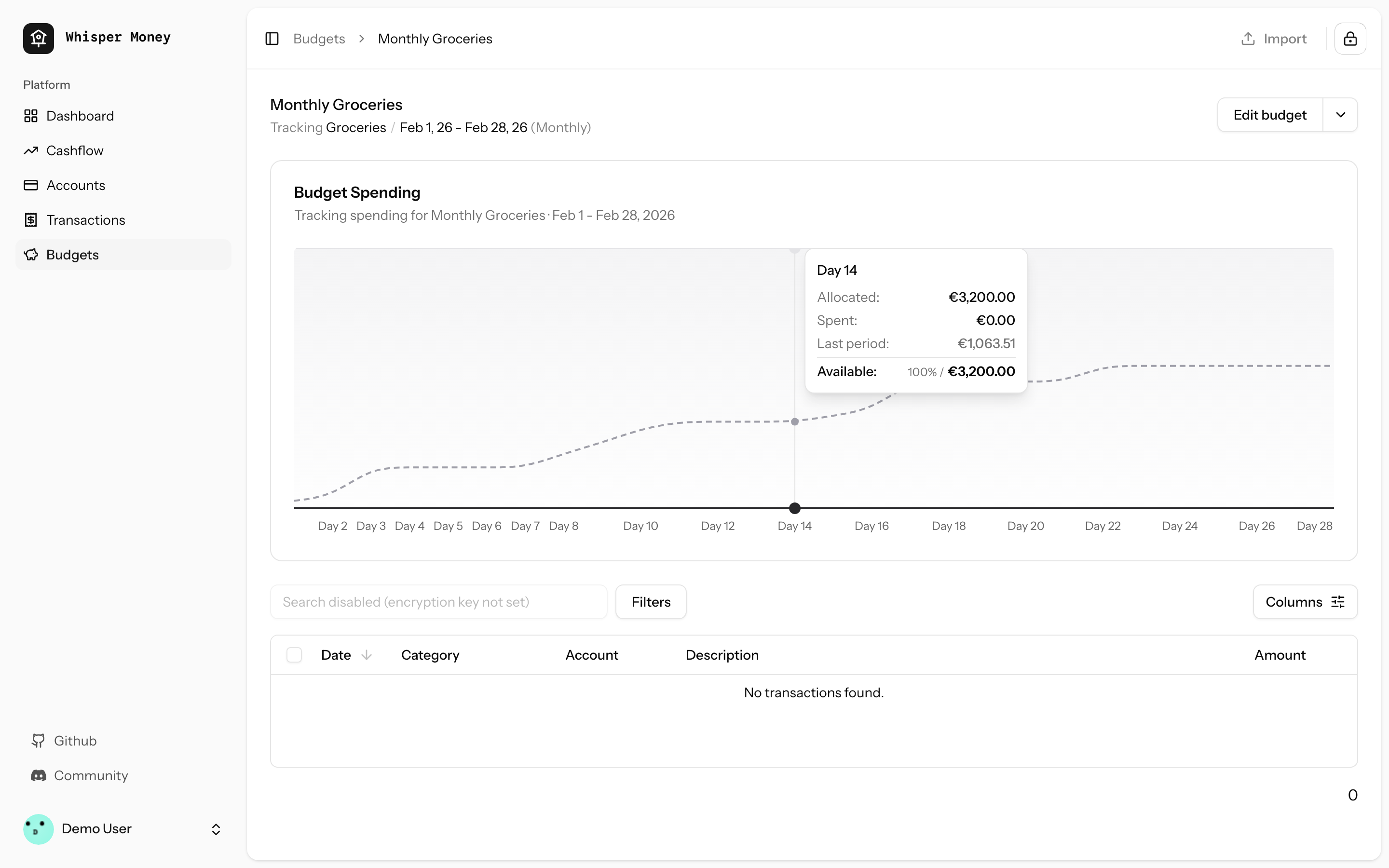
### Dark mode
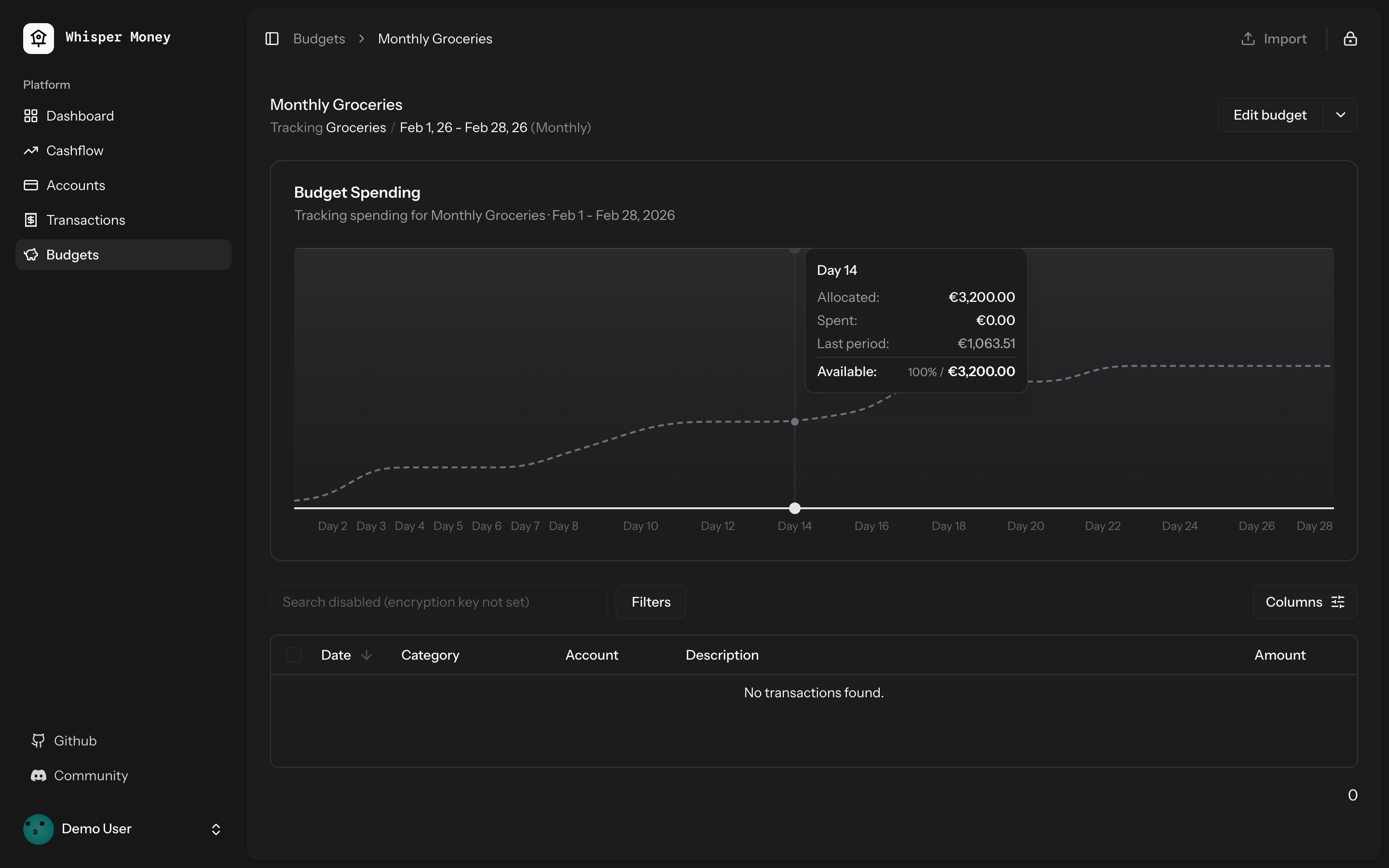
## Test plan
- [x] Tests pass: `php artisan test --compact
tests/Feature/BudgetTest.php` (9 tests)
- [x] Pint formatting passes
- [x] ESLint + Prettier pass
- [ ] Manual: view a budget with a prior period — dashed line appears
- [ ] Manual: view a budget with no prior period — chart unchanged
## Summary
- Detect standalone/PWA display mode (`display-mode: standalone` and iOS
`navigator.standalone`) on the welcome page
- Redirect to `/dashboard` immediately so the landing page is never
shown inside the installed app
- Unauthenticated PWA users go: open app → `/dashboard` → `/login` (via
auth middleware)

## Test plan
- [x] Install the PWA and open it — should go straight to
login/dashboard, never the landing page
- [x] Visit the website in a regular browser tab — landing page still
works normally
## Summary
- Add service worker registration and `viewport-fit=cover` for proper
iOS standalone mode (no Safari chrome)
- Change manifest `start_url` to `/dashboard` so PWA users skip the
landing page
- Add tests for PWA configuration
## Test plan
- [x] Deploy and re-add PWA to iOS home screen — should open as
standalone (no address bar)
- [x] PWA launch should go to `/dashboard` instead of the landing page
- [x] Non-authenticated PWA users should be redirected to login
Closes#71
## Summary
- Replaced the default initials-based avatar fallback with
[Facehash](https://facehash.dev/) — deterministic, unique avatar faces
generated from the user's name
- Same name always produces the same face, no API calls needed
- Fully rounded with `rounded-full` styling
## Preview
Each user gets a unique, consistent face based on their name — no more
generic initials.
## Changes
- Installed `facehash` package
- Updated `resources/js/components/user-info.tsx` to use `<Facehash>`
instead of `<Avatar>` with initials fallback
## Test plan
- [x] Verify avatar renders correctly in the sidebar footer (desktop)
- [x] Verify avatar renders correctly in the mobile header
- [x] Verify avatar renders correctly in the user dropdown menu
- [x] Confirm the same user always gets the same face
- [x] Check dark mode appearance
## Summary
- Fixed hover background color in dark mode to improve visibility and
contrast with chart bars
- Changed from `fill-muted` (oklch(0.269 0 0)) to `fill-white/5` in dark
mode for a lighter, more transparent background
- Resolves issue where hover background was too similar to bar colors in
dark mode
## Changes
- Updated `ChartContainer` component to use `dark:fill-white/5` for the
recharts tooltip cursor in dark mode
- Maintains existing `fill-muted` behavior for light mode
Closes#66
## Summary
- Removed explicit `gap-6` from the mobile bottom navigation bar so
`justify-evenly` distributes items naturally
- Reduced horizontal padding from `px-8` to `px-4` to give items more
room when 5 are present (e.g., when Cashflow and Budgets features are
enabled)
Closes#77
## Test plan
- [x] Verify the bottom nav looks correct with 4 items (Cashflow or
Budgets feature disabled)
- [x] Verify the bottom nav looks correct with 5 items (all features
enabled)
- [x] Confirm items are evenly spaced and none are clipped on small
screens
## Summary
- Fixes automation rules not applying labels when creating transactions
manually or via CSV import
- Eager-loads the `labels` relationship on automation rules in both
`TransactionController` and `HandleInertiaRequests`
- Syncs `label_ids` on the transaction `store` endpoint (was accepted
but never persisted)
- Passes `automationRules` prop through the full component chain:
`index.tsx` → `TransactionActionsMenu` → `ImportTransactionsDrawer`, and
`index.tsx` → `EditTransactionDialog`
- Passes `automationRules` as the missing 5th argument to
`reEvaluateAll()`
Closes#61
## Test plan
- [x] Existing feature tests pass (`php artisan test
--filter=Transaction`, `--filter=AutomationRule`)
- [x] Pint, ESLint, and Prettier all pass
- [x] Manually verify: create a transaction matching an automation rule
with labels → labels are applied
- [x] Manually verify: import CSV with transactions matching rules with
labels → labels are applied
- [x] Manually verify: "Re-evaluate All" applies labels from matched
rules
## Overview

We're excited to introduce budgeting capabilities to Whisper Money! This
feature helps you take control of your finances by setting spending
limits and tracking your progress over time.

## Screenshots
<img width="1316" height="793" alt="image"
src="https://github.com/user-attachments/assets/ac394d36-cded-4ea4-9883-120785e260f1"
/>
<img width="1315" height="907" alt="image"
src="https://github.com/user-attachments/assets/7c682474-5aa7-4388-b626-29b56f5ebbef"
/>
<img width="1315" height="992" alt="image"
src="https://github.com/user-attachments/assets/21eace45-23c6-472d-9aa0-0feb6db3fba4"
/>

## What's New

### Create Flexible Budgets
- Set budgets for specific categories or labels
- Choose from monthly, weekly, bi-weekly, or custom periods
- Set your own budget start date for better alignment with your pay
schedule

### Track Your Spending
- Visual spending charts show how much you've spent vs. your budget
- See at a glance which budgets are on track and which need attention
- View all transactions that count toward each budget

### Smart Budget Management
- **Carry Over**: Unused budget amounts automatically roll into the next
period
- **Reset**: Unused amounts return to your available money pool
- Edit or delete budgets anytime as your needs change

### Easy Access
- New Budgets section in the main navigation
- Quick overview cards showing budget status
- Detailed budget pages with spending history and transaction lists

## How It Works

1. Create a budget by selecting a category or label and setting your
spending limit
2. Your transactions are automatically matched to relevant budgets
3. Track your progress with visual charts and spending summaries
4. Adjust your budgets as needed to stay on track with your financial
goals

This feature is now available behind a feature flag and can be enabled
for users who want to start budgeting their expenses.
https://github.com/user-attachments/assets/a80966de-b282-4ba0-9431-2cfbcfddc023

Every detail is important. Now, when you are about to update the balance
of an account, the current balance is pre-filled, and you can even do
simple math operations.

If you just receive 1,000 dollars, you can just type `+ 1000` and press
enter.

No need to do the maths by your self.
This PR simplifies the IndexedDB synchronization mechanism by removing
individual sync controllers and services, and instead using Inertia.js
shared props to provide data globally across the application.

## Benefits

1. **Simplified Architecture**: Removed complex sync logic for
static/semi-static data (accounts, categories, banks, labels, automation
rules)
2. **Better Performance**: Data is now shared via Inertia props,
eliminating unnecessary API calls and IndexedDB operations
3. **Reduced Complexity**: Significantly reduced codebase size (~2000
lines removed)
4. **Better UX**: Data is immediately available on page load without
waiting for sync operations
5. **Maintainability**: Fewer moving parts means easier to maintain and
debug

## Migration Notes

- Transaction syncing still uses IndexedDB for offline support
- All other data (accounts, categories, banks, labels, automation rules)
is now fetched via Inertia shared props
- Components automatically receive updated data on navigation without
manual sync operations
## Summary
- Fixed top spending categories card to display amounts in the user's
currency instead of hardcoded USD
- Uses `auth.user.currency_code` from page props, consistent with other
dashboard components

Issue: #56
## Summary

This PR implements automatic opening of the encryption key unlock modal
immediately after user login when they visit the dashboard. The modal
will only appear once per login session and will not show up on
subsequent dashboard visits or if the user manually clears their
encryption key.

## Problem

Previously, users had to manually click the encryption key button in the
sidebar after logging in to unlock their encrypted data. This extra step
could be confusing for new users and added friction to the login flow.

## Solution

The encryption key modal now automatically opens when users visit the
dashboard immediately after logging in, but **only if**:
1. The user just completed a login (session flag is set)
2. Their encryption key is not already in browser storage
3. Encrypted challenge data is available

## Implementation Details

### Backend Changes

#### 1. Custom Login Response Classes
Created two new response classes that override Fortify's default login
responses:

**`app/Http/Responses/LoginResponse.php`**
- Implements `LoginResponse` contract
- Sets `show_encryption_prompt` session flash variable after successful
login
- Handles both regular login and JSON API responses

**`app/Http/Responses/TwoFactorLoginResponse.php`**
- Implements `TwoFactorLoginResponse` contract
- Sets the same session flag after successful 2FA authentication
- Ensures the modal appears for 2FA users as well

#### 2. Service Provider Registration
**`app/Providers/FortifyServiceProvider.php`**
- Registered custom response classes as singletons in the container
- Fortify now uses our custom responses instead of defaults

#### 3. Dashboard Controller
**`app/Http/Controllers/DashboardController.php`**
- Passes `showEncryptionPrompt` flag from session to frontend
- Uses `session('show_encryption_prompt', false)` which automatically
consumes the flash data

### Frontend Changes

**`resources/js/pages/dashboard.tsx`**
- Added `DashboardProps` interface extending `SharedData` with
`showEncryptionPrompt` boolean
- Updated `useEffect` hook to check three conditions before auto-opening
modal:
1. `props.showEncryptionPrompt` - User just logged in (from session
flash)
  2. `!isKeySet` - Encryption key not in browser storage
  3. `encryptedMessageData` - Encrypted challenge data loaded
- Includes `UnlockMessageDialog` component that conditionally renders

## How It Works

### User Flow

1. **User logs in** → Custom `LoginResponse` or `TwoFactorLoginResponse`
sets `show_encryption_prompt` flash session variable
2. **Redirect to dashboard** → `DashboardController` retrieves and
passes the flag to frontend (consuming it)
3. **Dashboard loads** → React component checks all three conditions
4. **Modal appears** → If conditions are met, `UnlockMessageDialog`
opens automatically
5. **Session flag consumed** → Subsequent page loads won't trigger the
modal

### Why Session Flash?

Laravel's session flash data is perfect for this use case because:
- It's automatically removed after being accessed once
- It survives redirects (crucial for post-login flow)
- It's server-side, so it can't be manipulated by client-side code
- No database changes or additional state management needed

### Edge Cases Handled

✅ **User clears encryption key manually** → Modal won't auto-open on
dashboard visit (no session flag)
✅ **User refreshes dashboard** → Modal won't re-appear (flash data
consumed)
✅ **User logs out and back in** → Modal appears again (new session flag)
✅ **2FA enabled users** → Modal appears after successful 2FA challenge
✅ **Key already in browser** → Modal doesn't appear (key check passes)

## Testing

- ✅ All existing dashboard tests pass (2 tests)
- ✅ All authentication tests pass (58 tests)
- ✅ Code formatted with Laravel Pint
- ✅ Code formatted with Prettier
- ✅ ESLint validation passes

## Files Changed

- `app/Http/Responses/LoginResponse.php` (new)
- `app/Http/Responses/TwoFactorLoginResponse.php` (new)
- `app/Providers/FortifyServiceProvider.php` (modified)
- `app/Http/Controllers/DashboardController.php` (modified)
- `resources/js/pages/dashboard.tsx` (modified)

## Breaking Changes

None. This is an additive feature that enhances the existing
authentication flow without breaking any existing functionality.
## Overview

This PR adds a flexible system for sending update emails to all Whisper
Money users. As the solo developer, you can now easily communicate
product updates, announcements, and news to your growing user base.

## Problem Solved

- **No easy way to send announcements**: Previously, there was no simple
way to broadcast important updates to all users
- **Manual process**: Would require writing custom scripts each time
- **No duplicate prevention**: Risk of accidentally sending the same
email multiple times
- **Version control**: Email content wasn't tracked in git

## Solution

A complete email system that lets you:
1. Write update emails as markdown templates (version controlled)
2. Send them with a single command
3. Automatic duplicate prevention (users only receive each update once)
4. Track who received what in the database

## How It Works

### 1. Create Email Template

Create a markdown file in `resources/views/mail/updates/`:

```blade
<x-mail::message>
# What's New in January 2026

Hi {{ $user->name }},

Your update content here...

<x-mail::button :url="'https://discord.gg/9UQWZECDDv'">
Join the Discord Community
</x-mail::button>

Víctor Falcón Ruíz
Founder & Solo Developer, Whisper Money
</x-mail::message>
```

### 2. Send to All Users

```bash
# Simple - one command
php artisan email:update first-update-jan-2026

# With options
php artisan email:update first-update-jan-2026 --subject="Personal Thank You" --exclude-demo
```

### 3. Automatic Tracking

- Users only receive each update once (tracked by identifier)
- Can send different updates to same users
- View history in `user_mail_logs` table

## First Email Included

The PR includes the first update email (`first-update-jan-2026`)
announcing:
- 240+ GitHub stars milestone
- First paying users
- Discord community invitation
- Canny roadmap links
- Personal message from Víctor as the solo developer

## Technical Details

### What's New

**Database:**
- Migration: Add `email_identifier` column to `user_mail_logs`
- Migration: Update unique constraint to `(user_id, email_type,
email_identifier)`

**Backend:**
- `DripEmailType` enum: Added `Update` case
- `UpdateEmail` mailable: Generic mailable accepting any view
- `SendUpdateEmailJob`: Handles sending + duplicate prevention
- `SendUpdateEmailCommand`: Artisan command with progress bar
- Updated all 6 drip email jobs to support new constraint

**Frontend:**
- Email template directory: `resources/views/mail/updates/`
- Comprehensive README with examples

**Tests:**
- Complete test suite: 11 tests covering all scenarios
- Tests duplicate prevention, filtering, queue behavior

### Command Options

```bash
php artisan email:update <view> [identifier] [options]

Arguments:
  view          Template name (e.g., "jan-2026-updates")
  identifier    Tracking ID (defaults to view name)

Options:
  --subject=    Custom email subject
  --exclude-demo   Skip demo account
  --force       Skip confirmation prompt
```

## Benefits

1. **Simple**: One command to send any update email
2. **Flexible**: Just create a new markdown view, no code changes needed
3. **Safe**: Confirmation prompt and duplicate prevention
4. **Fast**: Queued delivery, non-blocking
5. **Tracked**: Full audit trail in UserMailLog
6. **Consistent**: Follows existing drip email patterns
7. **Reusable**: Same command for all future update emails
8. **Version Controlled**: Email content is in git, reviewable

## Migration Path

To use in production:

```bash
# 1. Run migrations
php artisan migrate

# 2. Create your email template
vim resources/views/mail/updates/your-update.blade.php

# 3. Commit and deploy
git add resources/views/mail/updates/your-update.blade.php
git commit -m "Add update email"
git push

# 4. Send on production
php artisan email:update your-update
```

## Example Use Cases

- Product announcements
- New feature launches
- Community updates
- Milestone celebrations
- Important notifications
- Partnership announcements

## Files Changed

### Created
- `database/migrations/*_add_email_identifier_to_user_mail_logs.php`
- `database/migrations/*_update_user_mail_logs_unique_constraint.php`
- `app/Mail/UpdateEmail.php`
- `app/Jobs/SendUpdateEmailJob.php`
- `app/Console/Commands/SendUpdateEmailCommand.php`
- `resources/views/mail/updates/first-update-jan-2026.blade.php`
- `resources/views/mail/updates/README.md`
- `tests/Feature/Console/SendUpdateEmailCommandTest.php`

### Modified
- `app/Enums/DripEmailType.php` (added Update case)
- `app/Models/UserMailLog.php` (added email_identifier field)
- All 6 drip email jobs (added email_identifier support)

## Testing

All tests passing (11 tests, 27 assertions):
- ✅ Command dispatches jobs for all users
- ✅ Command excludes demo account when flag is set
- ✅ Command fails when view does not exist
- ✅ Command uses custom subject when provided
- ✅ Job is dispatched to emails queue
- ✅ Command handles empty user database gracefully
- ✅ Job skips users who already received the update
- ✅ Job creates mail log entry after sending
- ✅ Job sends email with correct view and user data
- ✅ Command requires confirmation by default
- ✅ Command skips confirmation with force flag
## Summary

<img width="1220" height="1001" alt="whispermoney test_"
src="https://github.com/user-attachments/assets/c35751d5-385b-449c-81d6-14b5b6577ff2"
/>

Introduces a fully-functional demo account that lets prospective users
explore Whisper Money without creating an account. Users can click
"Check Demo" on the welcome page to instantly access a pre-populated
account with realistic financial data spanning 12 months.

## What's New

**Try Before You Sign Up**
- New "Check Demo" button on the welcome page for instant access
- Pre-configured demo account with real-world financial scenarios
- 12 months of sample transactions across multiple account types
(checking, savings, credit cards, investments)
- Pre-built automation rules, labels, and categories to showcase the
full app experience

**Demo Account Limitations**
- Demo accounts are read-only for sensitive operations (can't change
password, email, or payment settings)
- Clear messaging throughout the UI when demo restrictions apply
- Settings pages show helpful notices about demo limitations
- Automatic daily reset to maintain fresh demo experience

**Developer Experience**
- `php artisan demo:reset` command for manual resets
- Configurable via environment variables (DEMO_EMAIL, DEMO_PASSWORD,
DEMO_ENCRYPTION_KEY)
- Comprehensive test coverage for demo restrictions and data generation

## User Impact

This feature removes the friction of signing up before understanding the
product's value. Users can:
- Explore all features with realistic data
- Test automation rules and see them in action
- View charts and insights based on a year of financial activity
- Experience the full privacy-first encryption workflow
- Understand the product before committing to create an account

Perfect for demos, screenshots, documentation, and helping users make
informed decisions about whether Whisper Money fits their needs.
Summary
- Add new Cashflow page with income/expense analytics, Sankey chart
visualization, and trend analysis
- Add Cashflow summary widget to the dashboard
- Implement feature flag system using Laravel Pennant to control feature
visibility per user
- Add artisan commands to enable/disable features: `php artisan
feature:enable/disable [feature] [email|all]`

## New Features
- **Cashflow Page**: Period-based income/expense breakdown with category
analysis
- **Sankey Chart**: Visual flow diagram showing money movement between
categories
- **Trend Chart**: 12-month historical cashflow visualization
- **Dashboard Widget**: Quick cashflow summary card
- **Feature Flags**: Cashflow feature hidden behind feature flag,
controllable per-user

## How to enable it
This feature it's under a feature flag until we are sure it's working
fine. If you want to test it, [send us a message on the general channel
in our discord](https://discord.gg/9UQWZECDDv). If you're self hosting
just run `php artisan feature:enable CashflowFeature {your_email}`.

## New Cashflow Page
<img width="1278" height="1185" alt="image"
src="https://github.com/user-attachments/assets/83469f24-9f96-4e5f-bef9-86c076d31243"
/>
<img width="1274" height="1035" alt="image"
src="https://github.com/user-attachments/assets/8949ff9d-c370-4fc4-81c6-268307c587a5"
/>

## New Dashboard Widget
<img width="1180" height="289" alt="image"
src="https://github.com/user-attachments/assets/ad984a66-9ffd-4079-85ce-0b2d28278d76"
/>
<img width="1179" height="286" alt="image"
src="https://github.com/user-attachments/assets/bff60286-8ea2-4e9c-8fa6-22755566648f"
/>
While importing new transactions, sometimes is difficult to now which
ones are already imported, and which one are new.

With this importer update you can quickly view the transactions that
already exist in your account, and see which ones you have and which
ones you don't have to import again.

<img width="1220" height="1169" alt="image"
src="https://github.com/user-attachments/assets/38de3208-a7d4-4578-8683-753bd0bf7c93"
/>
## Summary

- Add a subscription cancellation email that can be manually triggered
via artisan command
- Include CONTINUE50 coupon code (50% off current and future payments
for monthly/yearly subscriptions)
- Add option to disable all drip emails via `DRIP_EMAILS_ENABLED` env
var

## Usage

```bash
# Send to single user
php artisan email:subscription-cancelled user@example.com

# Send to multiple users
php artisan email:subscription-cancelled user1@example.com,user2@example.com

# Disable all drip emails
DRIP_EMAILS_ENABLED=false
```
- Add version field to package.json (0.1.0)
- Install release-it for automated releases with conventional changelog
- Create .release-it.json configuration
- Create initial CHANGELOG.md
- Share version via Inertia (reads from package.json)
- Display version in user dropdown menu
## Summary

- Add four view modes for net worth and account balance charts:
- **Stacked Accounts**: existing stacked bar chart showing balances by
account
  - **Line**: net worth line chart with linear/log scale toggle
  - **Change**: bar chart showing MoM%, YoY%, Rolling 12M changes
- **Waterfall**: bridge chart showing Start -> Change -> End transition

- Add Vitest for frontend unit testing with 52 tests covering all
calculation functions
- Proper sign handling for liabilities (credit cards and loans subtract
from net worth)
- Log scale disabled with warning when net worth includes zero or
negative values
- Shared components and logic between dashboard and account detail
charts

## New Files

- `vitest.config.ts` - Vitest configuration
- `resources/js/lib/chart-calculations.ts` - Pure computation functions
- `resources/js/lib/chart-calculations.test.ts` - 52 unit tests
- `resources/js/hooks/use-chart-views.ts` - Shared chart view state hook
- `resources/js/components/charts/` - Reusable chart components

## Test plan

- [x] Dashboard net worth chart shows view toggle and all four views
work
- [ ] Account detail page chart shows view toggle and three views work
(no stacked)
- [x] Line chart scale toggle works (log disabled with warning when
applicable)
- [x] Change chart series toggle (MoM, YoY, 12M EUR, 12M %) works
- [x] Waterfall chart month selector works
- [x] All 52 unit tests pass (`bun run test`)
- [x] Build succeeds (`bun run build`)
- [x] Dark mode styling correct
## Summary

- Implement event-driven drip email campaign system for new user signups
- Add 5 targeted emails based on user journey (welcome, onboarding
reminder, promo code, import help, feedback)
- Configure Laravel Horizon with Redis queue for reliable job processing
- Track sent emails in `user_mail_logs` table to prevent duplicates

## Email Schedule

| Email | Timing | Condition |
|-------|--------|-----------|
| Welcome | 30 min after signup | All users |
| Onboarding Reminder | 1 day after signup | Not onboarded |
| Promo Code (FOUNDER) | 1 day after signup | Onboarded + has
transactions + not subscribed |
| Import Help | 1 day after signup | Onboarded + no transactions + not
subscribed |
| Feedback | 5 days after signup | Not subscribed |

## Architecture

```
User Registers → ScheduleDripEmailsListener
    ├─> SendWelcomeEmailJob (30 min delay)
    ├─> SendOnboardingReminderEmailJob (1 day delay)
    ├─> SendPromoCodeEmailJob (1 day delay)
    ├─> SendImportHelpEmailJob (1 day delay)
    └─> SendFeedbackEmailJob (5 days delay)
```

Each job checks conditions at execution time and either sends the email
+ logs it, or silently completes.

## Test plan

- [x] All 23 drip email tests pass
- [x] Migration creates `user_mail_logs` table
- [x] Jobs dispatch with correct delays
- [x] Emails only sent when conditions are met
- [x] Duplicate emails prevented via UserMailLog check
- [ ] Verify Horizon processes jobs in production
- Add onKeyDown handler to AmountInput component to format value when Enter is pressed
- Ensure amount is properly parsed before form submission regardless of submission method
- Add browser test to verify amount formatting on Enter key press
## Summary
This PR implements a global privacy mode feature that allows users to
hide all monetary amounts throughout the application.

## Changes
- **Created PrivacyModeContext**: New context provider with localStorage
persistence for privacy mode state
- **Created AmountDisplay component**: Centralized component for
displaying monetary amounts with blur effect when privacy mode is
enabled
- **Updated app logo logic**: Logo now shows birdhouse icon when privacy
mode is enabled or encryption key is not set
- **Added privacy mode toggle**: New toggle in user menu to
enable/disable privacy mode
- **Replaced inline amount formatting**: All monetary amounts now use
the AmountDisplay component
- **Updated trend indicators**: AmountTrendIndicator and
PercentageTrendIndicator now use AmountDisplay
- **Added animated transitions**: Smooth transitions when toggling
privacy mode

## Features
- Privacy mode state persists across sessions (localStorage)
- Amounts display as `$•••.••` with blur effect when privacy mode is
enabled
- Animated transitions (300ms) when toggling privacy mode
- App logo changes to birdhouse when privacy mode is on
- Toggle accessible from user menu at the top

## Testing
- Tested privacy mode toggle functionality
- Verified amounts are hidden/shown correctly across all pages
- Confirmed logo animation works properly
- Verified localStorage persistence

## Screenshots
Privacy mode can be toggled from the user menu, and all amounts
throughout the application will be hidden with a blur effect.
Adds a 'Sync now' button below the pending operations list in the
dialog, allowing users to manually trigger a sync directly from the
dialog.

## Changes
- Added new props to `PendingOperationsDialog`: `onSyncNow`,
`syncStatus`, and `isOnline`
- Added a button at the bottom of the dialog that triggers the sync
process
- Button shows loading state with spinning icon while syncing
- Button is disabled when offline or when sync is already in progress
 Víctor Falcón
 Copilot