 091457c747
> The Sentry MCP token is expired, so this cycle worked from the production database and `failed_jobs` instead. That turned out to matter: a worker timeout never reaches a job's `try/catch`, so it can corrupt state while producing **no Sentry issue at all**. ## The bug `banking_connections.consecutive_sync_failures` is what keeps a connection in the scheduled rotation. At `MAX_SCHEDULED_RETRIES` both `SyncAllBankingConnectionsJob` and the `banking:sync` command filter it out and **nothing ever dispatches it again**. Nobody is told: the bank consent is still valid, so it never reaches the "reconnect your bank" notice. The user's data just stops. Two connections (2 users) are sitting there right now. One has never completed a single sync since 2026-06-07. ## What I got wrong, and what the reviews found I opened this branch believing job timeouts were stranding connections — `TimeoutExceededException` is this job's most common failure by a wide margin (66 in 14 days vs 37 `RequestException`). **Both reviews falsified that independently, and they were right.** `failed()` has an early return when the connection is already in `Error`, so it could only ever charge **one** increment per connection lifetime; a second out-of-band death is a no-op. Three slow cycles cannot reach the ceiling that way. Prod is the natural experiment: **all 66 timeouts belong to one Wise connection, which sits at `consecutive_sync_failures = 1`.** What actually stranded the two rows was #757's pre-fix transient counting, in the hours before it deployed on 2026-08-10. And the population is 2, not the 4 I first measured — my raw SQL saw two soft-deleted rows that `BankingConnection::query()` correctly excludes. The commits and docblocks now say that. The code change stands on its own smaller merit: an out-of-band death must not be charged to the connection. ## The commits 1. **`failed()` no longer spends the retry budget.** Scope stated honestly in the docblock. It closes exactly one route to the ceiling — see (2). 2. **Reconnect hands back the full budget.** `AuthorizationController` was the only one of four "try again" paths that didn't clear the counter (compare `ConnectionController::sync`, `::update`, `AccountMappingController`, and the job's success path). A user who reconnected a connection parked at `MAX + 1` came back `Active` still carrying the count that parked it, so the first failure re-parked it immediately — none of the three attempts the ceiling grants, right after paying an SCA redirect to escape that exact state. **Both reviews found this while checking commit 1's premise; it is the most real bug here.** 3. **Repair migration, 2 rows.** Matched with `=`, not `>=`: `handlePermanceError` parks auth failures at `MAX + 1` on purpose and there are **8 such rows in prod**; a `>=` filter would un-park them, 401 on the next cycle and send each user a **second** "authentication failed" email. `migrate --pretend` output is in the commit. 4. **Out-of-band deaths are recorded.** Every `logSyncAttempt` call lived inside `handle()` — exactly what these deaths skip. One prod connection has 66 job failures and 3 sync-log rows; that gap is why I mis-attributed the cause. `duration_ms` goes null rather than a fake 0. Copy fixed too: `failed()` said "An unexpected error occurred… please try again later", handing our infrastructure to the user, while the transient path already promised we'd retry. 5. **`uniqueFor` on the job.** `ShouldBeUnique` with no expiry means a lock lost to a hard kill is never released, and `uniqueId()` is the connection id — so that connection silently stops syncing for good. Prevention; prod is clean. 6. **The log had to move above the status guard.** As first written, (4) logged only when the connection was not already in `Error` — and the connection it was written for is parked in `Error` and stays there. Re-measured against prod: **68 failed jobs, 3 sync-log rows**, and every one of the 65 missing deaths would have hit the guard and written nothing. Logging now happens as soon as the connection row resolves; the guards still own the status write, which must not clobber an earlier, more specific error message. ## Verification `tests/Feature/OpenBanking`: **346 tests, 346 pass** on a freshly provisioned worktree (the 10 SSR failures reported earlier were a local-env artifact, not the suite) (Inertia page-render tests hitting the SSR `/render` endpoint, which has no local server — I ran the baseline to confirm). 5 new tests; the two load-bearing ones fail with the change reverted. `pint` and `dry` green. One existing assertion changed rather than deleted: `failed sync job marks active connection as error` asserted the increment. Its declared subject — the status flip that unblocks onboarding — is untouched. The migration's target set was re-verified against prod on 2026-08-12: exactly **2 live rows** at `status=error, consecutive_sync_failures=3`, and every row at `MAX + 1` is soft-deleted or revoked, so the `=` filter touches precisely the two intended connections. **The `crap` job will be red** on `AuthorizationController::callback` (complexity 16). It is pre-existing: my diff there is one array entry plus a comment, zero cyclomatic complexity added; `crap --base` only surfaces it because I touched the file. I deliberately did not add a `.crap-ignore.json` entry — that would paper over someone else's real complexity problem. `crap` is not a required check. ## Why this is a draft The migration writes to production data, and a review caught that a slightly wider filter would have emailed 8 users a second authentication-failure notice. That is exactly the class of mistake worth a human glance. My impact story was also wrong twice this cycle before the reviews corrected it. Commits 1, 2, 4 and 5 I'd merge without hesitation — 2 in particular is a clear standalone bug. Commit 3 is the one that touches prod rows. ## Follow-ups I deliberately did not do - **The mechanism is now mostly bypassed.** 179 of 208 recent job failures are exempt from the counter, so nothing bounds either dominant failure mode and nothing tells the user. The right shape is probably a backoff timestamp like the existing `rate_limited_until`, plus a "this connection hasn't synced in N days" email — a design change, not a patch. - **`019fac9e`** (Wise, never synced in 14 days): 3 × 120s timeouts plus 3 worker SIGALRM kills per cycle, ~24 min/day of the single `default` worker. `failOnTimeout = true` would cut that to one kill, but it also removes two retries that might succeed for a merely slow bank. Its own bug, its own trade-off. - **Spanish users may get no Reconnect button.** `hasAuthError()` in `settings/connections.tsx` matches the English substring `'Authentication failed'` against a *translated* `error_message`. Needs a machine-readable reason column to fix properly. - **An `Error` connection whose consent lapsed is never dispatched**, so it never reaches `markExpired()` and its user never gets the expiry email (1 row in prod). Fixing it changes who receives outbound email, so it wants its own PR. |
||
|---|---|---|
| .agents/skills | ||
| .claude | ||
| .cursor | ||
| .github | ||
| .opencode/skills | ||
| .pi | ||
| app | ||
| bootstrap | ||
| config | ||
| database | ||
| docker | ||
| docs | ||
| experiments | ||
| lang | ||
| public | ||
| resources | ||
| routes | ||
| screenshots | ||
| scripts | ||
| src/lib/crypto | ||
| storage | ||
| templates/coolify | ||
| tests | ||
| .crap-ignore.json | ||
| .dockerignore | ||
| .editorconfig | ||
| .env.example | ||
| .env.production.example | ||
| .gitattributes | ||
| .gitignore | ||
| .jscpd.json | ||
| .mcp.json | ||
| .php-cs-fixer.dist.php | ||
| .php-version | ||
| .prettierignore | ||
| .prettierrc | ||
| .release-it.json | ||
| AGENTS.md | ||
| CHANGELOG.md | ||
| CLAUDE.md | ||
| Dockerfile | ||
| Dockerfile.production | ||
| LICENSE.md | ||
| LOCALIZATION.md | ||
| ONBOARDING.md | ||
| README.md | ||
| artisan | ||
| autoresearch-dashboard.md | ||
| autoresearch.jsonl | ||
| autoresearch.md | ||
| autoresearch.sh | ||
| boost.json | ||
| bun.lock | ||
| chatgpt-app-submission.json | ||
| components.json | ||
| compose.yaml | ||
| composer.json | ||
| composer.lock | ||
| docker-compose.production.yml | ||
| eslint.config.js | ||
| falcode.json | ||
| opencode.json | ||
| package-lock.json | ||
| package.json | ||
| phpstan-baseline.neon | ||
| phpstan.neon | ||
| phpunit.xml | ||
| tsconfig.json | ||
| vite.config.ts | ||
| vitest.config.ts | ||
| vitest.setup.ts | ||
| whispermoney | ||
| worktree.sh | ||
README.md
Deutsch | Español | français | 日本語 | 한국어 | Português | Русский | 中文
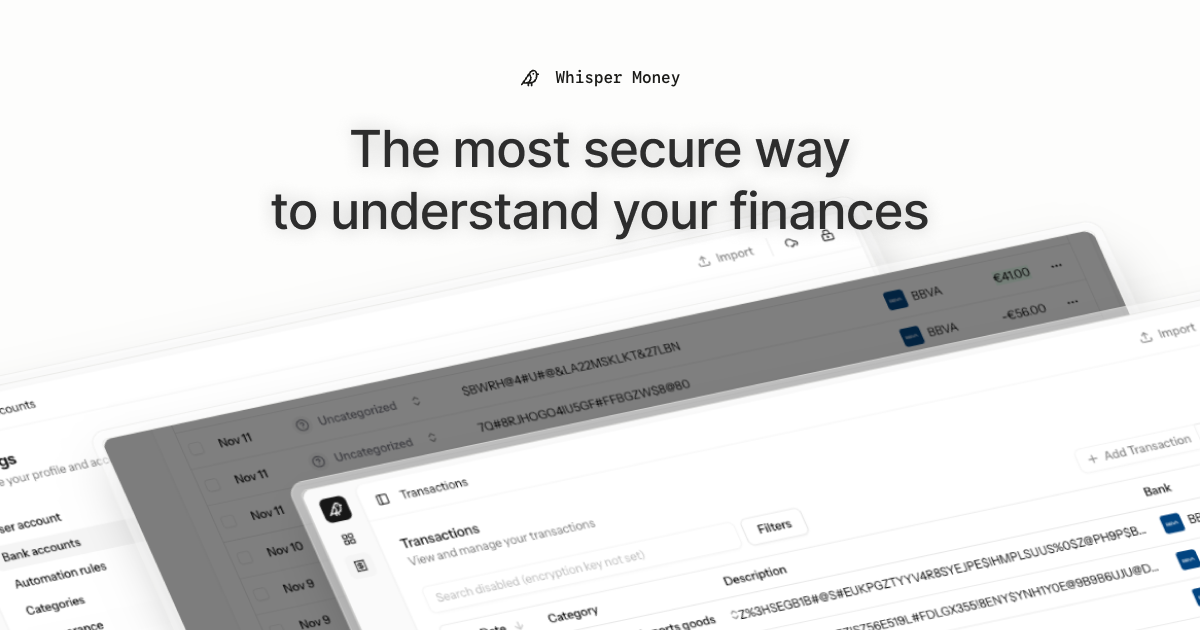
Whisper Money


The most secure way to understand your finances.
Whisper Money is a privacy-first personal finance application that helps you track, categorize, and understand your spending—all while keeping your financial data encrypted and secure.
🎮 Try the Demo: Experience Whisper Money with our demo account - no registration required!
💬 Join our Community: Whether you're a user looking for help or a developer wanting to contribute, we'd love to have you in our Discord server! Share feedback, ask questions, discuss new features, or just hang out with fellow privacy enthusiasts.
Features
- 🔐 Privacy-first — Your data is never shared with third parties. You own it
- 🏦 Bank account management — Track multiple accounts in one place
- 📊 Transaction categorization — Automatic and manual categorization
- 🤖 Automation rules — Set up rules to auto-categorize transactions
- 📈 Financial insights — Understand your spending patterns
Tech Stack
- Backend: Laravel 12, PHP 8.4
- Frontend: React 19, Inertia.js v3, TypeScript
- Styling: Tailwind CSS v4
- Database: MySQL
- Cache/Queue: Redis
- Testing: Pest v4
Running Locally
Quick Start (Recommended)
The easiest way to get started is using our automated setup script:
bash <(curl -fsSL https://whisper.money/setup.sh)
After installation, just visit https://whisper.money.localhost in your browser.
Manual Setup
If you prefer to set up manually:
- Clone the repository:
git clone https://github.com/whisper-money/whisper-money.git
cd whisper-money
- Run the setup script:
whispermoney install
Available Commands
Important: You must run
whispermoney installbefore using any other command. If you skip the install step, commands likestartwill not work.
Once installed, you can use the whispermoney command for common tasks:
# Start all services
whispermoney start

# Stop all services
whispermoney stop

# Upgrade to latest version
whispermoney upgrade

# Interactive menu
whispermoney
Development Server
For active development with hot reloading:
composer run dev
This will concurrently start:
- PHP development server (via Portless HTTPS proxy)
- Queue worker
- Log viewer (Pail)
- Vite dev server
The application will be available at https://dev.whisper.money.localhost. In git worktrees, the branch name is automatically prepended (e.g. https://fix-ui.dev.whisper.money.localhost).
Running with Docker (Production Image)
For testing the production Docker image locally:
- Copy the production environment file:
cp .env.production.example .env
- Start the services:
docker compose -f docker-compose.production.yml up -d
The application will be available at http://localhost:8080.
To use a different port, set APP_PORT:
APP_PORT=3000 docker compose -f docker-compose.production.yml up -d
Deploying to Coolify
Whisper Money can be easily deployed to Coolify using our Docker Compose template.
Quick Deploy
- In Coolify, create a new resource and select Docker Compose
- Choose Empty Compose File as the source
- Paste the contents from our template: 👉 whisper-money.yaml
- Deploy!
The template includes:
- Whisper Money application container
- MySQL 8.0 database with health checks
- Persistent volumes for data and storage
- Auto-generated database credentials
Required Environment Variables
| Variable | Description |
|---|---|
RESEND_API_KEY |
Email service API key (for password resets, notifications) |
Note:
APP_KEYandAPP_URLare auto-configured. The container generates anAPP_KEYon first startup if not provided.
Optional Environment Variables
| Variable | Default | Description |
|---|---|---|
DRIP_EMAILS_ENABLED |
true |
Enable drip emails (welcome, onboarding, feedback) |
REGISTRATION_ENABLED |
true |
Set to false to close public sign-ups (the /register routes return a 403 and every registration CTA is hidden) while keeping /login open |
SUBSCRIPTIONS_ENABLED |
false |
Enable Stripe subscriptions |
STRIPE_KEY |
- | Stripe publishable key |
STRIPE_SECRET |
- | Stripe secret key |
STRIPE_WEBHOOK_SECRET |
- | Stripe webhook signing secret |
AI_PROVIDER |
gemini |
AI provider for every AI feature (gemini, ollama, openai, ...) |
AI Provider
Whisper Money's AI features (transaction categorization and automation-rule
suggestions) run on laravel/ai and default to
Google Gemini. The provider is configurable independently of the model, so
you can point the app at any text provider laravel/ai supports — gemini,
openai, anthropic, azure, groq, xai, deepseek, mistral, or a
self-hosted Ollama server. Ollama is the headline case
because it keeps AI processing fully local and private — data never leaves your
infrastructure — but the switch is generic.
Each provider needs its own credentials configured for laravel/ai (e.g.
GEMINI_API_KEY, OPENAI_API_KEY, ANTHROPIC_API_KEY, or OLLAMA_URL). An
unknown or non-text provider fails fast when the AI feature runs.
| Variable | Default | Description |
|---|---|---|
AI_PROVIDER |
gemini |
Provider for all AI features. Set once to switch everything. |
AI_SUGGESTIONS_PROVIDER |
AI_PROVIDER |
Override the provider for rule suggestions only. |
AI_CATEGORIZATION_PROVIDER |
AI_PROVIDER |
Override the provider for transaction categorization only. |
AI_REPORTS_PROVIDER |
AI_PROVIDER |
Override the provider for the stats-report summaries only. |
AI_SUGGESTIONS_MODEL |
gemini-flash-latest |
Model used for rule suggestions. |
AI_CATEGORIZATION_MODEL |
gemini-flash-latest |
Model used for transaction categorization. |
AI_REPORTS_MODEL |
gemini-flash-latest |
Model used for the stats-report summaries. |
AI_REPORTS_TIMEOUT |
30 |
Seconds before a report is posted without its AI summary. |
GEMINI_API_KEY |
- | Required when the provider is gemini. |
OLLAMA_URL |
http://localhost:11434 |
Ollama server URL (used when the provider is ollama). |
OLLAMA_API_KEY |
- | Optional; only needed behind an authenticating proxy. |
Example: fully local AI with Ollama
AI_PROVIDER=ollama
OLLAMA_URL=http://ollama.example.local:11434
AI_SUGGESTIONS_MODEL=gemma3:12b
AI_CATEGORIZATION_MODEL=gemma3:12b
Make sure the model is pulled on the Ollama server first (ollama pull gemma3:12b).
Any other provider follows the same pattern: set AI_PROVIDER, that provider's
credentials, and the *_MODEL vars to one of its models. Gemini remains the
default, so existing deployments are unaffected.
Star History
License
This work is licensed under a Creative Commons Attribution-NonCommercial 4.0 International License.