 5ec62d8625
## The issue

`AxiosError: Network Error` (PHP-LARAVEL-28) is the noisiest issue in
this project — 192 events / 75 users, `handled: no` — and it has been
archived as ambient connectivity noise several times, including by me.
The event distribution says otherwise:

| URL | events (last 24) |
|---|---|
| `/onboarding` | 15 |
| `/register` | 3 |
| `/dashboard`, `/accounts`, `/accounts/{id}`, `/settings/connections`,
`/` | 1 each |

Every one of those is a page that triggers a full-page navigation out of
the SPA, and the events skew heavily to Safari/macOS.

## The mechanism

Assigning `window.location` aborts every request still in flight.
Browsers report that abort to XHR through `onerror`, as a transport
failure rather than a cancellation — which is why it arrives as `Network
Error` and not `Request aborted`. Inertia rethrows it, so it lands as an
unhandled rejection.

The onboarding bank-connection step is the perfect generator: it polls
every 4s (`usePoll` in `pages/onboarding/index.tsx:124`) and *then*
sends the user to their bank with `window.location.href`
(`hooks/use-connect-flow.ts:219`). A poll dying mid-flight is close to
guaranteed.

So this is a bug report for a request that never failed. The point isn't
the volume — it's that until now a real "the user's connection dropped
and their action silently did nothing" was indistinguishable from our
own navigations.

## The change

`leavePage()` / `reloadPage()` record the departure; a `beforeSend`
predicate drops transport-level failures while that flag is set. It
follows the five sibling noise predicates already in `lib/sentry.ts`, so
Inertia's internals stay untouched. 13 call sites converted.

Commits are one-per-finding from the two reviews, and the two
interesting ones are corrections to my own first attempt:

- **`b7dc8dc6` — the first version was inert.** `HttpError`'s
constructor appends the request URL (`super(url ? \`${message}
(${url})\` : message)`), so Inertia's XHR client — the default in
v3.6.1, which we moved to in #769 — rejects with `Network error
(https://whisper.money/onboarding?step=create-account)`, not `Network
error`. My anchored regex matched neither. The 192 sampled events read
`AxiosError: Network Error` only because they were produced by **v2**,
which went through axios. Verified with a runtime probe against the
installed package, and the test row now carries the real string (it
fails against the previous pattern).
- **`09ea3b01` — the flag outlived the navigation.** I had it one-way on
the assumption it dies with the document. Two flows here keep the
document alive, both in the Safari/iOS population this issue skews to:
an **iOS PWA** hands the bank redirect to Safari and stays alive polling
(`pages/onboarding/index.tsx:121` documents this — it's why the poll
exists), and **bfcache** restores the heap when the user presses Back
from the bank or Stripe. Either way the user carries on in a live page
with reporting silenced for the rest of the session. Now cleared by a
persisted `pageshow` or by becoming visible again; neither can clear a
departure genuinely in progress, since a same-window redirect never
hides the page.

## Why `beforeSend` and not `router.on('networkError')`

Inertia does expose a cancellable event, and `preventDefault()` would
stop the rejection at the source. Don't — it also skips
`onPrefetchError`, which is where the cleanup lives:

```js
onPrefetchError(error) { prefetchedRequests.removeFromInFlight(params); reject(error) }
```

A stale `inFlightRequests` entry isn't cosmetic: `add()` early-returns
whenever `findInFlight` hits, and `get()` returns it with a promise that
never settles — so that URL becomes un-prefetchable for the session and
a `Link` consuming it hangs. We have `prefetch` on the sidebar and user
menu. It would also suppress genuine errors unconditionally, which is
the opposite of the goal.

## Deliberately not done

**Feedback on a real network failure.** When an Inertia visit genuinely
fails, the user still gets nothing — they click and nothing happens. A
toast needs to exclude background prefetch and poll requests; v3 does
make that possible (`visit.prefetch` / `visit.poll` on
`router.on('start')`), so this is a scope call, not an impossibility.
Worth its own PR.

**A bad bank `redirect_url`.** Fails at the browser level, so it was
never a JS event — we lose nothing here, but we also have no in-app
feedback and the only trace is a connection stranded in `Pending`.
Separate ticket.

## Verification

369/369 JS tests, lint, format, `dry` (4.81% vs 5.40% threshold),
`build` and `build:ssr` all green. Each behavioural test was confirmed
to **fail** with its fix reverted — including the stale-count one, which
reproduces the wrong number on screen.

SSR needed care: `config/inertia.php` has it enabled and `ssr.tsx` globs
pages that import this module, so the listeners sit behind `typeof
window` and I verified the module imports cleanly in a node environment.

## Why this is a draft

Two things I'd rather you weighed:

1. **Suppressing errors fails silently.** If the gate is ever wrong we
go blind to a class of real failures, and no error tells us we stopped
getting errors — the same shape as the observability gap noted on #723.
The risk is bounded by the resets and the narrow message pattern, but
the direction of failure is under-reporting.
2. **My confidence here was already miscalibrated once.** The first
version passed every local check and one reviewer's independent
verification, and was still completely inert for the target traffic.
That argues for a human look rather than auto-merge.

The parts I'd merge without hesitation are `6a7059d4` (the onboarding
wrong-count fix, independent of all this) and `b7dc8dc6`. If you want
the observability change split from the onboarding one, say so and I'll
separate them.

Prod verification after deploy: PHP-LARAVEL-28 should stop accruing new
events on `/onboarding`, while `Network Error` events from users who
*stayed* on a page should keep arriving. If both go quiet, the gate is
too wide.
|
||
|---|---|---|
| .agents/skills | ||
| .claude | ||
| .cursor | ||
| .github | ||
| .opencode/skills | ||
| .pi | ||
| app | ||
| bootstrap | ||
| config | ||
| database | ||
| docker | ||
| docs | ||
| experiments | ||
| lang | ||
| public | ||
| resources | ||
| routes | ||
| screenshots | ||
| scripts | ||
| src/lib/crypto | ||
| storage | ||
| templates/coolify | ||
| tests | ||
| .crap-ignore.json | ||
| .dockerignore | ||
| .editorconfig | ||
| .env.example | ||
| .env.production.example | ||
| .gitattributes | ||
| .gitignore | ||
| .jscpd.json | ||
| .mcp.json | ||
| .php-cs-fixer.dist.php | ||
| .php-version | ||
| .prettierignore | ||
| .prettierrc | ||
| .release-it.json | ||
| AGENTS.md | ||
| CHANGELOG.md | ||
| CLAUDE.md | ||
| Dockerfile | ||
| Dockerfile.production | ||
| LICENSE.md | ||
| LOCALIZATION.md | ||
| ONBOARDING.md | ||
| README.md | ||
| artisan | ||
| autoresearch-dashboard.md | ||
| autoresearch.jsonl | ||
| autoresearch.md | ||
| autoresearch.sh | ||
| boost.json | ||
| bun.lock | ||
| chatgpt-app-submission.json | ||
| components.json | ||
| compose.yaml | ||
| composer.json | ||
| composer.lock | ||
| docker-compose.production.yml | ||
| eslint.config.js | ||
| falcode.json | ||
| opencode.json | ||
| package-lock.json | ||
| package.json | ||
| phpstan-baseline.neon | ||
| phpstan.neon | ||
| phpunit.xml | ||
| tsconfig.json | ||
| vite.config.ts | ||
| vitest.config.ts | ||
| vitest.setup.ts | ||
| whispermoney | ||
| worktree.sh | ||
README.md
Deutsch | Español | français | 日本語 | 한국어 | Português | Русский | 中文
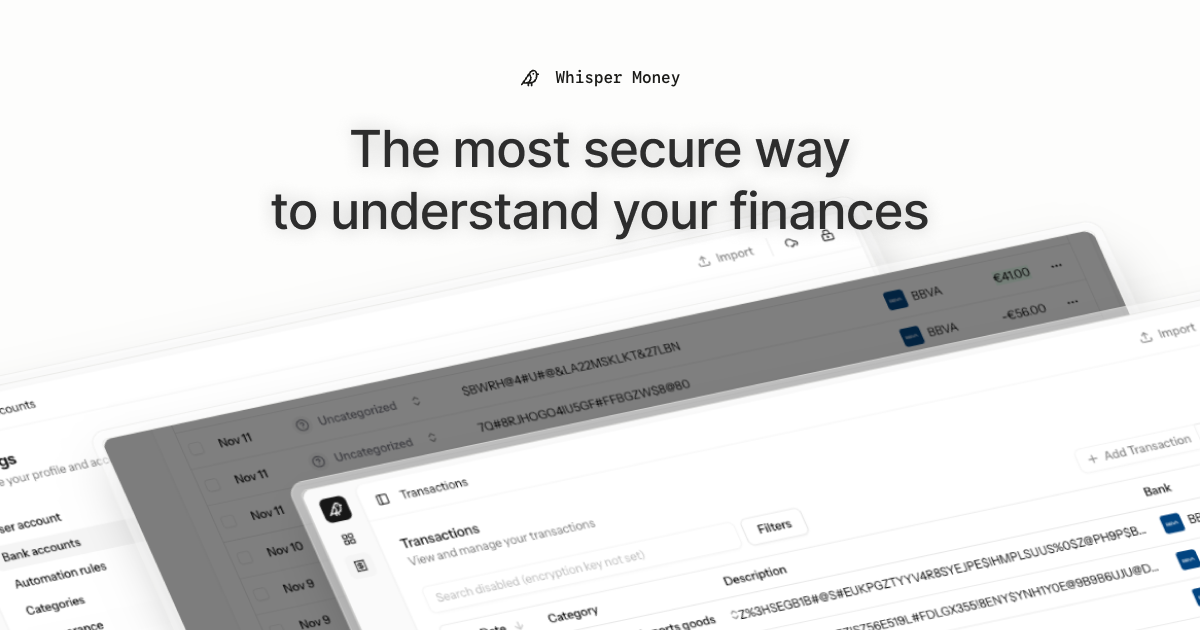
Whisper Money


The most secure way to understand your finances.
Whisper Money is a privacy-first personal finance application that helps you track, categorize, and understand your spending—all while keeping your financial data encrypted and secure.
🎮 Try the Demo: Experience Whisper Money with our demo account - no registration required!
💬 Join our Community: Whether you're a user looking for help or a developer wanting to contribute, we'd love to have you in our Discord server! Share feedback, ask questions, discuss new features, or just hang out with fellow privacy enthusiasts.
Features
- 🔐 Privacy-first — Your data is never shared with third parties. You own it
- 🏦 Bank account management — Track multiple accounts in one place
- 📊 Transaction categorization — Automatic and manual categorization
- 🤖 Automation rules — Set up rules to auto-categorize transactions
- 📈 Financial insights — Understand your spending patterns
Tech Stack
- Backend: Laravel 12, PHP 8.4
- Frontend: React 19, Inertia.js v3, TypeScript
- Styling: Tailwind CSS v4
- Database: MySQL
- Cache/Queue: Redis
- Testing: Pest v4
Running Locally
Quick Start (Recommended)
The easiest way to get started is using our automated setup script:
bash <(curl -fsSL https://whisper.money/setup.sh)
After installation, just visit https://whisper.money.localhost in your browser.
Manual Setup
If you prefer to set up manually:
- Clone the repository:
git clone https://github.com/whisper-money/whisper-money.git
cd whisper-money
- Run the setup script:
whispermoney install
Available Commands
Important: You must run
whispermoney installbefore using any other command. If you skip the install step, commands likestartwill not work.
Once installed, you can use the whispermoney command for common tasks:
# Start all services
whispermoney start

# Stop all services
whispermoney stop

# Upgrade to latest version
whispermoney upgrade

# Interactive menu
whispermoney
Development Server
For active development with hot reloading:
composer run dev
This will concurrently start:
- PHP development server (via Portless HTTPS proxy)
- Queue worker
- Log viewer (Pail)
- Vite dev server
The application will be available at https://dev.whisper.money.localhost. In git worktrees, the branch name is automatically prepended (e.g. https://fix-ui.dev.whisper.money.localhost).
Running with Docker (Production Image)
For testing the production Docker image locally:
- Copy the production environment file:
cp .env.production.example .env
- Start the services:
docker compose -f docker-compose.production.yml up -d
The application will be available at http://localhost:8080.
To use a different port, set APP_PORT:
APP_PORT=3000 docker compose -f docker-compose.production.yml up -d
Deploying to Coolify
Whisper Money can be easily deployed to Coolify using our Docker Compose template.
Quick Deploy
- In Coolify, create a new resource and select Docker Compose
- Choose Empty Compose File as the source
- Paste the contents from our template: 👉 whisper-money.yaml
- Deploy!
The template includes:
- Whisper Money application container
- MySQL 8.0 database with health checks
- Persistent volumes for data and storage
- Auto-generated database credentials
Required Environment Variables
| Variable | Description |
|---|---|
RESEND_API_KEY |
Email service API key (for password resets, notifications) |
Note:
APP_KEYandAPP_URLare auto-configured. The container generates anAPP_KEYon first startup if not provided.
Optional Environment Variables
| Variable | Default | Description |
|---|---|---|
DRIP_EMAILS_ENABLED |
true |
Enable drip emails (welcome, onboarding, feedback) |
REGISTRATION_ENABLED |
true |
Set to false to close public sign-ups (the /register routes return a 403 and every registration CTA is hidden) while keeping /login open |
SUBSCRIPTIONS_ENABLED |
false |
Enable Stripe subscriptions |
STRIPE_KEY |
- | Stripe publishable key |
STRIPE_SECRET |
- | Stripe secret key |
STRIPE_WEBHOOK_SECRET |
- | Stripe webhook signing secret |
AI_PROVIDER |
gemini |
AI provider for every AI feature (gemini, ollama, openai, ...) |
AI Provider
Whisper Money's AI features (transaction categorization and automation-rule
suggestions) run on laravel/ai and default to
Google Gemini. The provider is configurable independently of the model, so
you can point the app at any text provider laravel/ai supports — gemini,
openai, anthropic, azure, groq, xai, deepseek, mistral, or a
self-hosted Ollama server. Ollama is the headline case
because it keeps AI processing fully local and private — data never leaves your
infrastructure — but the switch is generic.
Each provider needs its own credentials configured for laravel/ai (e.g.
GEMINI_API_KEY, OPENAI_API_KEY, ANTHROPIC_API_KEY, or OLLAMA_URL). An
unknown or non-text provider fails fast when the AI feature runs.
| Variable | Default | Description |
|---|---|---|
AI_PROVIDER |
gemini |
Provider for all AI features. Set once to switch everything. |
AI_SUGGESTIONS_PROVIDER |
AI_PROVIDER |
Override the provider for rule suggestions only. |
AI_CATEGORIZATION_PROVIDER |
AI_PROVIDER |
Override the provider for transaction categorization only. |
AI_REPORTS_PROVIDER |
AI_PROVIDER |
Override the provider for the stats-report summaries only. |
AI_SUGGESTIONS_MODEL |
gemini-flash-latest |
Model used for rule suggestions. |
AI_CATEGORIZATION_MODEL |
gemini-flash-latest |
Model used for transaction categorization. |
AI_REPORTS_MODEL |
gemini-flash-latest |
Model used for the stats-report summaries. |
AI_REPORTS_TIMEOUT |
30 |
Seconds before a report is posted without its AI summary. |
GEMINI_API_KEY |
- | Required when the provider is gemini. |
OLLAMA_URL |
http://localhost:11434 |
Ollama server URL (used when the provider is ollama). |
OLLAMA_API_KEY |
- | Optional; only needed behind an authenticating proxy. |
Example: fully local AI with Ollama
AI_PROVIDER=ollama
OLLAMA_URL=http://ollama.example.local:11434
AI_SUGGESTIONS_MODEL=gemma3:12b
AI_CATEGORIZATION_MODEL=gemma3:12b
Make sure the model is pulled on the Ollama server first (ollama pull gemma3:12b).
Any other provider follows the same pattern: set AI_PROVIDER, that provider's
credentials, and the *_MODEL vars to one of its models. Gemini remains the
default, so existing deployments are unaffected.
Star History
License
This work is licensed under a Creative Commons Attribution-NonCommercial 4.0 International License.