 98f03db50c
## What The Roadmap item pushed the landing header past the viewport on narrow laptops: the logo wrapped onto two lines and, in Spanish, the register button was clipped off screen (at 640px the nav needed 670px). Between `sm` and `lg` the nav is now icon-only and tighter: - Roadmap / Github / Discord keep their labels only from `lg` up. The label stays `sr-only` instead of `display:none`, so the icons keep their accessible name — before this they announced as "link", "link 1096", "link". The GitHub star count stays visible at every width. - Button padding, nav gap and the wordmark size all step down below `lg`, which is what buys back the room Spanish needs. At 640px the nav now ends on the 24px page padding instead of 10px past it, with 22px of air between logo and nav. - The logo gets `shrink-0` + `whitespace-nowrap`, so it can no longer wrap. ## Also - The logo links back to the landing page on every page but the landing itself (the page is detected by URL, so `?ref=` links behave). Before this, a phone visitor on `/roadmap` had no way back other than the browser's back button. - The mobile pill header drops its Github/Discord buttons and separator: they were `hidden … sm:flex` inside a `sm:hidden` header, so they could never render. - The three nav buttons collapse into a local `NavButton`, so the breakpoint lives in one place instead of three. ## QA Browser QA against the dev server on `/` and `/roadmap`, in Spanish (the longest of our strings) and English, at 390 / 640 / 672 / 1024 / 1280: - 640px es: no horizontal overflow, right padding intact, nothing clipped. - 1024px+: labels are back, layout unchanged from today. - 390px: the mobile pill is untouched. - Logo click on `/roadmap` navigates to `/`; on `/` it renders as a plain `div` in both headers. Unit tests cover the logo routing branch. The responsive band itself is visual-QA only — jsdom cannot evaluate Tailwind breakpoints, and a className assertion would be brittle. ## Demo <!-- PLACEHOLDER: drag the screenshots here (390 / 640 / 672 / 1280, Spanish) --> |
||
|---|---|---|
| .agents/skills | ||
| .claude | ||
| .cursor | ||
| .github | ||
| .opencode/skills | ||
| .pi | ||
| app | ||
| bootstrap | ||
| config | ||
| database | ||
| docker | ||
| docs | ||
| experiments | ||
| lang | ||
| public | ||
| resources | ||
| routes | ||
| screenshots | ||
| scripts | ||
| src/lib/crypto | ||
| storage | ||
| templates/coolify | ||
| tests | ||
| .crap-ignore.json | ||
| .dockerignore | ||
| .editorconfig | ||
| .env.example | ||
| .env.production.example | ||
| .gitattributes | ||
| .gitignore | ||
| .jscpd.json | ||
| .mcp.json | ||
| .php-cs-fixer.dist.php | ||
| .php-version | ||
| .prettierignore | ||
| .prettierrc | ||
| .release-it.json | ||
| AGENTS.md | ||
| CHANGELOG.md | ||
| CLAUDE.md | ||
| Dockerfile | ||
| Dockerfile.production | ||
| LICENSE.md | ||
| LOCALIZATION.md | ||
| ONBOARDING.md | ||
| README.md | ||
| artisan | ||
| autoresearch-dashboard.md | ||
| autoresearch.jsonl | ||
| autoresearch.md | ||
| autoresearch.sh | ||
| boost.json | ||
| bun.lock | ||
| chatgpt-app-submission.json | ||
| components.json | ||
| compose.yaml | ||
| composer.json | ||
| composer.lock | ||
| docker-compose.production.yml | ||
| eslint.config.js | ||
| falcode.json | ||
| opencode.json | ||
| package-lock.json | ||
| package.json | ||
| phpstan-baseline.neon | ||
| phpstan.neon | ||
| phpunit.xml | ||
| tsconfig.json | ||
| vite.config.ts | ||
| vitest.config.ts | ||
| vitest.setup.ts | ||
| whispermoney | ||
| worktree.sh | ||
README.md
Deutsch | Español | français | 日本語 | 한국어 | Português | Русский | 中文
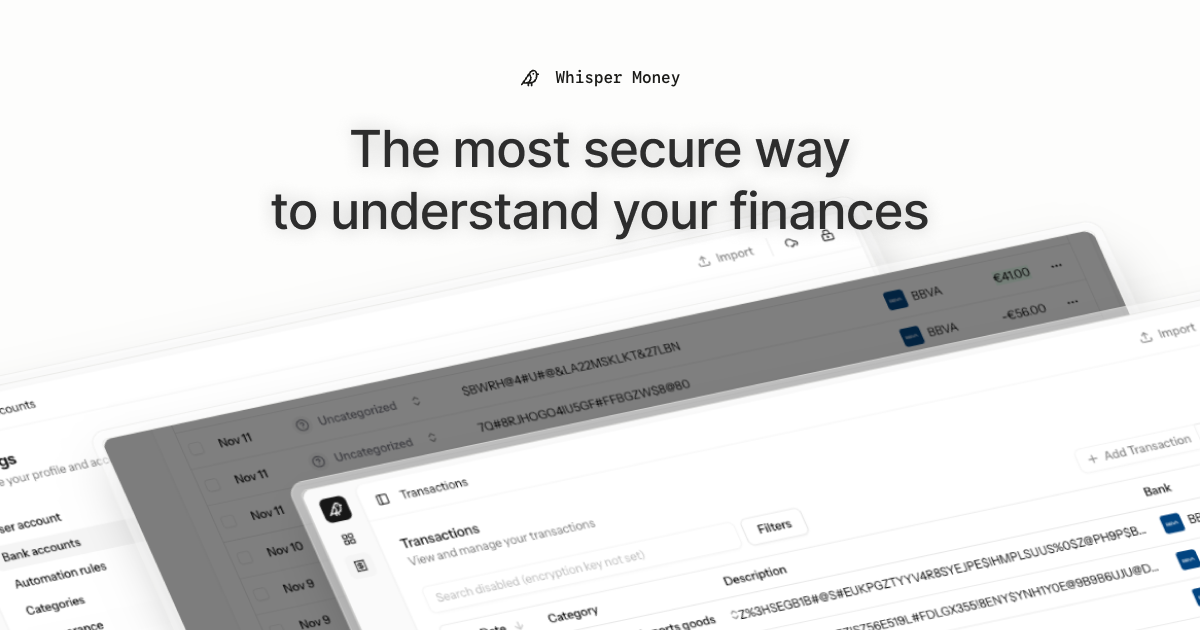
Whisper Money


The most secure way to understand your finances.
Whisper Money is a privacy-first personal finance application that helps you track, categorize, and understand your spending—all while keeping your financial data encrypted and secure.
🎮 Try the Demo: Experience Whisper Money with our demo account - no registration required!
💬 Join our Community: Whether you're a user looking for help or a developer wanting to contribute, we'd love to have you in our Discord server! Share feedback, ask questions, discuss new features, or just hang out with fellow privacy enthusiasts.
Features
- 🔐 Privacy-first — Your data is never shared with third parties. You own it
- 🏦 Bank account management — Track multiple accounts in one place
- 📊 Transaction categorization — Automatic and manual categorization
- 🤖 Automation rules — Set up rules to auto-categorize transactions
- 📈 Financial insights — Understand your spending patterns
Tech Stack
- Backend: Laravel 12, PHP 8.4
- Frontend: React 19, Inertia.js v3, TypeScript
- Styling: Tailwind CSS v4
- Database: MySQL
- Cache/Queue: Redis
- Testing: Pest v4
Running Locally
Quick Start (Recommended)
The easiest way to get started is using our automated setup script:
bash <(curl -fsSL https://whisper.money/setup.sh)
After installation, just visit https://whisper.money.localhost in your browser.
Manual Setup
If you prefer to set up manually:
- Clone the repository:
git clone https://github.com/whisper-money/whisper-money.git
cd whisper-money
- Run the setup script:
whispermoney install
Available Commands
Important: You must run
whispermoney installbefore using any other command. If you skip the install step, commands likestartwill not work.
Once installed, you can use the whispermoney command for common tasks:
# Start all services
whispermoney start

# Stop all services
whispermoney stop

# Upgrade to latest version
whispermoney upgrade

# Interactive menu
whispermoney
Development Server
For active development with hot reloading:
composer run dev
This will concurrently start:
- PHP development server (via Portless HTTPS proxy)
- Queue worker
- Log viewer (Pail)
- Vite dev server
The application will be available at https://dev.whisper.money.localhost. In git worktrees, the branch name is automatically prepended (e.g. https://fix-ui.dev.whisper.money.localhost).
Running with Docker (Production Image)
For testing the production Docker image locally:
- Copy the production environment file:
cp .env.production.example .env
- Start the services:
docker compose -f docker-compose.production.yml up -d
The application will be available at http://localhost:8080.
To use a different port, set APP_PORT:
APP_PORT=3000 docker compose -f docker-compose.production.yml up -d
Deploying to Coolify
Whisper Money can be easily deployed to Coolify using our Docker Compose template.
Quick Deploy
- In Coolify, create a new resource and select Docker Compose
- Choose Empty Compose File as the source
- Paste the contents from our template: 👉 whisper-money.yaml
- Deploy!
The template includes:
- Whisper Money application container
- MySQL 8.0 database with health checks
- Persistent volumes for data and storage
- Auto-generated database credentials
Required Environment Variables
| Variable | Description |
|---|---|
RESEND_API_KEY |
Email service API key (for password resets, notifications) |
Note:
APP_KEYandAPP_URLare auto-configured. The container generates anAPP_KEYon first startup if not provided.
Optional Environment Variables
| Variable | Default | Description |
|---|---|---|
DRIP_EMAILS_ENABLED |
true |
Enable drip emails (welcome, onboarding, feedback) |
REGISTRATION_ENABLED |
true |
Set to false to close public sign-ups (the /register routes return a 403 and every registration CTA is hidden) while keeping /login open |
SUBSCRIPTIONS_ENABLED |
false |
Enable Stripe subscriptions |
STRIPE_KEY |
- | Stripe publishable key |
STRIPE_SECRET |
- | Stripe secret key |
STRIPE_WEBHOOK_SECRET |
- | Stripe webhook signing secret |
AI_PROVIDER |
gemini |
AI provider for every AI feature (gemini, ollama, openai, ...) |
AI Provider
Whisper Money's AI features (transaction categorization and automation-rule
suggestions) run on laravel/ai and default to
Google Gemini. The provider is configurable independently of the model, so
you can point the app at any text provider laravel/ai supports — gemini,
openai, anthropic, azure, groq, xai, deepseek, mistral, or a
self-hosted Ollama server. Ollama is the headline case
because it keeps AI processing fully local and private — data never leaves your
infrastructure — but the switch is generic.
Each provider needs its own credentials configured for laravel/ai (e.g.
GEMINI_API_KEY, OPENAI_API_KEY, ANTHROPIC_API_KEY, or OLLAMA_URL). An
unknown or non-text provider fails fast when the AI feature runs.
| Variable | Default | Description |
|---|---|---|
AI_PROVIDER |
gemini |
Provider for all AI features. Set once to switch everything. |
AI_SUGGESTIONS_PROVIDER |
AI_PROVIDER |
Override the provider for rule suggestions only. |
AI_CATEGORIZATION_PROVIDER |
AI_PROVIDER |
Override the provider for transaction categorization only. |
AI_REPORTS_PROVIDER |
AI_PROVIDER |
Override the provider for the stats-report summaries only. |
AI_SUGGESTIONS_MODEL |
gemini-flash-latest |
Model used for rule suggestions. |
AI_CATEGORIZATION_MODEL |
gemini-flash-latest |
Model used for transaction categorization. |
AI_REPORTS_MODEL |
gemini-flash-latest |
Model used for the stats-report summaries. |
AI_REPORTS_TIMEOUT |
30 |
Seconds before a report is posted without its AI summary. |
GEMINI_API_KEY |
- | Required when the provider is gemini. |
OLLAMA_URL |
http://localhost:11434 |
Ollama server URL (used when the provider is ollama). |
OLLAMA_API_KEY |
- | Optional; only needed behind an authenticating proxy. |
Example: fully local AI with Ollama
AI_PROVIDER=ollama
OLLAMA_URL=http://ollama.example.local:11434
AI_SUGGESTIONS_MODEL=gemma3:12b
AI_CATEGORIZATION_MODEL=gemma3:12b
Make sure the model is pulled on the Ollama server first (ollama pull gemma3:12b).
Any other provider follows the same pattern: set AI_PROVIDER, that provider's
credentials, and the *_MODEL vars to one of its models. Gemini remains the
default, so existing deployments are unaffected.
Star History
License
This work is licensed under a Creative Commons Attribution-NonCommercial 4.0 International License.